
Did you know that nearly 70% of smart device users have never changed their default passwords? This alarming trend leaves many homes vulnerable to privacy breaches. To protect your personal information, it’s essential to understand how to secure these devices properly. By implementing strategic measures, you can greatly reduce your risk. Let’s explore effective strategies for ensuring your smart home remains a safe haven for your data.
Key Takeaways
- Segment your home network using separate SSIDs or VLANs to isolate smart devices from sensitive ones.
- Enable multi-factor authentication and use unique passwords for each device to enhance security.
- Regularly update device firmware and privacy settings to protect against vulnerabilities and data sharing.
- Limit app permissions and deactivate unnecessary features to reduce personal data exposure.
- Implement encryption for data transmission and consider RF shielding to mitigate side-channel attacks.
Network Segmentation and Control
When you consider the safety of your smart devices, network segmentation and control play a crucial role in protecting your sensitive information. By segmenting your home network, you can isolate smart devices from more sensitive devices, like computers and smartphones. This isolation reduces the risk of a cross-device compromise if a smart device gets hacked. Using separate SSIDs or VLANs limits exposure, safeguarding your financial and personal data. Additionally, configuring your router to block smart devices from accessing the internet can prevent unnecessary data transmissions. You should also consider using configurable routers or OpenWRT firmware to apply device-specific MAC address rules, enhancing your control over external connectivity and preserving your privacy. Moreover, understanding field-of-view and imaging-scale can help you evaluate the risks associated with connected devices. Keep your smart home secure!
Strong Authentication and Access Control
To keep your smart devices safe, you need to implement strong authentication measures. Start by using unique passwords for each device and enable multi-factor authentication to add an extra layer of security. Additionally, disabling automatic discovery can help prevent unauthorized access to your network. Consider incorporating eco-friendly practices to further enhance your home’s overall security and sustainability.
Unique Passwords for Devices
Although it might seem convenient to use the same password across multiple smart devices, doing so considerably increases your vulnerability to unauthorized access. To enhance your security, follow these simple steps for creating unique passwords:
- Use a mix of characters: Combine uppercase and lowercase letters, numbers, and symbols to create robust passwords.
- Create long passwords: Aim for at least 12-16 characters, as longer passwords are harder to crack.
- Utilize a password manager: This tool helps you store and generate unique passwords for each device, simplifying the management process. Additionally, ensuring that your devices have high suction power can help maintain a clean environment, which is crucial for reducing allergens and improving overall air quality.
Enable Multi-Factor Authentication
Enabling multi-factor authentication (MFA) considerably enhances the security of your smart devices by adding an extra layer of protection beyond just passwords. With MFA, you’ll need to provide at least one additional verification method, such as a code sent to your phone or biometric recognition. This means that even if someone steals your password, they won’t gain access without that second factor. Make sure to choose an MFA method that suits your devices and lifestyle. Regularly updating this verification method can further boost your security. Implementing MFA not only protects your devices but also safeguards your personal data from unauthorized access. By taking this step, you’re actively reducing the risk of privacy breaches in your smart home. Additionally, be aware that user data protection is essential in maintaining your privacy in an increasingly digital environment.
Disable Automatic Discovery
Disabling automatic discovery on your smart devices is an essential step in enhancing your home network’s security. This feature can expose your devices to unauthorized access, so it’s imperative to turn it off. Here are three reasons why you should do this:
- Prevent Unauthorized Access: Without automatic discovery, unauthorized users can’t easily find your devices, reducing the risk of hacking.
- Limit Device Connectivity: It minimizes the chances of your devices connecting to unknown networks, further protecting your privacy.
- Enhance Control: You gain better control over which devices are connected to your network, allowing you to manage access effectively.
Taking this simple step can greatly bolster your smart home’s security and help protect your personal information. Additionally, understanding user consent management can further enhance your privacy settings across all devices.
Encryption and Data Protection
Encryption and data protection are essential for securing your smart devices and the sensitive information they handle. You should prioritize end-to-end encryption to keep your data secure while it’s transmitted between devices. Choose devices and apps that support secure encryption protocols like SSL/TLS to safeguard your communications. Make sure both local network and cloud communications are encrypted to prevent unauthorized access. Disable data sharing features and control permissions to minimize exposure to manufacturers or third parties. Regularly review and disable any device functions that transmit data externally, reducing privacy risks from unnecessary data collection. By taking these steps, you’ll enhance your privacy and the security of your smart home environment. Additionally, investing in reliable encryption software can provide an extra layer of protection for your data.
Device Configuration and Privacy Settings
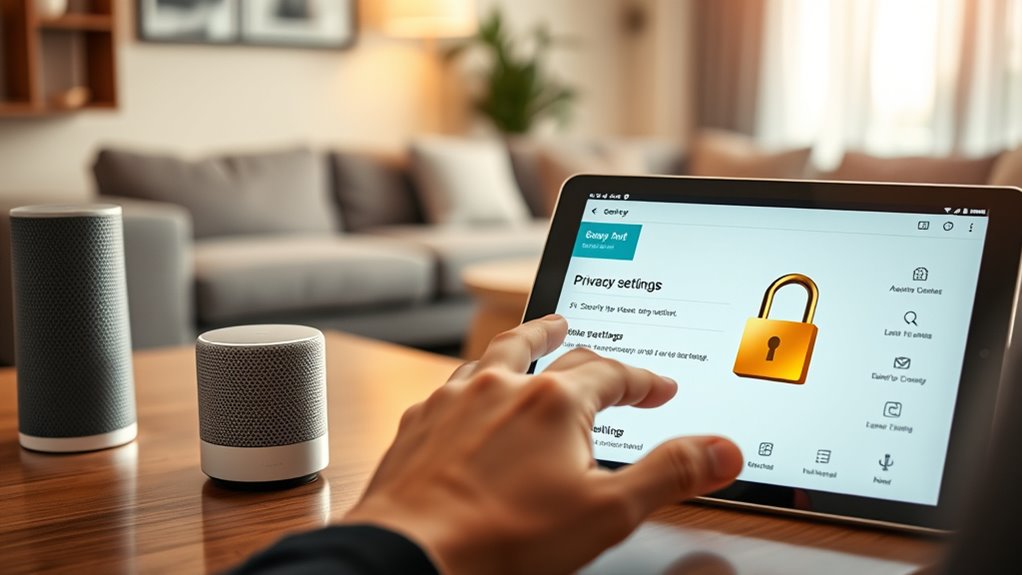
When you configure your smart devices with privacy in mind, you substantially enhance your control over personal data. Taking the time to adjust settings can greatly reduce risks. Here are three key steps to contemplate:
Configuring smart devices with privacy in mind enhances control over personal data and reduces risks significantly.
- Limit Data Retention: Configure your devices to minimize how long audio or video recordings are stored, ensuring less personal data is kept.
- Deactivate Unnecessary Features: Turn off functions like direct ordering or voice assistant recordings to lower exposure to potential misuse.
- Review Privacy Settings Regularly: Check and adjust your smart device privacy settings periodically to prevent default over-sharing of your data.
Wireless Traffic and Side-Channel Attack Mitigations

To protect your smart devices, you need to focus on concealing wireless traffic patterns and mitigating side-channel attacks. By injecting fake data packets and obfuscating timing correlations, you can make it harder for malicious actors to analyze your device communications. Staying aware of potential threats like fingerprint and timing-based snooping is essential for maintaining your privacy. Additionally, understanding how to maximize your truck bed’s potential can help you realize that the same principles of security and efficiency apply when managing your home devices.
Concealing Wireless Traffic Patterns
While many smart devices enhance convenience, they also create vulnerabilities in your home network that can expose personal data. To protect yourself, consider these techniques for concealing wireless traffic patterns:
- Inject Fake Data Packets: This confuses potential attackers by masking your actual traffic and activity.
- Obfuscate Timing Correlations: Vary the timing of your device transmissions to make it harder for anyone to infer your habits or occupancy.
- Limit Broadcast Signatures: Reduce the identifying information your devices emit, which helps prevent passive attacks. Additionally, maintaining strong security measures on your home network, such as firewalls and encryption, can significantly enhance your overall privacy.
Mitigating Side-Channel Attacks
Although smart devices offer many benefits, they also introduce the risk of side-channel attacks that can compromise your privacy. To mitigate these risks, you can conceal wireless traffic patterns by injecting fake data packets, which confuses potential attackers. Obfuscating timing correlations between device transmissions helps prevent them from inferring your activity patterns. Stay aware of fingerprint and timing-based snooping, as these passive attacks can expose your device’s radio emissions. Implement hardware and software countermeasures to protect against more sophisticated side-channel attacks like power analysis. Additionally, limit device broadcast signatures and consider using RF shielding to reduce the risk of leaking identifying information. Taking these steps will enhance your privacy and security at home. Utilizing energy-efficient cloud servers can further secure your data while minimizing your carbon footprint.
Regular Updates and Network Security Hygiene

Regularly updating your smart devices and maintaining network security hygiene are crucial steps in protecting your privacy. By staying proactive, you can markedly reduce the risk of breaches. Here are three essential actions to take:
Regular updates and strong network hygiene are vital for safeguarding your privacy and minimizing breach risks. Stay proactive!
- Install firmware updates promptly: These updates patch vulnerabilities that attackers might exploit.
- Secure your Wi-Fi network: Use the latest standards like WPA3 and strong passwords to prevent unauthorized access.
- Review app permissions: Limit access to only essential data and functions, minimizing your attack surface. Additionally, cultivating a growth mindset can empower you to continuously adapt your security practices as new threats emerge.
Best Practices for Smart Device Management
To effectively manage your smart devices, start by establishing a strategy that prioritizes security and privacy. Use network segmentation to isolate your smart devices from sensitive ones. Implement strong authentication with unique passwords and multi-factor authentication. Regularly update your devices to patch vulnerabilities and review privacy settings to minimize data sharing.
Here’s a concise overview of best practices:
| Strategy | Action Items | Benefits |
|---|---|---|
| Network Segmentation | Use separate SSIDs or VLANs | Reduces risk of cross-device compromise |
| Strong Authentication | Enable MFA and strong passwords | Prevents unauthorized access |
| Regular Updates | Install firmware promptly | Patches security vulnerabilities |
| Privacy Settings | Limit data sharing options | Enhances data protection |
Frequently Asked Questions
What Types of Smart Devices Are Most Vulnerable to Privacy Breaches?
Smart cameras, voice assistants, and smart thermostats are often the most vulnerable to privacy breaches. They constantly collect data and may have weak security features. If you’re not careful, hackers can exploit these devices to access your personal information. Additionally, any device with always-on microphones or cameras poses significant risks, as they can inadvertently record sensitive conversations or activities. Always stay vigilant about the privacy settings on these devices to minimize risks.
How Can I Identify Unauthorized Access to My Smart Devices?
To identify unauthorized access to your smart devices, regularly check your device’s activity logs for unfamiliar connections. Look for any unusual behavior, such as unexpected notifications or unrecognized devices on your network. Enable alerts for unusual login attempts, and consider using security software that monitors network traffic. If you notice anything suspicious, change your passwords immediately and disconnect any unknown devices. Staying vigilant helps keep your smart home secure.
Are There Specific Brands Known for Better Privacy Protection?
Yes, some brands are known for better privacy protection. You might want to contemplate devices from companies like Apple, which emphasizes user privacy, or those that offer strong encryption and minimal data collection, such as Eufy and Wyze. Look for brands that prioritize transparency, provide regular updates, and allow you to control data sharing settings. Always check user reviews and privacy policies to guarantee the device meets your expectations for safeguarding your information.
What Should I Do if My Smart Device Is Hacked?
If your smart device is hacked, act quickly. First, disconnect it from your Wi-Fi network to prevent further access. Change passwords for the device and your home network immediately. Check for any unusual activity and reset the device to factory settings if possible. Update its firmware to the latest version. Finally, consider contacting the manufacturer for support and monitor your accounts for unauthorized transactions. Taking these steps can help regain control and enhance your security.
How Can I Educate My Family About Smart Device Privacy Risks?
Imagine your smart security camera unexpectedly streaming your home to strangers online. To educate your family about smart device privacy risks, start by discussing real-life examples like this. Host a family meeting to share stories, explain the importance of strong passwords, and demonstrate how to adjust privacy settings. Use engaging visuals or videos to illustrate potential dangers, making it relatable. Encourage open conversations about tech habits, fostering a culture of awareness and responsibility.
Conclusion
By taking these steps, you’ll not only protect your privacy but also enhance your home’s security. Isn’t it reassuring to know that with a few simple adjustments, you can markedly reduce risks? Just imagine the peace of mind you’ll feel knowing your smart devices are safe from prying eyes. So, embrace these best practices and enjoy the convenience of your technology without compromising your privacy. After all, a secure home is a happy home!