
You might think you know all there is to your gadgets, but hidden features could be waiting to enhance your experience. From customizable gestures that streamline your tasks to innovative tools like augmented reality measurements, these tech hacks can markedly improve usability and security. Curious about how these lesser-known functionalities can transform your daily routines? Let’s explore what your devices can really do.
Key Takeaways
- Utilize back tap gestures to quickly launch apps or take screenshots without navigating through menus.
- Transform your smartphone into a digital tape measure with the Measure app’s augmented reality features for efficient measurements.
- Enhance productivity with split-screen multitasking, allowing you to use two apps simultaneously for improved workflow.
- Use text scanning in your camera app to quickly extract and save information from images without manual retyping.
- Customize notification sounds and vibration patterns to easily identify alerts based on your routines and preferences.
Back Tap Gestures for Quick Shortcuts
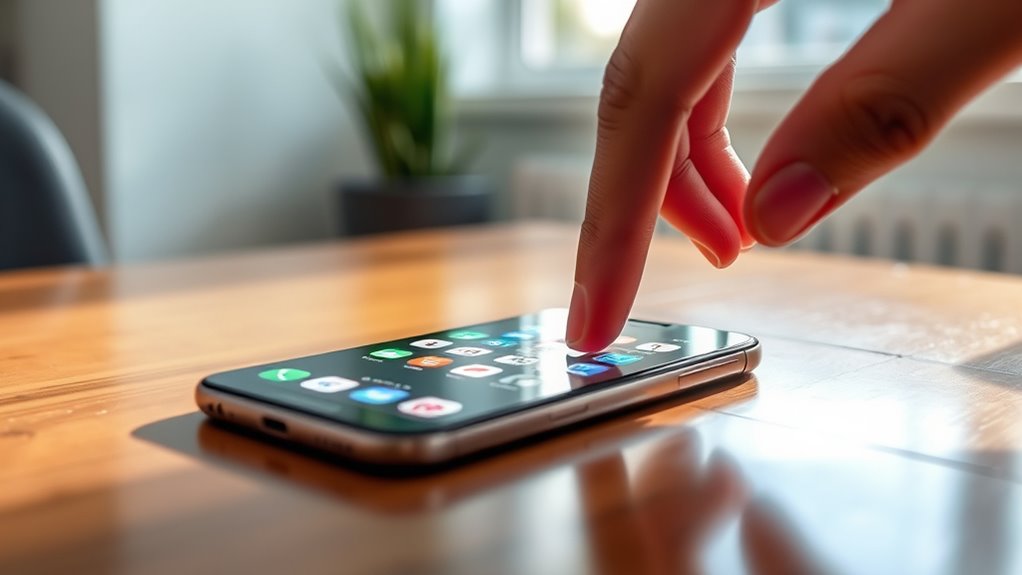
When you want to streamline your smartphone experience, Back Tap Gestures can be a game changer. These handy shortcuts let you perform tasks with just a couple of taps on the back of your phone. You can customize them to open apps, take screenshots, or even activate specific settings. Imagine quickly launching your favorite messaging app or putting your phone on silent without digging through menus. Setting them up is simple; just head to your settings and assign your preferred actions. Once you’ve got it configured, you’ll find that your productivity skyrockets. No more fumbling around with buttons or swiping through screens—just tap and go! Embrace this feature and make your smartphone experience more efficient. Additionally, using high refresh rates can significantly enhance your overall device responsiveness and user experience.
Measure App: Your Digital Tape Measure

Ever wondered how you can measure objects without carrying a bulky tape measure? The Measure App on your smartphone lets you do just that with augmented reality! Simply point your camera at the object, and it’ll calculate the dimensions in real-time. It’s incredibly handy for quick measurements around the house or during projects.
Discover the convenience of the Measure App, transforming your smartphone into a powerful tool for quick, accurate measurements!
Here are three cool features of the Measure App:
- Level Tool: Ensure your frames or shelves are perfectly straight with the built-in level feature.
- Area Measurement: Calculate the area of a room or object by tracing its perimeter.
- Height Estimation: Measure the height of objects or people by positioning your camera at a specific angle.
With this app, measuring becomes effortless! Additionally, you can store your measurements securely in the cloud, ensuring they are accessible whenever you need them, thanks to energy-efficient cloud servers.
Sound Recognition for Important Alerts
With sound recognition, your smartphone can alert you to critical sounds like alarms or doorbells, keeping you aware of your surroundings. This feature enhances your daily awareness, ensuring you never miss important notifications. It’s a simple yet powerful tool that can make a big difference in your daily life. Additionally, understanding credit card terms can help you manage your finances effectively when responding to alerts related to transactions.
Alerts for Critical Sounds
While you’re busy with daily tasks, sound recognition on your smartphone can be a game changer, alerting you to critical sounds like alarms, doorbells, and even smoke detectors. This feature guarantees you won’t miss important notifications, especially in noisy environments or when you’re focused on work.
Here are some key benefits of sound recognition:
- Enhanced awareness: Stay informed about your surroundings without constant checking.
- Custom alerts: Set specific sounds to trigger notifications, tailoring them to your needs.
- Accessibility: Assist hearing-impaired users by notifying them of essential sounds. Additionally, this technology can help you enjoy your backyard transformation by ensuring you don’t miss important announcements or gatherings.
Enhanced Daily Awareness
As you navigate through your day, sound recognition can critically enhance your awareness by alerting you to essential sounds in your environment. This feature is especially beneficial if you’re hearing-impaired or simply busy. It detects important alerts like doorbells, alarms, or sirens, ensuring you never miss vital notifications. You can customize which sounds trigger alerts, tailoring the experience to your needs. Imagine cooking while your phone discreetly notifies you of a delivery or a fire alarm. By turning on sound recognition in your settings, you empower yourself to stay connected and informed without distraction. This feature transforms your device into a vigilant assistant, allowing you to focus on what matters while remaining aware of significant happenings around you. Additionally, sound recognition can be integrated with smart home technology, enhancing your overall security and responsiveness in daily life.
Split-Screen Multitasking Made Easy

If you want to boost your productivity, mastering split-screen multitasking on your smartphone is essential. This feature allows you to run two apps simultaneously, making it easier to juggle tasks. Here’s how to make the most of it:
- Open your first app: Start by launching the app you want to use.
- Access the app switcher: Swipe up or tap the recent apps button to view your open applications.
- Select your second app: Tap and drag the second app to the top or side of the screen, depending on your device.
With these simple steps, you can enhance your workflow and make multitasking feel effortless. Additionally, understanding connectivity quirks can further improve your experience when using multiple apps at once. Don’t miss out on this hidden gem—try it today!
Text Scanning: Extracting Text From Images
After mastering split-screen multitasking, you can further streamline your productivity with text scanning features on your smartphone. This handy tool allows you to extract text directly from images using your camera app. Just point your camera at a document, sign, or any printed text, and tap the text scanning icon. Your phone will recognize and convert the text into editable format, making copying and sharing a breeze. It’s perfect for quickly capturing notes from whiteboards or scanning receipts. Plus, you won’t have to retype anything, saving you valuable time. So, next time you need to grab some text, remember this hidden gem and watch your efficiency soar! Additionally, many smartphones now include text extraction tools that enhance this feature, making it even easier to streamline your workflow.
Enhanced Device Security Features

When it comes to keeping your device safe, enhanced security features are essential. Biometric authentication, guest modes, and location privacy controls give you greater control over your personal information. Let’s explore how these features can help protect your data and privacy. Additionally, using devices with HEPA filters can significantly enhance your overall safety by reducing allergens and improving air quality in your environment.
Biometric Authentication Advances
Recent advancements in biometric authentication are revolutionizing device security, making it more robust and user-friendly than ever. You can now enjoy enhanced protection with features that simplify access while keeping your data safe. Here are a few key improvements:
- Ultrasonic fingerprint technology: This method scans more points on your fingerprint, increasing accuracy and security compared to older models.
- Facial recognition upgrades: Enhanced algorithms allow your device to disclose even in low-light conditions, making it easier to access your phone anytime.
- Iris scanning: This feature adds another layer of security by using unique patterns in your eyes, ensuring only you can disclose your device.
Additionally, these advancements are complemented by user consent options that allow users to control their data usage effectively.
Embrace these biometric advancements to secure your gadgets and streamline your daily interactions!
Guest Mode Functionality
With enhanced biometric security features like ultrasonic fingerprint technology and facial recognition upgrades, your device is already more secure. But have you tried using the Guest Mode functionality? It’s a game changer for keeping your personal data safe when sharing your device. When activated, Guest Mode restricts access to your apps, photos, and messages, allowing others to use your device without prying into your private information. Setting it up is usually a breeze—just find Guest Mode in your settings and enable it. This way, you can confidently hand over your phone to a friend or family member without worrying about unwanted snooping. It’s an essential feature for anyone who values privacy while still wanting to share their gadget. Additionally, utilizing Guest Mode can help protect your sensitive information from high-pressure sales tactics when browsing or researching online.
Location Privacy Controls
Location privacy controls are essential for maintaining your security and peace of mind in today’s connected world. These features help you manage how apps access your location, ensuring you share only what you want. Here are some key controls to explore:
- App Permissions: Review and limit which apps can track your location. You can choose to allow access only while using the app or deny it altogether.
- Location History: Regularly check and delete your location history to keep your movements private.
- Emergency Location Services: Enable settings that allow emergency services to locate you quickly in case of an emergency.
Advanced Interaction Modalities to Explore

As smartphones continue to evolve, exploring advanced interaction modalities can considerably enhance your user experience. Pressure-sensitive screens let you control apps and games by varying your touch force, making interactions feel more intuitive. Gesture controls also add a layer of convenience; for instance, you can raise your hand to zoom in on photos or lock onto a target. Custom vibrations provide personalized haptic feedback, so you know what notifications you’re receiving without looking. If you’re struggling with a large screen, one-handed modes shift the interface for easier access. Finally, consider using magnetic privacy covers on webcams, which give you peace of mind by physically blocking your camera when you’re not using it. Embrace these features to make your smartphone experience more productive and enjoyable!
Emerging Smart Camera Technologies

What if your smartphone camera could do much more than just capture images? Today’s emerging smart camera technologies are transforming your photography experience. Here are some exciting features you might not know about:
Smartphone cameras are evolving beyond simple photography, unlocking incredible new features for a transformative visual experience.
- AI-powered object recognition identifies and categorizes objects, making it easier to capture the perfect shot.
- 4K low-light performance enhances video and photo quality in dim environments, ensuring you don’t miss a moment.
- Adjustable RGB LED lighting on camera accessories allows you to customize visuals, adding flair to your portraits or close-ups.
These advancements not only improve your photography capabilities but also turn your smartphone into a versatile creative tool. Get ready to explore these hidden features and elevate your photography game!
Battery and Performance Optimization Techniques

To guarantee your smartphone keeps up with your busy lifestyle, optimizing battery performance is essential. Start by enabling smart automation, which adjusts your phone’s behavior to reduce power consumption. Utilize focus modes to limit screen-on time and background processes, helping your battery last longer throughout the day. Energy-saving display technologies can also make a difference; they automatically adjust brightness based on ambient light, consuming less power. Don’t forget to remove unnecessary third-party apps that drain energy in the background, like unused QR scanners. Lastly, take advantage of built-in notification history, allowing you to quickly review messages without constantly disabling your device, saving precious battery life. These techniques will assure your phone remains reliable when you need it most.
Personalization and Accessibility Utilities
When it comes to making your smartphone work for you, personalization and accessibility utilities are essential. You can set tailored notification preferences to keep distractions at bay, enhance visual accessibility for easier reading, and use adaptive sound alerts to stay aware of your environment. These features not only boost productivity but also guarantee a more inclusive experience for all users.
Tailored Notification Settings
As you navigate your daily routine, tailored notification settings can considerably enhance your smartphone experience by prioritizing important alerts and minimizing distractions. By customizing these settings, you can guarantee that only the most relevant notifications catch your attention. Here are three ways to optimize your notification experience:
- Focus Modes: Set specific modes for work, leisure, or sleep to limit notifications during important times.
- App Prioritization: Choose which apps can send you alerts, reducing noise from less important sources.
- Custom Sounds and Vibration Patterns: Assign unique sounds or vibrations for different apps, so you instantly recognize what’s urgent.
With these tailored settings, you’ll maintain better control over your notifications and enjoy a more streamlined smartphone experience.
Enhanced Visual Accessibility
How can you make your smartphone experience more accessible and user-friendly? Start by exploring the magnification features that enlarge text and images, making them easier to read. You can also adjust display settings to enhance contrast, ensuring content stands out clearly. Utilize custom focus modes to tailor notifications and app behaviors to suit your daily routine, reducing distractions. If multitasking is your goal, split-screen functionality lets you run two apps simultaneously, enhancing productivity. Don’t forget to customize gesture controls for simpler navigation. These personalization and accessibility utilities not only improve usability but also create a tailored experience that meets your unique needs. Immerse yourself in your settings and discover how these features can transform your smartphone experience!
Adaptive Sound Alerts
Building on the personalization and accessibility features, adaptive sound alerts can considerably enhance your smartphone experience. These alerts help you stay aware of important sounds in your environment, ensuring you never miss critical notifications. Here’s how you can benefit:
- Environmental Sound Detection: Your phone can recognize specific sounds like alarms or doorbells, alerting you even in noisy settings.
- Customizable Alert Tones: Tailor your alerts to specific sounds, ensuring you only receive notifications that matter to you.
- Vibration Feedback: Combine sound alerts with haptic feedback for a more immersive experience, helping you stay connected without distractions.
With adaptive sound alerts, you’ll maximize awareness and engagement while using your smartphone. It’s all about creating a seamless and personalized experience!
Frequently Asked Questions
How Do I Enable Back Tap Gestures on My Smartphone?
To enable back tap gestures on your smartphone, go to your Settings app. From there, tap on Accessibility, then Touch. You’ll find the Back Tap option; select it. You can choose double or triple tap gestures and assign them to specific actions, like opening an app or taking a screenshot. Once you’ve set it up, just tap the back of your phone, and you’ll see how handy it can be!
Can the Measure App Work in Low Light Conditions?
Yes, the Measure app can work in low light conditions, but its accuracy may diminish. It relies on your smartphone’s camera and sensors to detect surfaces and dimensions, so make certain there’s at least some ambient light for better results. You might notice it struggling in very dark environments. Try using it in well-lit areas for the best experience, and consider using a flashlight if you need to measure in dim settings.
What Sounds Can Sound Recognition Detect?
Sound recognition can detect various significant sounds, including alarms, doorbells, sirens, and even certain household noises like smoke alarms. When you enable this feature, your smartphone alerts you whenever it identifies these sounds, helping you stay aware of your surroundings. It’s especially useful if you’re in a noisy environment or can’t hear them clearly. With this feature, you can enhance your safety and make certain you never miss vital alerts.
Is Split-Screen Multitasking Available on All Apps?
Think of your smartphone as a busy intersection where multiple apps can cross paths. Split-screen multitasking isn’t available for all apps, though. While many popular apps support this feature, some may not be optimized for it. You can check by opening two apps and swiping to see if they share the screen. Experimenting with different combinations can help you find the perfect setup for boosting your productivity.
How Do I Customize My Device’s Privacy Settings?
To personalize your device’s privacy settings, go to the settings menu and find the privacy section. Here, you can manage app permissions, control location access, and enable guest modes to protect your personal data. You should also explore biometric authentication options for added security. Adjust notification settings to limit distractions, and consider using focus modes to streamline your experience. Regularly review these settings to make certain they align with your current privacy needs.
Conclusion
By revealing these ten hidden tech hacks, you can truly elevate your gadget experience. For instance, did you know that nearly 70% of smartphone users don’t utilize their device’s accessibility features? Embracing these tools not only boosts your productivity but also enhances your overall usability and security. So, explore these tips and discover just how much smarter and tailored your devices can become to fit your unique lifestyle. Your gadgets are waiting to work harder for you!