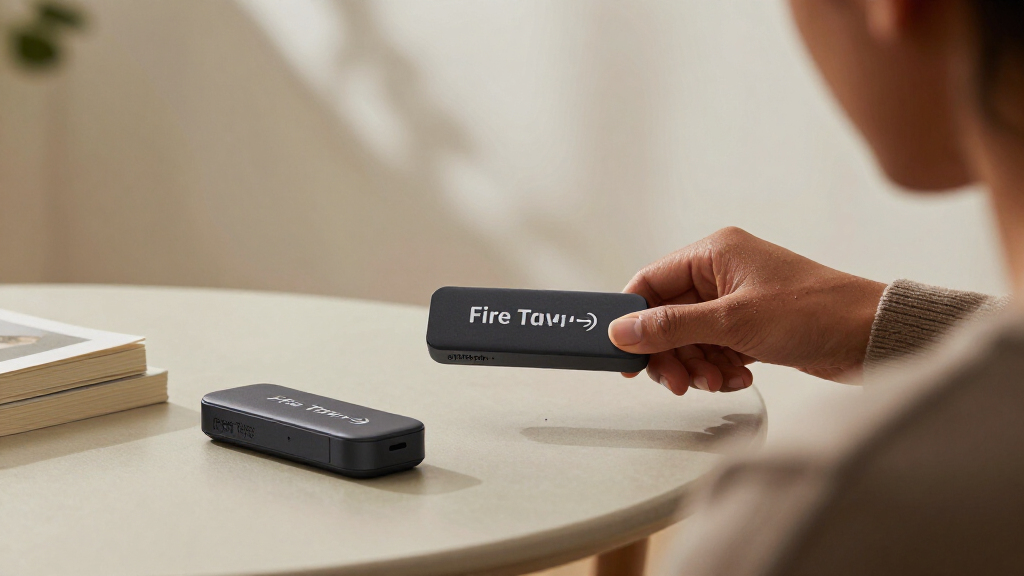

If you’re shopping for Amazon Fire TV streaming sticks, the Fire TV Stick 4K Max (2nd Gen) is the best overall pick thanks to its Wi-Fi 6E support, fast processor, and fluid navigation across apps. Budget shoppers should look at the Fire TV Stick HD, which covers all the basics for 1080p TVs, while home theater fans will want the Fire TV Cube for hands-free Alexa and wired networking. The main tradeoff in this category is simple: newer models cost more but run faster and support Dolby Vision and Wi-Fi 6, while older HD-only sticks save money but feel slower year by year. Refurbished options add another wrinkle, offering near-flagship performance at a lower price if you accept a used device. Read on for the full breakdown of all seven options and which one fits your setup.

Get your next haul delivered free — and shop member deals
- Fast, free delivery on millions of items
- Access to Prime Big Deal Days deals on October 6–7
- Prime Video, Amazon Music and more included
Key Takeaways
- The Fire TV Stick 4K Max (2nd Gen) takes the top spot because Wi-Fi 6E and its faster processor eliminate the lag and buffering that plague cheaper sticks during app switching and live sports.
- The Fire TV Stick HD is the value pick — but only for 1080p TVs; plugging it into a 4K panel wastes the screen and caps you at 1080p output.
- The Like-New Refurbished Fire TV Stick 4K is the smartest middle path, matching the standard 4K stick’s features while undercutting it on cost, with the main drawback being variable cosmetic condition.
- The Fire TV Cube is the only option in this lineup with hands-free Alexa and an Ethernet port, making it the pick for home theater setups rather than casual bedroom streaming.
- The 4K Plus with Alexa+ and Wi-Fi 6 and the 4K Select sit between value and performance tiers — the Plus justifies its premium with the Alexa+ voice experience, while the Select targets shoppers who want 4K without paying for extras they won’t use.
| Amazon Fire TV Stick 4K Plus with Alexa+ and Wi-Fi 6 |  | Best Overall | Resolution: Up to 2160p at 60 fps | HDR formats: Dolby Vision, HDR10, HDR10+, HLG | Audio: Dolby Atmos, 7.1 surround, 2-channel stereo | VIEW LATEST PRICE | See Our Full Breakdown |
| Amazon Fire TV Stick HD with Alexa Voice Remote |  | Best for 1080p TVs | Resolution: Full HD (1080p) | Wi-Fi: Wi-Fi 6 | Bluetooth: Yes | VIEW LATEST PRICE | See Our Full Breakdown |
| Amazon Fire TV Stick 4K (Like-New Refurbished) |  | Best Budget 4K Pick | Condition: Certified refurbished (like-new) | Resolution: 4K Ultra HD | HDR formats: Dolby Vision, HDR10+ | VIEW LATEST PRICE | See Our Full Breakdown |
| Amazon Fire TV Stick 4K Select |  | Best New-Under-Budget 4K | Resolution: 2160p, 1080p, 720p up to 60 fps | HDR formats: HDR10, HDR10+, HLG | Processor: Quad-core 1.7 GHz | VIEW LATEST PRICE | See Our Full Breakdown |
| Amazon Fire TV Stick 4K Max (2nd Gen) Streaming Device |  | Best Premium Pick | Resolution: Up to 2160p at 60 fps | HDR formats: Dolby Vision, HDR10, HDR10+, HLG | Audio: Dolby Atmos, 7.1 surround, 2-channel stereo | VIEW LATEST PRICE | See Our Full Breakdown |
| Amazon Fire TV Cube (3rd Gen) 4K Streaming Media Player with Alexa, Wi-Fi 6E |  | Best Premium Hub | Generation: 3rd Gen | Processor: Octa-core (4 x 2.2 GHz, 4 x 2.0 GHz) | Video: Up to 4K Ultra HD at 60 fps; Dolby Vision, HDR10, HDR10+, HLG | VIEW LATEST PRICE | See Our Full Breakdown |
| Amazon Fire TV Stick HD with Alexa Voice Remote |  | Best Budget Starter | Output Resolution: 1080p and 720p up to 60 fps | Processor: Quad-core 1.7 GHz | Video Formats: HDR10, HDR10+, HLG, H.265, H.264, VP9 | VIEW LATEST PRICE | See Our Full Breakdown |
| Amazon Fire TV streaming stick | Wi-Fi | Resolution | Processor | Bluetooth |
|---|---|---|---|---|
| Amazon Fire TV Stick 4K Plus w | Wi-Fi 6 dual-band (2.4 GHz and 5 GHz) | Up to 2160p at 60 fps | Quad-core 1.7 GHz | Bluetooth 5.2 + BLE |
| Amazon Fire TV Stick HD with A | Wi-Fi 6 | Full HD (1080p) | — | Yes |
| Amazon Fire TV Stick 4K | Wi-Fi 6 | 4K Ultra HD | — | — |
| Amazon Fire TV Stick 4K Select | Dual-band MIMO 802.11a/b/g/n/ac | 2160p, 1080p, 720p up to 60 fps | Quad-core 1.7 GHz | Bluetooth 5.0 + BLE |
| Amazon Fire TV Stick 4K Max | Wi-Fi 6E tri-band (2.4, 5, 6 GHz) | Up to 2160p at 60 fps | Quad-core 2.0 GHz | Bluetooth 5.2 + BLE |
| Amazon Fire TV Cube | Tri-band Wi-Fi 6E with 802.11a/b/g/n/ac/ax support | — | Octa-core (4 x 2.2 GHz, 4 x 2.0 GHz) | — |
| Amazon Fire TV Stick HD with A | Dual-band, dual-antenna MIMO; 802.11a/b/g/n/ac | — | Quad-core 1.7 GHz | Bluetooth 5.0 and Low Energy |
More Details on Our Top Picks
Amazon Fire TV Stick 4K Plus with Alexa+ and Wi-Fi 6
This option stands out as the strongest all-around choice in the Fire TV Stick lineup. It delivers the formats most buyers actually care about — Dolby Vision, HDR10+, and Dolby Atmos — alongside Wi-Fi 6 and the newer Alexa Voice Remote. Compared with the Fire TV Stick 4K Select, it adds Dolby Vision and Atmos support, which matters if your TV and soundbar can take advantage of them. And against the 4K Max, it gives up the tri-band Wi-Fi 6E and half the storage, but most households will never notice the difference on a standard router. The quad-core 1.7 GHz chip handles the interface and cloud gaming without the sluggishness that plagues cheaper sticks. The tradeoff is straightforward: Wi-Fi 6 speed only materializes with a compatible router, and 4K HDR content still depends on your subscriptions.
Pros:- Full Dolby Vision, HDR10+, and Dolby Atmos support
- Wi-Fi 6 keeps streams smooth on busy home networks
- Xbox cloud gaming support adds casual gaming without a console
- Alexa remote handles TV power, volume, and smart home control
Cons:- Wi-Fi 6 benefits require a compatible router
- 4K and HDR content generally requires separate streaming subscriptions
Best for: Streamers with a 4K HDR TV and Dolby Atmos soundbar who want flagship features without paying for the Max
Not ideal for: Owners of older 1080p TVs — the HDR and Dolby Vision capabilities go unused, so the cheaper Fire TV Stick HD makes more sense
- Resolution:Up to 2160p at 60 fps
- HDR formats:Dolby Vision, HDR10, HDR10+, HLG
- Audio:Dolby Atmos, 7.1 surround, 2-channel stereo
- Processor:Quad-core 1.7 GHz
- Storage:8 GB
- Wi-Fi:Wi-Fi 6 dual-band (2.4 GHz and 5 GHz)
- Bluetooth:Bluetooth 5.2 + BLE
- Ports:HDMI 2.1 output with ARC support; micro USB
Our verdict“The pick for most 4K TV owners who want premium picture and audio formats at a mid-lineup position.”
Amazon Fire TV Stick HD with Alexa Voice Remote
Not every television needs 4K, and this is where the Fire TV Stick HD earns its place. It caps out at Full HD, but it still includes Wi-Fi 6, Alexa voice search, and Bluetooth headphone listening — features that were premium-tier not long ago. Compared with the Fire TV Stick 4K Select, the tradeoff is purely resolution: same app ecosystem, same voice remote, same portability, lower output. That makes it the sensible choice for a bedroom set, a secondary TV, or an older living room screen. The USB-C power design can draw juice straight from a compatible TV port, cutting cable clutter — but only if your TV supplies enough power over USB. Buyers with a 4K panel should skip it entirely, since there is no upscaling path to justify it.
Pros:- Wi-Fi 6 support at a Full HD price point
- Bluetooth headphone support for private late-night viewing
- Voice remote controls compatible TVs and soundbars
- Compact stick hides entirely behind the TV
Cons:- No 4K, HDR, or Dolby Vision output
- USB-C power from the TV requires a sufficiently powerful USB port
Best for: Households with 1080p or 720p TVs, or anyone adding streaming to a bedroom or guest-room screen
Not ideal for: 4K TV owners — paying for a stick that cannot output 2160p wastes the panel’s capability
- Resolution:Full HD (1080p)
- Wi-Fi:Wi-Fi 6
- Bluetooth:Yes
- Connection:HDMI
- Power:USB-C, powered by compatible TV
- Remote:Alexa Voice Remote with power and volume controls
Our verdict“The right low-cost streaming upgrade for any TV that tops out at 1080p.”
Amazon Fire TV Stick 4K (Like-New Refurbished)
For buyers who want 4K Dolby Vision and Atmos on a tight budget, this certified refurbished route is hard to beat. Functionally, it matches the standard Fire TV Stick 4K experience: Wi-Fi 6, HDR10+, Alexa voice search, and Xbox cloud gaming. Compared with the newer 4K Plus, you give up the faster remote experience and Alexa+ refinements, but the core picture and audio formats remain identical. Compared with the 4K Select, it actually adds Dolby Vision and Dolby Atmos, which the Select lacks — the refurb path buys you a higher-spec device rather than a stripped-down new one. The honest tradeoff: it arrives in generic packaging, and stock availability fluctuates, so it suits flexible buyers rather than someone who needs a guaranteed gift-ready box. The same limited warranty as a new device softens the risk considerably.
Pros:- Dolby Vision, HDR10+, and Dolby Atmos at a refurbished price
- Wi-Fi 6 for stable streaming on crowded networks
- Same limited warranty as a new device
- Xbox cloud gaming via Game Pass support
Cons:- Generic packaging rather than retail box
- Availability can be inconsistent
- Some streaming services still require their own subscriptions
Best for: Value-focused buyers who want premium 4K formats and can accept refurbished packaging
Not ideal for: Gift-givers or buyers who want pristine retail packaging and guaranteed availability
- Condition:Certified refurbished (like-new)
- Resolution:4K Ultra HD
- HDR formats:Dolby Vision, HDR10+
- Audio:Dolby Atmos
- Wi-Fi:Wi-Fi 6
- Cloud gaming:Xbox Game Pass
- Warranty:Same limited warranty as new
Our verdict“The smartest way into 4K HDR streaming when budget outranks packaging polish.”
Amazon Fire TV Stick 4K Select
The 4K Select occupies the middle ground between the Fire TV Stick HD and the pricier 4K Plus and Max. You get genuine 2160p output with HDR10+, the full app library, and Xbox cloud gaming — a complete package for a first 4K streaming setup. What separates it from the refurbished 4K stick and the 4K Plus is the absence of Dolby Vision and Dolby Atmos; if your TV relies on Dolby Vision as its primary HDR mode, HDR10+ support may not trigger on every service. Wi-Fi is dual-band MIMO rather than Wi-Fi 6, which is fine on quiet networks but can stutter in a household full of connected devices. For a straightforward living room upgrade where the TV handles HDR10+ well, those omissions are easy to accept at this position in the lineup.
Pros:- True 4K Ultra HD output with HDR10+
- Thousands of apps plus free ad-supported content
- Alexa Voice Remote included
- Xbox cloud gaming with Game Pass and a compatible controller
Cons:- No Dolby Vision or Dolby Atmos support
- No Wi-Fi 6 — only dual-band 802.11ac
- Cloud gaming requires separate subscription and controller
Best for: First-time 4K streamers with HDR10+-compatible TVs who prefer a brand-new device at a lower tier
Not ideal for: Home theater enthusiasts — no Dolby Vision or Dolby Atmos limits it for serious AV setups
- Resolution:2160p, 1080p, 720p up to 60 fps
- HDR formats:HDR10, HDR10+, HLG
- Processor:Quad-core 1.7 GHz
- Storage:8 GB
- Wi-Fi:Dual-band MIMO 802.11a/b/g/n/ac
- Bluetooth:Bluetooth 5.0 + BLE
- Ports:HDMI output; micro-USB power
- Warranty:90-day limited warranty
Our verdict“A solid entry-level 4K stick for viewers who don’t need the premium Dolby formats.”
Amazon Fire TV Stick 4K Max (2nd Gen) Streaming Device
The 4K Max is the most capable stick in this roundup, and the gaps between it and the rest are measurable rather than marketing fluff. A 2.0 GHz quad-core processor and 850 MHz GPU make it the fastest option here, which shows up in app load times, menu responsiveness, and cloud gaming performance. Compared with the 4K Plus, the Max doubles storage to 16 GB and upgrades to tri-band Wi-Fi 6E — genuinely useful if you own a 6E router and stream in a device-dense home. The Enhanced Alexa remote adds dedicated channel buttons that frequent live-TV streamers will appreciate. The catch is that Wi-Fi 6E is dead weight without a compatible router, so buyers on older Wi-Fi 5 setups are paying for headroom they cannot use. For power users and future-proofers, that headroom is the whole point.
Pros:- Fastest processor and GPU in the Fire TV Stick lineup
- 16 GB storage doubles room for apps and games
- Tri-band Wi-Fi 6E for congested networks
- Enhanced remote with dedicated channel buttons
Cons:- Wi-Fi 6E requires a compatible router to matter
- Premium positioning is hard to justify for basic streaming needs
- Some content and services require separate subscriptions
Best for: Power users, cloud gamers, and households with Wi-Fi 6E routers who want the fastest Fire TV stick available
Not ideal for: Casual streamers on older routers — the premium hardware delivers little benefit over the 4K Plus
- Resolution:Up to 2160p at 60 fps
- HDR formats:Dolby Vision, HDR10, HDR10+, HLG
- Audio:Dolby Atmos, 7.1 surround, 2-channel stereo
- Processor:Quad-core 2.0 GHz
- Storage:16 GB
- Wi-Fi:Wi-Fi 6E tri-band (2.4, 5, 6 GHz)
- Bluetooth:Bluetooth 5.2 + BLE
- Ports:HDMI 2.1 output with ARC support; micro USB
Our verdict“The top-tier stick for enthusiasts who want speed, storage, and cutting-edge Wi-Fi in one device.”
Amazon Fire TV Cube (3rd Gen) 4K Streaming Media Player with Alexa, Wi-Fi 6E
For buyers who want a streaming device that doubles as a whole-entertainment-command center, the Fire TV Cube sits at the top of this lineup. Unlike the stick-shaped options, which hide behind your TV, the Cube sits in plain view because it needs to — its built-in microphones and speakers enable true hands-free Alexa, meaning you can pause a show, dim compatible lights, or change inputs without touching a remote.
Performance is where the price shows: the octa-core processor launches apps faster than the Fire TV Stick 4K Max, and its HDMI 2.1 input lets it sit between a cable box or game console and your TV, folding those sources into one Alexa-controlled system. The tradeoff is bulk and cost — it costs more than every stick here and demands space on a shelf. Wi-Fi 6E also only pays off if your router broadcasts a 6 GHz network with WPA3; otherwise you’re paying for headroom you can’t use.
Pros:- Hands-free Alexa with far-field microphones — no remote needed
- HDMI 2.1 input lets it control and pass through cable boxes and consoles
- Octa-core processor delivers the fastest app loads in the Fire TV lineup
- Wired Ethernet option for rock-solid streaming on congested networks
Cons:- The most expensive device in this roundup by a wide margin
- Wi-Fi 6E requires a compatible 6 GHz router with WPA3 to matter
- Box form factor requires visible shelf space unlike hidden sticks
Best for: Home theater owners with 4K Dolby Vision TVs who want one hands-free device controlling streaming, cable boxes, and soundbars
Not ideal for: Budget shoppers or anyone with a basic 1080p TV — the 4K, Wi-Fi 6E, and HDMI passthrough features would be wasted money
- Generation:3rd Gen
- Processor:Octa-core (4 x 2.2 GHz, 4 x 2.0 GHz)
- Video:Up to 4K Ultra HD at 60 fps; Dolby Vision, HDR10, HDR10+, HLG
- Audio:Dolby Atmos, 7.1 surround, HDMI passthrough up to 5.1
- Wi-Fi:Tri-band Wi-Fi 6E with 802.11a/b/g/n/ac/ax support
- Ports:HDMI 2.1 in/out, Ethernet (10/100 Mbps), USB-A 2.0, IR extender
- Storage / Memory:16 GB storage, 2 GB memory
- Dimensions:3.38 x 3.38 x 2.99 in; 1.13 lbs
Our verdict“Buy the Cube if you’re building an Alexa-centric home theater hub; skip it if you just want streaming on a bedroom TV.”
Amazon Fire TV Stick HD with Alexa Voice Remote
At the opposite end of the spectrum from the Fire TV Cube, this stick makes the most sense for one job: getting streaming onto an HD television for as little as possible. It caps out at 1080p, so pairing it with a 4K set wastes the screen — for that, the Fire TV Stick 4K is the smarter step up. But for older TVs, guest rooms, or a kitchen set, Full HD is exactly what the panel can display anyway.
What you give up beyond resolution is polish: the quad-core chip handles apps fine but loads them noticeably slower than the 4K Max, and there’s no Dolby Atmos or Wi-Fi 6. What you keep is the part that matters most — the Alexa Voice Remote, which supports voice search plus power and volume control for your TV, so you can retire one remote from the coffee table. It also includes an HDMI extender, handy for cramped TVs with recessed ports.
Pros:- Alexa Voice Remote with TV power and volume controls included
- Full HDR10/HDR10+ format support despite the HD ceiling
- Tiny, portable, and powered by any TV’s spare HDMI port
- Covers virtually all major streaming and music apps
Cons:- Maxes out at 1080p — no 4K, no Dolby Atmos
- Quad-core processor is noticeably slower than the 4K and 4K Max sticks
- Micro-USB port is power-only, so no wired accessories or Ethernet
Best for: Anyone adding streaming to a 1080p or 720p TV — guest rooms, kids’ rooms, kitchens, or first-time cord cutters
Not ideal for: Owners of 4K or Dolby Vision TVs — the 1080p ceiling means you’re leaving picture quality you already paid for on the table
- Output Resolution:1080p and 720p up to 60 fps
- Processor:Quad-core 1.7 GHz
- Video Formats:HDR10, HDR10+, HLG, H.265, H.264, VP9
- Wi-Fi:Dual-band, dual-antenna MIMO; 802.11a/b/g/n/ac
- Storage:8 GB
- Bluetooth:Bluetooth 5.0 and Low Energy
- Dimensions:3.4 x 1.2 x 0.5 in; 1.1 oz
- In the Box:Stick, Alexa Voice Remote, power cable and adapter, HDMI extender
Our verdict“The cheapest sensible entry into Fire TV for HD screens — buy it for secondary TVs, but spring for a 4K stick if your TV supports it.”
How We Picked
I ranked these Amazon Fire TV streaming sticks on four buyer-relevant criteria: streaming performance (processor speed, Wi-Fi standard, resolution and HDR support), ease of use (remote quality, voice features, setup friction), versatility (Dolby Vision, Dolby Atmos, Ethernet options, smart home integration), and value over time — whether the device will still feel fast in two or three years. Speed mattered most in the ranking because streaming sticks degrade in perceived quality faster than almost any other gadget: an underpowered stick turns every menu press and app launch into a wait.
That logic explains the order. The 4K Max leads because it maxes out every criterion without the Cube’s bulk. The HD stick ranks high on pure value for 1080p households, while the refurbished 4K earns its spot by delivering flagship-adjacent performance at a mid-tier cost. The Cube ranks as the premium pick rather than the overall winner because its advantages only pay off in specific setups, and the two mid-range 4K sticks fill narrow gaps between the leaders.
| Amazon Fire TV streaming stick | HDR formats | Audio | Processor | Wi-Fi |
|---|---|---|---|---|
| Amazon Fire TV Stick 4K Plus w | Dolby Vision, HDR10, HDR10+, HLG | Dolby Atmos, 7.1 surround, 2-channel stereo | Quad-core 1.7 GHz | Wi-Fi 6 dual-band (2.4 GHz and 5 GHz) |
| Amazon Fire TV Stick HD with A | — | — | — | Wi-Fi 6 |
| Amazon Fire TV Stick 4K | Dolby Vision, HDR10+ | Dolby Atmos | — | Wi-Fi 6 |
| Amazon Fire TV Stick 4K Select | HDR10, HDR10+, HLG | — | Quad-core 1.7 GHz | Dual-band MIMO 802.11a/b/g/n/ac |
| Amazon Fire TV Stick 4K Max | Dolby Vision, HDR10, HDR10+, HLG | Dolby Atmos, 7.1 surround, 2-channel stereo | Quad-core 2.0 GHz | Wi-Fi 6E tri-band (2.4, 5, 6 GHz) |
| Amazon Fire TV Cube | — | Dolby Atmos, 7.1 surround, HDMI passthrough up to 5.1 | Octa-core (4 x 2.2 GHz, 4 x 2.0 GHz) | Tri-band Wi-Fi 6E with 802.11a/b/g/n/ac/ax support |
| Amazon Fire TV Stick HD with A | — | — | Quad-core 1.7 GHz | Dual-band, dual-antenna MIMO; 802.11a/b/g/n/ac |
Factors to Consider When Choosing Amazon Fire TV Streaming Sticks
Choosing among Amazon Fire TV streaming sticks comes down to matching the device to your TV, your network, and your viewing habits. These are the factors that actually change what you’ll experience day to day.Match the Stick to Your TV First
The most common mistake I see is buying a 4K-capable stick for a 1080p television — or the reverse. A 4K stick plugged into an HD TV works fine, but you’re paying for resolution you’ll never see, and the faster processor is the only real benefit you gain. Conversely, an HD stick in a 4K panel leaves picture quality on the table, especially with streaming services that serve noticeably better HDR and detail at 4K bitrates. Before buying, check your TV’s maximum resolution and HDR format support (HDR10, HDR10+, Dolby Vision). If your TV supports Dolby Vision or HDR10+, prioritize sticks that decode those formats, since HDR often improves perceived picture quality more than the resolution jump itself.
Wi-Fi Standards Matter More Than You Think
Wi-Fi 6 and Wi-Fi 6E aren’t marketing fluff in a streaming stick — they’re the difference between smooth 4K streams and endless buffering in busy households. Older Wi-Fi 5 sticks compete for airtime with every phone, laptop, and smart device on your network, which shows up as stuttering during live sports or bitrate drops during dark movie scenes. If your router is Wi-Fi 6 or newer and you stream in multiple rooms, a Wi-Fi 6/6E stick is one of the few upgrades you’ll actually feel. If your router is older than three or four years, though, a Wi-Fi 6E stick gains you nothing until you upgrade the router too — budget for both or stick with Wi-Fi 5 hardware.
Don’t Overpay for Performance You Won’t Use
Processor speed in a streaming stick determines how quickly apps open, how smooth menus scroll, and how well the device handles picture-in-picture or ambient features. Casual streamers who watch one or two apps and never multitask will be perfectly happy on a mid-tier chip. Power users who jump between Netflix, YouTube, live TV services, and games should pay up, because a slow chip taxes every single interaction, every day, for the life of the device. A useful rule: the more apps you use weekly, the more the processor upgrade pays back. Remote households with one primary app can safely buy down-market.
Voice Control and the Alexa+ Question
Amazon’s voice experience now splits between standard Alexa voice search and the newer Alexa+ assistant, which handles more conversational, multi-step requests. If you run a smart home or like asking for content by vibe or actor rather than title, the Alexa+ equipped models make voice genuinely useful rather than a gimmick. The catch: only the newest hardware supports it, so buying an older stick to save money locks you out of the improved assistant. Also pay attention to remote design — remotes with TV power and volume buttons eliminate the need to juggle two controllers, and that small convenience affects every single viewing session.
When a Stick Isn’t Enough: The Cube Case
Sticks are designed for simplicity: hide them behind the TV, power them from USB, done. But that design imposes limits — no Ethernet port, weak Wi-Fi antennas tucked behind a metal panel, and no far-field microphones. The Fire TV Cube solves all three, adding a wired network connection, far-field hands-free Alexa, and a full-size processor. If your TV sits far from your router, if you want to control playback without touching the remote, or if the stick sits in a cabinet that blocks signal, the Cube’s premium makes sense. Everyone else is paying for capabilities their setup can’t exploit.
The Refurbished Route and Timing Your Purchase
Amazon’s Like-New refurbished sticks offer the same internal hardware as new units with cosmetic wear, and streaming sticks have no moving parts to wear out — the main risk is battery contacts and cosmetic condition, not performance. For shoppers on a budget, refurbished mid-tier hardware often beats new entry-level hardware, since a faster older chip serves you better long-term than a sluggish new one. Timing matters too: Fire TV devices see their steepest discounts during major sale events, and last-generation flagships often drop below the price of current mid-tier sticks at those moments. If your current device still works, waiting a few weeks can move you up a full performance tier for the same spend.
Frequently Asked Questions
Will a Fire TV Stick 4K work on a regular HD TV?
Yes, any 4K-capable Fire TV stick works perfectly on a 1080p or 720p television — it simply downscales the output to your TV’s maximum resolution. You won’t get 4K detail, but you do benefit from the faster processor, which makes menus and app launches noticeably quicker than the HD stick. Some buyers pick the 4K models on HD TVs as a form of future-proofing, so the stick can move to a 4K set later without replacement. If you’ll keep your HD TV for years, though, the HD stick covers identical app and content access at a lower cost, and you’re not missing anything your screen can display.
What’s the actual difference between the Fire TV Stick 4K, 4K Select, 4K Plus, and 4K Max?
All four stream 4K with HDR support, so the differences come down to processing power, Wi-Fi generation, and voice features. The standard 4K is the baseline, while the 4K Select trims features slightly to hit a lower price for shoppers who want 4K and nothing more. The 4K Plus steps up to Wi-Fi 6 and the Alexa+ experience, making it the pick for smart-home users. The 4K Max tops the range with the fastest chip and Wi-Fi 6E, which matters most in households with many competing devices. In practice, the gaps show up as app-launch speed and stream stability rather than picture quality, so pay for the tier that matches your impatience and network, not your eyes.
Is the Fire TV Cube worth it over a stick?
The Cube earns its premium in three specific situations: you want hands-free Alexa without touching a remote, your entertainment center placement blocks Wi-Fi signal (the Cube’s Ethernet port fixes that), or you want the fastest interface available. For a bedroom TV or a simple living-room setup with good Wi-Fi, a high-end stick delivers 95% of the experience for less money and hides entirely behind the screen. The Cube also occupies shelf space and needs to sit in the open for its microphones to work, which conflicts with tidy cabinet setups. Buy it for home theater control and networking needs, skip it if you just want apps on a screen.
Are refurbished Fire TV Sticks reliable?
Refurbished sticks from Amazon’s Like-New program carry the same internal components as new units, and because these devices have no moving parts or batteries in the stick itself, failure points are minimal. The realistic downsides are cosmetic — minor scratches or non-original packaging — and a shorter return window in some cases. Performance is identical to a new unit of the same model, which is why a refurbished 4K stick often beats a new HD stick on long-term value: you get the better chip and 4K support for similar money. Just confirm the listing specifies the exact generation, since refurb listings can mix older and newer hardware under similar names.
Can I move a Fire TV Stick between TVs or take it traveling?
Absolutely — this is one of the format’s best perks. The stick remembers your account, apps, and logins, so plugging it into a hotel TV or a friend’s HDMI port gives you your full streaming setup in seconds, though some hotel Wi-Fi portals can be finicky with the sign-in process. Keep in mind you’ll need the power adapter and a decent Wi-Fi connection at each destination, and remember to sign out of shared or public accounts when you leave. Multiple sticks on one Amazon account work fine simultaneously, so some households buy a cheap HD stick for travel and keep the premium model parked at the main TV. That split approach often costs less than one high-end device for every room.
Conclusion
The right choice here depends entirely on your TV and habits. For most buyers, the Fire TV Stick 4K Max (2nd Gen) is the best overall pick — the Wi-Fi 6E connection and top-tier processor mean it stays fast and stable long after cheaper sticks start feeling sluggish. Value shoppers get the Fire TV Stick HD, which nails the essentials for 1080p TVs, while the Like-New Refurbished 4K is the smartest middle path if you want 4K performance without new-flagship pricing. The 4K Select suits minimalists who want 4K and nothing extra, and the 4K Plus with Alexa+ fits smart-home households that will actually use conversational voice control. At the premium end, the Fire TV Cube is the pick for home theater builders who need Ethernet, hands-free Alexa, and maximum horsepower. Beginners and casual streamers can confidently start with the HD stick and upgrade later — every option here runs the same apps, so you’re choosing speed and features, not access.
Fall Picks
fall essentials
As an affiliate, we earn on qualifying purchases.