Among these Amazon Fire TV streaming sticks, I’d make the Fire TV Stick 4K Max (2nd Gen) my best overall pick for buyers who want a capable 4K streamer with premium connectivity. The Fire TV Stick HD is a simpler fit for older 1080p TVs, while the Fire TV Stick 4K Select offers a more direct path to 4K streaming. The main choice is whether your TV and home network can use the extra capabilities of a premium stick, or whether an HD or standard 4K model better suits the setup. A refurbished 4K stick may appeal to buyers who are comfortable with a pre-owned device, while the 4K Plus brings another feature mix to compare. Read on for the full breakdown, buying advice, and recommendations by viewer type.

Get your next haul delivered free — and shop member deals
- Fast, free delivery on millions of items
- Access to Prime Big Deal Days deals on October 6–7
- Prime Video, Amazon Music and more included
Key Takeaways
- The 4K Max (2nd Gen) leads for feature depth: it is the premium pick for buyers who can make use of advanced connectivity and 4K playback.
- HD is the sensible match for a 1080p television: a 4K stick cannot improve the screen’s native resolution, so check the TV before paying for higher-resolution playback.
- The 4K Select and 4K Plus serve different comparison needs: weigh their feature sets against the Max instead of assuming every 4K model offers the same experience.
- The lineup spans new and refurbished devices: the refurbished 4K model may suit buyers open to a pre-owned option, but condition and seller terms deserve attention.
- Two entries share the same HD product name: compare the specific listing details before ordering so you know which remote and package you will receive.
| Amazon Fire TV Stick HD with Alexa Voice Remote |  | Best for Portable Full HD Streaming | Resolution: Full HD | Connectivity: Wi-Fi 6, Bluetooth | Connection: HDMI | VIEW LATEST PRICE | See Our Full Breakdown |
| Amazon Fire TV Stick 4K Max (2nd Gen) Streaming Device |  | Best Overall | Maximum output resolution: 2160p at up to 60 fps | Processor: Quad-core 2.0 GHz | Storage: 16 GB | VIEW LATEST PRICE | See Our Full Breakdown |
| Amazon Fire TV Stick 4K Select |  | Best Value 4K Pick | Supported resolutions: 2160p, 1080p, and 720p up to 60 fps | Processor: Quad-core 1.7 GHz | Storage: 8 GB | VIEW LATEST PRICE | See Our Full Breakdown |
| Amazon Fire TV Stick 4K Plus with Alexa+ and Wi-Fi 6 |  | Best for Wi-Fi 6 Households | Maximum output resolution: 2160p, 1080p, and 720p up to 60 fps | Processor: Quad-core 1.7 GHz | Storage: 8 GB | VIEW LATEST PRICE | See Our Full Breakdown |
| Amazon Fire TV Stick HD with Alexa Voice Remote |  | Best for Basic HD Streaming | Output resolution: 1080p and 720p up to 60 fps | Processor: Quad-core 1.7 GHz | Storage: 8 GB | VIEW LATEST PRICE | See Our Full Breakdown |
| Amazon Fire TV Stick 4K (Like-New Refurbished) |  | Best Refurbished 4K Pick | Condition: Certified refurbished | Resolution: 4K Ultra HD | Wi-Fi: Wi-Fi 6 | VIEW LATEST PRICE | See Our Full Breakdown |
| Amazon Fire TV streaming stick | Wi-Fi | Audio | Processor | Storage |
|---|---|---|---|---|
| Amazon Fire TV Stick HD with A | — | Bluetooth headphone support | — | — |
| Amazon Fire TV Stick 4K Max | Wi-Fi 6E tri-band, 2.4, 5, and 6 GHz | Dolby Atmos, 7.1 surround sound, stereo, HDMI pass-through up to 5.1 | Quad-core 2.0 GHz | 16 GB |
| Amazon Fire TV Stick 4K Select | Dual-band, dual-antenna MIMO; 802.11a/b/g/n/ac | — | Quad-core 1.7 GHz | 8 GB |
| Amazon Fire TV Stick 4K Plus w | Wi-Fi 6 dual-band, 2.4 GHz and 5 GHz | Dolby Atmos, 7.1 surround sound, stereo, HDMI pass-through up to 5.1 | Quad-core 1.7 GHz | 8 GB |
| Amazon Fire TV Stick HD with A | Dual-band, dual-antenna MIMO; 802.11a/b/g/n/ac | — | Quad-core 1.7 GHz | 8 GB |
| Amazon Fire TV Stick 4K | Wi-Fi 6 | Dolby Atmos | — | — |
More Details on Our Top Picks
Amazon Fire TV Stick HD with Alexa Voice Remote
For a Full HD television, this stick keeps the setup simple: it plugs into HDMI, supports Wi-Fi 6, and its Alexa remote can control compatible TV and soundbar functions. Compared with the Amazon Fire TV Stick HD (B0CQMRKRV5), this version adds Wi-Fi 6 support and Bluetooth headphone listening, which can help on a compatible network or when you want private audio. It also offers USB-C power from a compatible TV, though that depends on the TV’s USB connection supplying enough power. The tradeoff is its 1080p ceiling: the 4K Select and 4K Max make more sense for a 4K screen or HDR viewing. I’d choose this for travel or a secondary HD television, and skip it if you want 4K.
Pros:- Streams in Full HD with Wi-Fi 6 support
- Bluetooth headphone support for private listening
- Alexa remote includes compatible TV and soundbar controls
- Compact HDMI-connected design is easy to move between televisions
Cons:- Maximum output is Full HD, without 4K playback
- USB-C power from a TV depends on a compatible USB power connection
- Some apps and content require separate subscriptions
Best for: People setting up a secondary Full HD TV or a portable streaming setup who want private listening and TV controls in the remote
Not ideal for: Owners of 4K televisions who want 4K or HDR playback; the 4K Select and 4K Max support higher resolution
- Resolution:Full HD
- Connectivity:Wi-Fi 6, Bluetooth
- Connection:HDMI
- Power:USB-C cable powered by a compatible TV
- Included remote:Alexa Voice Remote with power and volume buttons
- Audio:Bluetooth headphone support
Our verdict“Choose this for a portable Full HD setup with private listening; choose a 4K model if your television supports it.”
Amazon Fire TV Stick 4K Max (2nd Gen) Streaming Device
The 4K Max is the most capable pick here for a 4K setup, combining Dolby Vision, HDR10+, and Dolby Atmos with 16 GB of storage and Wi-Fi 6E. More storage gives you extra room for apps and games than the 8 GB in the 4K Select and 4K Plus, while the tri-band Wi-Fi can use the 6 GHz band when paired with a compatible router. That makes it a stronger fit for households that want room for apps and supported cloud games alongside streaming. Those advantages depend on matching equipment: Wi-Fi 6E needs a compatible router, and picture and sound formats need compatible displays, services, and audio gear. If you only need basic 4K streaming, the 4K Select is a simpler alternative; this model’s extra capacity and connectivity may go unused.
Pros:- Supports 4K output with Dolby Vision, HDR10+, and Dolby Atmos
- 16 GB storage provides more room for apps and games than the 8 GB models
- Tri-band Wi-Fi 6E includes access to the 6 GHz band with compatible equipment
- Remote offers voice search and TV controls
Cons:- Wi-Fi 6E benefits require a compatible router
- Dolby formats depend on compatible devices and content
- Some content and services require separate subscriptions
Best for: People with a 4K HDR television and compatible Wi-Fi 6E router who want extra app storage and supported cloud gaming
Not ideal for: Viewers with Full HD televisions or basic 4K needs who do not expect to use the extra storage or Wi-Fi 6E
- Maximum output resolution:2160p at up to 60 fps
- Processor:Quad-core 2.0 GHz
- Storage:16 GB
- Wi-Fi:Wi-Fi 6E tri-band, 2.4, 5, and 6 GHz
- Bluetooth:Bluetooth 5.2 + BLE
- Video formats:Dolby Vision, HDR10, HDR10+, HLG, H.265, H.264, VP9, AV1
- Audio:Dolby Atmos, 7.1 surround sound, stereo, HDMI pass-through up to 5.1
- Ports:HDMI 2.1 output with ARC input support; micro USB
Our verdict“Pick the 4K Max for a capable 4K system that can use its added storage and Wi-Fi 6E; otherwise the 4K Select covers the basics.”
Amazon Fire TV Stick 4K Select
The 4K Select is the straightforward choice for bringing 4K and HDR10+ to a compatible television, with an Alexa Voice Remote included. Its 8 GB of storage and dual-band Wi-Fi keep the spec set more modest than the 4K Max, which adds 16 GB, Dolby Vision, Dolby Atmos, and Wi-Fi 6E. For buyers focused on core 4K streaming rather than those extra formats or connectivity features, the Select avoids paying for capability they may not use. It also supports Xbox cloud gaming, but that requires a Game Pass subscription and compatible controller. The limits matter: HDR depends on the TV, service, and region, and the listed warranty is 90 days. I’d choose the Max for a more fully equipped home theater setup.
Pros:- Supports 4K output and HDR10+
- Alexa Voice Remote and Fire TV app voice control are supported
- Provides access to streaming apps and free ad-supported content
- Supports Xbox cloud gaming with a separate subscription and compatible controller
Cons:- 8 GB storage is half the capacity of the 4K Max
- Does not list Dolby Vision, Dolby Atmos, or Wi-Fi 6E support
- HDR and 4K availability depend on the TV, service, and region
Best for: Viewers with a compatible 4K HDR television who want core 4K streaming and Alexa voice search without extra storage needs
Not ideal for: Home theater buyers seeking Dolby Vision, Dolby Atmos, Wi-Fi 6E, or more space for apps; the 4K Max offers those features
- Supported resolutions:2160p, 1080p, and 720p up to 60 fps
- Processor:Quad-core 1.7 GHz
- Storage:8 GB
- Wi-Fi:Dual-band, dual-antenna MIMO; 802.11a/b/g/n/ac
- Bluetooth:Bluetooth 5.0 and Bluetooth Low Energy
- Video formats:HDR10, HDR10+, HLG, H.265, H.264, VP9, AV1
- Ports:HDMI output; micro-USB for power
- Warranty:90-day limited warranty
Our verdict“Choose the 4K Select for core 4K streaming, while the 4K Max is better suited to buyers who want more storage and premium formats.”
Amazon Fire TV Stick 4K Plus with Alexa+ and Wi-Fi 6
This 4K Plus pairs Dolby Vision, HDR10+, and Dolby Atmos with Wi-Fi 6, making it a fit for viewers whose home network supports the newer wireless standard. It covers much of the picture and audio format ground of the 4K Max, but has 8 GB of storage and dual-band Wi-Fi rather than the Max’s 16 GB and tri-band Wi-Fi 6E. That distinction favors the Plus when Wi-Fi 6 is the relevant network upgrade and you do not need as much room for apps or games. The included Alexa remote also handles compatible TV functions and smart home controls. A compatible router is needed to use Wi-Fi 6, and some content requires subscriptions. Compared with the 4K Select, this model adds Dolby Vision, Atmos, and Wi-Fi 6 support.
Pros:- Supports 4K, Dolby Vision, HDR10+, and Dolby Atmos
- Wi-Fi 6 support for compatible networks
- Alexa remote supports voice search, compatible TV controls, and smart home controls
- Supports Xbox cloud gaming
Cons:- Wi-Fi 6 support requires a compatible router
- 8 GB storage is less than the 4K Max’s 16 GB
- Some content and services require separate subscriptions
Best for: Viewers with a Wi-Fi 6 router and a compatible 4K TV or audio setup who want Dolby formats and smart home voice controls
Not ideal for: People who want the largest app capacity or Wi-Fi 6E; the 4K Max provides 16 GB and tri-band Wi-Fi 6E
- Maximum output resolution:2160p, 1080p, and 720p up to 60 fps
- Processor:Quad-core 1.7 GHz
- Storage:8 GB
- Wi-Fi:Wi-Fi 6 dual-band, 2.4 GHz and 5 GHz
- Bluetooth:Bluetooth 5.2 + BLE
- Video formats:Dolby Vision, HDR10, HDR10+, HLG, H.265, H.264, VP9, AV1
- Audio:Dolby Atmos, 7.1 surround sound, stereo, HDMI pass-through up to 5.1
- Ports:HDMI 2.1 output with ARC input support; micro USB
Our verdict“Choose the 4K Plus if you have Wi-Fi 6 and want Dolby formats; choose the 4K Max if added storage and Wi-Fi 6E matter more.”
Amazon Fire TV Stick HD with Alexa Voice Remote
This HD stick makes the clearest case for buyers who want streaming on an HD television and do not need 4K. It includes Alexa voice search, dual-band Wi-Fi, and a compact design, while its listed box contents include a power adapter and HDMI extender. Compared with the other Fire TV Stick HD in this roundup, it has a detailed spec listing for 8 GB storage and a 90-day limited warranty, but it does not list the Wi-Fi 6 or Bluetooth headphone support found on that newer HD option. Against the 4K Select, its main sacrifice is resolution: it tops out at 1080p, so it will not make use of a 4K screen. Some apps and programming need subscriptions, and the micro-USB port handles power only.
Pros:- Streams Full HD at up to 1080p
- Alexa Voice Remote provides voice search and compatible device power and volume control
- Compact design is easy to move between televisions
- Box includes a power adapter and HDMI extender
Cons:- Maximum output is 1080p rather than 4K
- Micro-USB port is for power only
- Some apps and content require separate subscriptions
Best for: People adding streaming apps and Alexa voice search to an HD television who want the listed power adapter and HDMI extender
Not ideal for: Owners of 4K televisions or anyone seeking Wi-Fi 6 and Bluetooth headphone support; the other HD model or a 4K stick is a better match
- Output resolution:1080p and 720p up to 60 fps
- Processor:Quad-core 1.7 GHz
- Storage:8 GB
- Wi-Fi:Dual-band, dual-antenna MIMO; 802.11a/b/g/n/ac
- Bluetooth:Bluetooth 5.0 and Bluetooth Low Energy
- Video formats:HDR10, HDR10+, HLG, H.265, H.264, VP9
- Ports:HDMI output; micro-USB for power
- In the box:Fire TV Stick HD, Alexa Voice Remote, power cable, power adapter, HDMI extender
Our verdict“Choose this for straightforward HD streaming with the listed power accessories; pick the 4K Select for a 4K television.”
Amazon Fire TV Stick 4K (Like-New Refurbished)
The Fire TV Stick 4K (Like-New Refurbished) brings a strong set of picture, audio, and wireless features to buyers who are comfortable choosing a refurbished streaming stick. It supports 4K Ultra HD, Dolby Vision, HDR10+, and Dolby Atmos, while Wi-Fi 6 can help maintain smoother streaming on a busy home network. Compared with the Fire TV Stick HD, it is the better fit for a 4K television and compatible HDR or audio equipment; the HD model makes more sense for a secondary screen that does not need those formats. The tradeoff is that this is a refurbished device, which may arrive in generic packaging, and some streaming services require separate subscriptions. Alexa voice search and smart home controls add convenience, while Xbox Game Pass cloud gaming broadens its use beyond streaming video.
Pros:- Streams in 4K Ultra HD with Dolby Vision and HDR10+ support
- Dolby Atmos support works with compatible audio equipment
- Wi-Fi 6 can support smoother streaming on a busy home network
- Alexa voice search, smart home controls, and Xbox Game Pass cloud gaming add uses beyond basic playback
Cons:- Certified refurbished condition may mean generic packaging
- Some streaming services require separate subscriptions
- 4K and HDR benefits depend on compatible televisions and content
Best for: Buyers with a 4K television who want Dolby Vision and Dolby Atmos support and are comfortable choosing a certified refurbished device.
Not ideal for: Shoppers who want new-device packaging, or owners of an HD-only television who would not use the 4K and HDR features.
- Condition:Certified refurbished
- Resolution:4K Ultra HD
- Wi-Fi:Wi-Fi 6
- HDR formats:Dolby Vision, HDR10+
- Audio:Dolby Atmos
- Voice assistant:Alexa
- Cloud gaming:Xbox Game Pass
- Warranty:Same limited warranty as a new device
Our verdict“Choose this refurbished stick if you want 4K, Dolby Vision, and Dolby Atmos features with Alexa controls and are comfortable with refurbished packaging.”
How We Picked
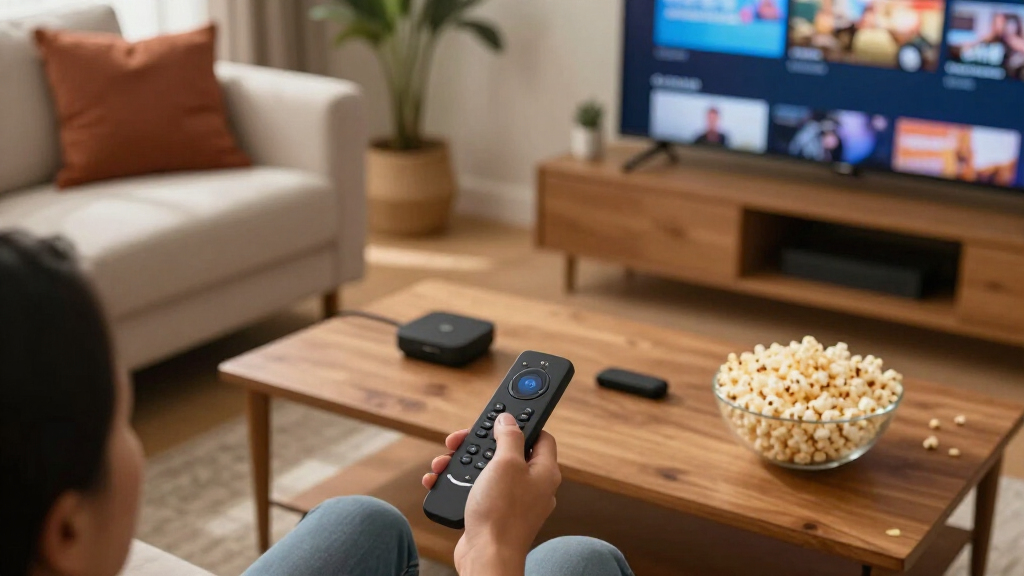
I ranked these sticks by how well their stated features match common setups: 1080p versus 4K TVs, everyday streaming needs, wireless connectivity, remote features, and whether a buyer wants a new or refurbished device. I gave more weight to a clear practical advantage than to a longer feature list; a premium stick is a poor fit if the TV cannot show its benefits.
The 4K Max (2nd Gen) takes the overall spot for buyers seeking the broadest premium feature set. I placed the HD Stick among the more straightforward choices for basic 1080p viewing, and considered the Select, Plus, and refurbished 4K models according to their distinct feature or purchase tradeoffs. The two HD listings require extra care because their names overlap, so I would verify each listing’s included accessories and exact model details before choosing between them.
| Amazon Fire TV streaming stick | Audio | Processor | Wi-Fi | Bluetooth |
|---|---|---|---|---|
| Amazon Fire TV Stick HD with A | Bluetooth headphone support | — | — | — |
| Amazon Fire TV Stick 4K Max | Dolby Atmos, 7.1 surround sound, stereo, HDMI pass-through up to 5.1 | Quad-core 2.0 GHz | Wi-Fi 6E tri-band, 2.4, 5, and 6 GHz | Bluetooth 5.2 + BLE |
| Amazon Fire TV Stick 4K Select | — | Quad-core 1.7 GHz | Dual-band, dual-antenna MIMO; 802.11a/b/g/n/ac | Bluetooth 5.0 and Bluetooth Low Energy |
| Amazon Fire TV Stick 4K Plus w | Dolby Atmos, 7.1 surround sound, stereo, HDMI pass-through up to 5.1 | Quad-core 1.7 GHz | Wi-Fi 6 dual-band, 2.4 GHz and 5 GHz | Bluetooth 5.2 + BLE |
| Amazon Fire TV Stick HD with A | — | Quad-core 1.7 GHz | Dual-band, dual-antenna MIMO; 802.11a/b/g/n/ac | Bluetooth 5.0 and Bluetooth Low Energy |
| Amazon Fire TV Stick 4K | Dolby Atmos | — | Wi-Fi 6 | — |
Factors to Consider When Choosing Amazon Fire TV Streaming Sticks
Before choosing among these Fire TV sticks, I’d start with the television, network, and household setup. Those details determine whether a premium feature will make a difference in daily use or simply go unused.
Match the stick to your TV’s resolution
Check the TV’s actual resolution in its settings or manual before comparing streaming formats. A 4K stick can play compatible 4K content, but it cannot turn a 1080p panel into a 4K screen. For a Full HD television, an HD model can cover the screen’s resolution needs without adding unused 4K capability. If you expect to replace the TV soon, a 4K model may make sense as a longer-lasting match for the next screen. Also check whether the TV has an available HDMI port and enough room around it for the stick. This small check can prevent buying a device whose main advantage your current setup cannot use.
Treat Wi-Fi capability as a whole-home question
Wireless features only help when the router, internet plan, and stick work well together. A newer Wi-Fi standard may help in a busy home or where the signal is strong but shared among many devices, but it cannot fix a weak connection caused by distance, thick walls, or a poor router location. Before choosing a premium model for connectivity, check where the TV sits relative to the router and whether other streaming devices have buffering there. If signal is the real problem, improving router placement or coverage may matter more than changing sticks. Buyers with stable service and a nearby router may see little reason to prioritize advanced Wi-Fi. Consider the network you have, rather than buying around a future setup that may never arrive.
Decide how much remote and voice control matters
Remote differences can affect every viewing session, even when the streaming picture is similar. Think about whether you mainly want navigation and playback controls, or whether voice search and control of compatible home devices are part of your routine. Alexa features work best when the household already uses compatible Amazon services or devices; they may add little for someone who prefers typing searches or using a separate smart-home system. Check the exact remote included in the product listing, particularly for the two similarly named HD entries. Bundles and listing names can leave out details that matter once the device arrives. Choose around the controls you will actually use rather than treating extra buttons as an automatic upgrade.
Compare the whole feature mix, not just the 4K label
Several models in this lineup support 4K, so resolution alone does not distinguish them. Compare the other listed capabilities, such as wireless support, remote features, and any added platform functions, against what your home can use. A premium model may be a better fit for a household that streams heavily and values responsive connectivity, while a simpler 4K stick may cover a more straightforward setup. Check that your streaming services offer the picture formats you want and that the TV supports them too. Otherwise, a device’s advanced playback support can remain unused. The strongest choice is the one whose added features solve a real need in your setup.
Check refurbished terms before choosing a pre-owned stick
A refurbished streaming stick can be appealing if you are comfortable buying a device that has been previously owned or restored. Read the listing for the stated condition, included remote and accessories, return window, and any warranty coverage before comparing it with a new model. Missing accessories can change the convenience of the purchase, especially if you do not already have a compatible power adapter or remote. Also verify that the listing identifies the exact generation and device, since model names can look similar. A new stick may be the more comfortable choice when you want clearer condition expectations or simpler support. The right decision depends on how much uncertainty you are willing to accept for a refurbished device.
Plan for the TV’s age and available connections
Older TVs can still work well with a streaming stick, but their ports, settings, and remote setup may affect day-to-day use. Confirm there is a free HDMI input and check whether the television can be controlled through the included remote’s supported functions. If the TV is mounted close to a wall, the stick’s size and the available clearance around the port may matter. Some setups also make power access awkward, so check the placement of outlets and cables before installation. These practical details rarely distinguish one model on a feature list, yet they can decide whether the device is easy to live with. A quick look behind the TV can save avoidable setup frustration.
Frequently Asked Questions
Should I choose an HD stick or a 4K stick for a 1080p TV?
I’d choose based on the TV you have now and how soon you expect to replace it. An HD stick is a direct match for a 1080p screen, since that panel cannot display native 4K detail. A 4K model can still stream to a compatible HDMI television, but its resolution advantage will not show on that screen. If a TV upgrade is already planned, a 4K stick may be a convenient choice for the next setup. Check that the other features also fit your needs before choosing it for future use alone.
Is the 4K Max worth choosing over the 4K Select or 4K Plus?
I’d choose the 4K Max when its additional connectivity and premium feature set address a real need, such as a demanding network environment or a preference for a more capable device. The Select or Plus may be a better fit when their listed features cover your streaming setup without the added capabilities of the Max. Compare the exact specifications and remote included with each current listing, since names alone do not tell the full story. Your router and TV also need to support the features you want to use. If they do not, a premium model may offer little practical benefit.
Will a 4K Fire TV stick improve picture quality on any 4K television?
Not by itself. The TV must support 4K, the stream must be available in 4K, and your internet connection must be able to deliver it reliably. Some televisions also lack support for particular picture formats, so check the display’s specifications alongside the stick’s. A 4K device can still be useful for its other features even when a particular app or title streams at a lower resolution. If picture quality is the main reason for upgrading, confirm all parts of the viewing setup first.
What should I check before buying the refurbished 4K model?
Read the listing closely for the device’s exact generation, stated condition, return terms, warranty, and included accessories. Confirm that the remote is included and that the listing identifies the refurbished stick rather than a similar new or older model. Consider whether you would be comfortable troubleshooting a pre-owned device if setup takes extra effort. A new model may suit buyers who prefer clearer condition expectations and straightforward support. If you already own compatible accessories and accept the listing’s terms, refurbished may fit your needs.
Why are there two HD entries, and how do I avoid ordering the wrong one?
The roundup contains two listings with the same product name, so the name alone does not show whether they differ by bundle, seller, generation, or included remote. Open each listing and compare the model identifier, package contents, and remote details before ordering. Also check whether one is a separate offer for the same device rather than a distinct model. If the listings do not clearly explain a meaningful difference, use the more complete product details to decide which listing you trust. Do not infer a hardware advantage from duplicate wording alone.
Conclusion
I’d choose the Fire TV Stick 4K Max (2nd Gen) as best overall for a buyer who wants the strongest premium feature mix in this lineup. The Fire TV Stick HD is the clearest fit for beginners and households with 1080p TVs, while the 4K Select is a straightforward option for buyers moving to 4K playback. For a premium alternative, compare the 4K Plus directly with the Max based on its listed capabilities and your network. The refurbished 4K Stick suits buyers who accept a pre-owned device after checking its condition and return terms. If your setup has a specific need, such as a 4K screen or advanced Wi-Fi, let that need guide the choice, and verify the duplicate HD listings before ordering.
Fall Picks
fall essentials
As an affiliate, we earn on qualifying purchases.