If your internet feels slow despite having the right plan, start by upgrading your router, especially if it’s outdated or lacks modern security features. However, if your current plan’s speeds don’t meet your household’s needs for streaming, gaming, or remote work, consider upgrading your internet plan first. Knowing where the problem lies saves you time and money. Keep exploring to discover how to choose the best upgrade for your home setup.
Key Takeaways
- Check if your internet is slow despite plan speeds matching your provider; upgrade router if hardware limits are the issue.
- Upgrade your internet plan first if your current speeds can’t support multiple devices or high-bandwidth activities.
- If Wi Fi is weak or unreliable despite adequate plan speeds, upgrading your router can improve coverage and performance.
- Consider security features; upgrade your router first if existing hardware lacks modern encryption like WPA3.
- Evaluate whether the problem is hardware or plan limitations to decide which upgrade offers the most household benefit.
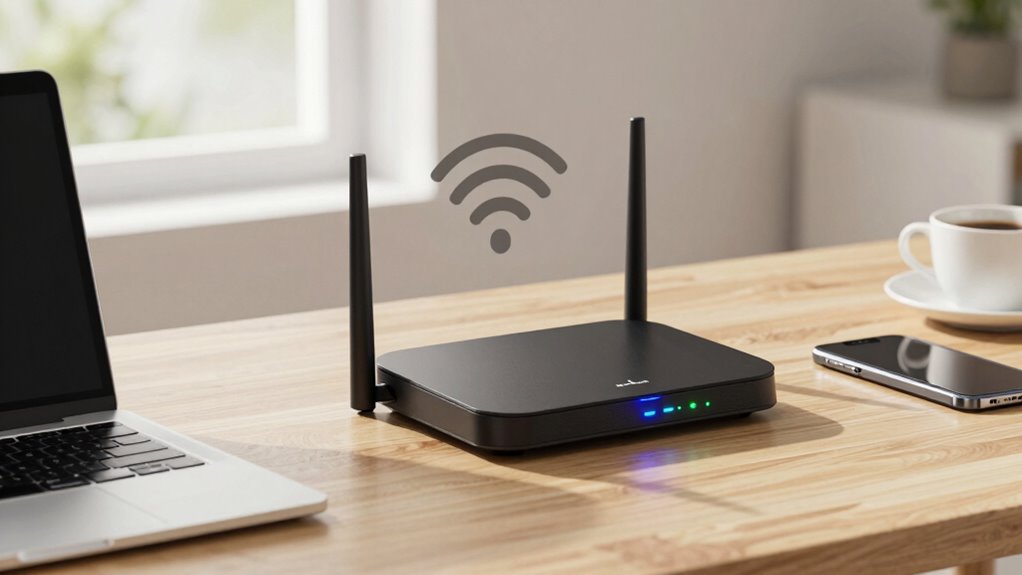
Deciding whether to upgrade your router or your internet plan first can be confusing, especially with so many options available. You might wonder if a new router will solve your slow connections or if upgrading your plan will give you enough bandwidth for your needs. To make a smart choice, start by evaluating your current situation. If your internet feels sluggish, but your plan’s speed matches your provider’s advertised limits, then the bottleneck likely lies with your hardware—your router. Conversely, if your plan offers basic speeds but your usage exceeds those limits, upgrading the plan might be the better move.
If your internet is slow but plan speeds are fine, upgrade your router; if speeds are too low, consider a plan upgrade.
When considering a router upgrade, think about Wi Fi security and network troubleshooting. Older routers may lack modern security features, leaving your network vulnerable to threats. Upgrading your router can drastically improve Wi Fi security by supporting the latest encryption protocols, such as WPA3, and providing better firewall options. This not only keeps your data safe but also prevents unauthorized devices from accessing your network. Additionally, newer routers often come with advanced features like MU-MIMO and beamforming, which enhance network performance and reliability. These features help manage multiple devices efficiently, reducing lag and buffering during streaming or gaming sessions. If you notice frequent disconnections or difficulty connecting devices, a new router can streamline network troubleshooting, making it easier to diagnose and resolve connectivity issues quickly. Furthermore, understanding the hardware limitations of your current setup can help determine whether a hardware upgrade will address your connectivity issues more effectively than simply increasing your internet plan. Keeping your network infrastructure updated also ensures compatibility with the latest technology standards, which can significantly improve overall network performance. Moreover, a modern router with better hardware can help reduce network congestion by efficiently managing bandwidth among devices, especially during peak usage times.
On the other hand, if your current plan’s speed is insufficient for your household’s needs—say, multiple users streaming, gaming, or working remotely—upgrading your internet plan might be the best first step. Contact your provider to explore higher-tier plans that offer faster download and upload speeds. Sometimes, your current plan might not be optimized for your usage, especially if you’ve recently added more devices or started working from home more often. Upgrading the plan can give everyone in your household a smoother online experience without overloading your network.
Ultimately, your decision depends on where the problem originates. If your internet speed matches your plan but your Wi Fi feels weak or unreliable, a router upgrade is likely the right choice. If your plan’s speeds are too low for your activities, then talking to your provider about a higher-tier plan should come first. Remember, improving Wi Fi security and making network troubleshooting easier are benefits of upgrading your router, but they won’t fix fundamental speed limitations. By evaluating your needs carefully, you can choose the upgrade that offers the most noticeable improvement for your household.

TP-Link AX1800 WiFi 6 Router (Archer AX21) – Dual Band Wireless Internet, Gigabit, Easy Mesh, Works with Alexa – A Certified for Humans Device, Free Expert Support
DUAL-BAND WIFI 6 ROUTER: Wi-Fi 6(802.11ax) technology achieves faster speeds, greater capacity and reduced network congestion compared to…
As an affiliate, we earn on qualifying purchases.
As an affiliate, we earn on qualifying purchases.
Frequently Asked Questions
How Do I Determine if My Current Router Is Outdated?
To determine if your router is outdated, check its firmware updates and security features. If your router hasn’t received recent firmware updates, it may lack the latest security patches and performance improvements. Also, consider its age—routers over three to five years old often struggle with newer devices and standards. An outdated router can compromise security and slow your connection, so upgrading might be the best move to enhance speed and security.
Can Upgrading My Router Improve My Overall Internet Speed?
Upgrading your router can definitely boost your internet speed, but only if you optimize wireless security and router placement. A new router with advanced tech can handle faster speeds, reduce dead zones, and improve overall performance. However, make certain your router is placed centrally and away from interference. Remember, even the best router won’t perform well if it’s poorly positioned or unsecured, so address these basics first.
What Signs Indicate I Need a Better Internet Plan?
If you notice frequent buffering during streaming, slow downloads, or network congestion during peak hours, it’s a sign you need a better internet plan. Poor streaming quality and sluggish connections indicate your current plan may not support your usage demands. Upgrading your plan can provide higher speeds and more bandwidth, reducing lag and improving overall performance, especially if multiple devices are connected simultaneously.
Is It More Cost-Effective to Upgrade Both Simultaneously?
It’s ironic, but upgrading both simultaneously might actually save you money. A quick cost comparison shows you could dodge repeated installation costs and avoid the hassle of multiple upgrades later. While it might seem expensive upfront, doing both at once often results in better performance and fewer surprise expenses. So, yes, it’s generally more cost-effective to upgrade your router and plan together rather than separately.
How Do I Test My Current Internet Speed Accurately?
To test your current internet speed accurately, perform a bandwidth analysis using a reliable speed test website like Ookla or Fast.com. Make sure to connect your device directly to the modem via Ethernet for the most precise results. Check for signal interference by minimizing obstacles and electronic devices nearby, as interference can affect speed tests. Run multiple tests at different times to get an all-encompassing view of your connection’s performance.
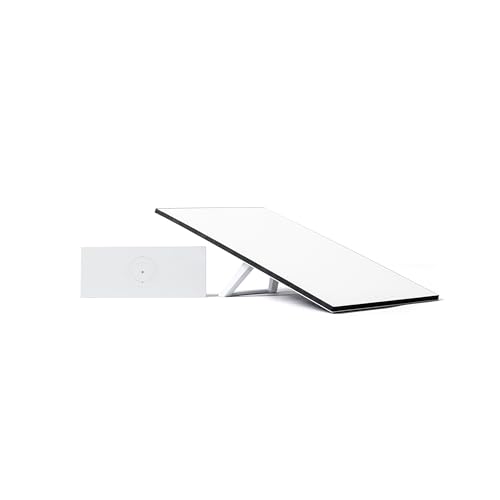
STARLINK Standard Kit AX 4 X Tri Band Wi-Fi System – High-Speed, Low-Latency V4 Internet Band AC Wi-Fi Router and Satellite Dish System – High-Speed Portable Internet – White
Starlink provides reliable high-speed, low-latency, internet wherever you live
As an affiliate, we earn on qualifying purchases.
As an affiliate, we earn on qualifying purchases.
Conclusion
Think of upgrading your router and internet plan like tending a garden. If your soil’s exhausted, no matter how beautiful your plants are, they won’t thrive. Similarly, a top-tier router can’t compensate for a sluggish plan. You need the right balance—nurture your connection with both tools, but start by enriching your foundation. Only then will your digital garden flourish, offering the seamless, robust experience you’re craving.

TP-Link Deco X55 AX3000 WiFi 6 Mesh System – Covers up to 6500 Sq.Ft, Replaces Wireless Router and Extender, 3 Gigabit Ports per Unit, Supports Ethernet Backhaul, Deco X55(3-Pack)
Wi-Fi 6 Mesh Wi-Fi – Next-gen Wi-Fi 6 AX3000 whole home mesh system to eliminate weak Wi-Fi for…
As an affiliate, we earn on qualifying purchases.
As an affiliate, we earn on qualifying purchases.

TP-Link Smart WiFi 6 Router (Archer AX10) – 4 Gigabit LAN Ports, Dual Band 802.11AX Router, Beamforming, OFDMA, MU-MIMO, Parental Controls, Dual-Core 900MHz Processor, Works with Alexa
OneMesh Compatible Router – Form a seamless WiFi when work with TP-Link OneMesh WiFi Extenders
As an affiliate, we earn on qualifying purchases.
As an affiliate, we earn on qualifying purchases.