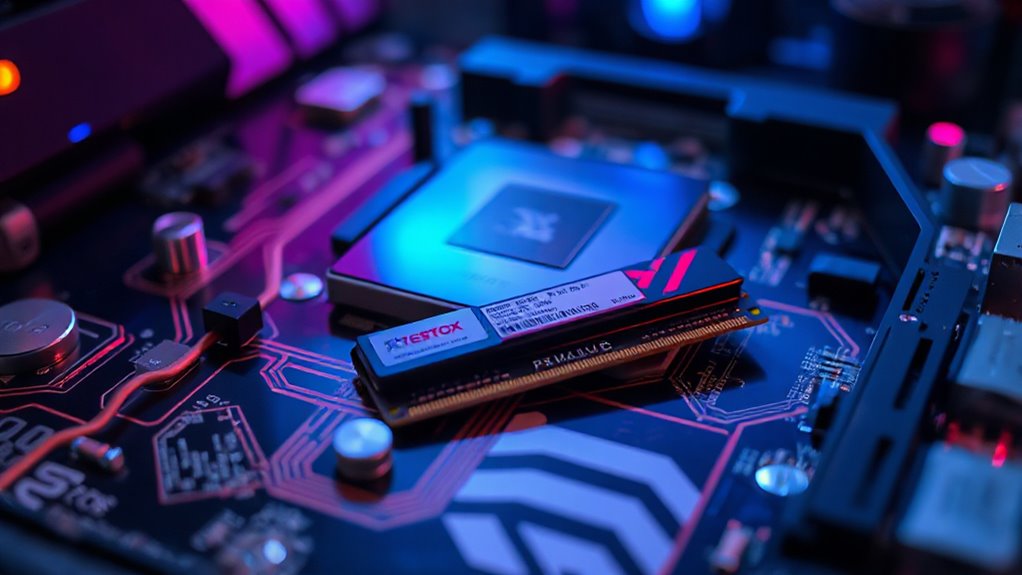

For most users, 8 to 16GB of RAM hits the perfect balance for everyday tasks, gaming, and creative work. If you do multitasking or work with large files or virtual machines, going higher—like 32GB—can boost performance. Older systems or lighter use may be fine with 8GB, while creative professionals benefit from more. To find out what’s best for you and avoid bottlenecks, keep exploring these options further.

Get your next haul delivered free — and shop member deals
- Fast, free delivery on millions of items
- Access to Prime Big Deal Days deals on October 6–7
- Prime Video, Amazon Music and more included
Key Takeaways
- For general use and light multitasking, 8GB of RAM is sufficient.
- Gaming performance benefits from 16GB RAM, especially with modern titles and mods.
- Creative tasks like video editing or 3D rendering typically require 32GB or more.
- Multitasking with multiple applications or large files performs best with 16GB to 32GB RAM.
- Consider your operating system and specific workload needs to determine the ideal RAM capacity.

When it comes to choosing the right amount of RAM for your computer, understanding your needs can save you money and improve performance. RAM, or random access memory, directly impacts how smoothly your system runs, especially when it comes to gaming performance and multitasking efficiency. RAM is crucial for running modern applications and games efficiently. If you’re into gaming, having enough RAM ensures your games run without lag or stuttering, providing a more immersive experience. Modern games often recommend at least 8GB of RAM, but for the best performance, especially with newer titles or mods, 16GB is becoming the sweet spot. This extra memory helps load large textures and game data quickly, reducing load times and preventing crashes caused by insufficient RAM.
On the other hand, if your primary use involves multitasking—switching between multiple applications, working with large files, or running virtual machines—you’ll want to prioritize higher RAM capacity. With more RAM, your system can handle several programs open at once without slowing down. For example, if you often have a web browser, office apps, and a photo editing program running simultaneously, 16GB or even 32GB can make a noticeable difference. It allows each application to run smoothly without fighting for memory, which in turn enhances your multitasking efficiency. When you’re short on RAM, your system relies on slower storage drives to compensate, leading to sluggish performance and longer wait times.
Choosing the appropriate amount of RAM also depends on your operating system. Windows 10 and 11, along with recent versions of macOS, are optimized to utilize larger amounts of memory effectively. If you’re using an older OS, you might not see the full benefits of over 8GB, but for most users today, 8GB is a minimum for general use. If you’re into creative work, such as video editing or 3D rendering, consider 32GB or more, as these tasks demand significant memory resources. Additionally, the contrast ratio of your display can influence how well you perceive the quality of visuals, especially in high-graphics applications.
As an affiliate, we earn on qualifying purchases.
Frequently Asked Questions
Can Upgrading RAM Improve Overall Computer Speed?
Upgrading RAM can definitely improve your overall computer speed, especially if your current system struggles with multitasking or running demanding apps. To get the best benefits, verify your new RAM is compatible with your motherboard and CPU. You might also explore ram overclocking to boost performance further, but always prioritize stability and compatibility to avoid issues. Upgrading RAM makes your system more responsive and efficient for daily tasks and heavy workloads.
Is More RAM Necessary for Gaming Performance?
If you want better gaming performance, more RAM can help, but only if your current setup struggles with RAM requirements. Upgrading RAM allows smoother gameplay, faster load times, and better multitasking. However, if your system already meets the recommended RAM for your games, adding more won’t make a noticeable difference. Focus on balancing RAM with a good graphics card and processor to optimize your gaming experience effectively.
How Does RAM Affect Battery Life in Laptops?
More RAM can slightly increase your laptop’s power consumption, which may impact battery longevity over time. When your system uses more RAM, it often requires additional energy to keep that data active. However, the difference is usually minimal with modern, energy-efficient RAM. To maximize battery life, focus on balancing your RAM needs with power management settings, but don’t worry—adding a bit more RAM won’t drastically shorten your laptop’s battery life.
Can Insufficient RAM Cause System Crashes?
Insufficient RAM is like trying to run a busy restaurant with only a few staff—it leads to system crashes. When your RAM is too low, your computer relies heavily on virtual memory, which slows everything down. Faster RAM speeds can help, but they can’t remedy the fundamental issue. So, if you notice crashes, upgrading your RAM ensures smoother operation and prevents those frustrating system failures.
Does RAM Influence the Quality of Video Editing?
Yes, RAM critically influences your video editing quality. With enough RAM, you can handle complex projects, smooth video rendering, and faster editing workflows. Make sure your RAM is compatible with your system to avoid crashes or slowdowns. When you have ample RAM, your editing software runs more efficiently, reduces lag, and improves the overall quality of your final video. So, investing in the right amount of RAM is essential for professional results.
As an affiliate, we earn on qualifying purchases.
Conclusion
In the end, choosing the right RAM isn’t just about numbers; it’s about your needs, your tasks, and your future. Think of RAM as the foundation of your digital home, supporting your work, your play, your creativity. More RAM is like adding rooms to your house—more space, more comfort, more possibilities. So, assess, decide, and upgrade wisely—because the right amount of RAM keeps your system running smoothly, just like a well-built house standing strong through every season.
As an affiliate, we earn on qualifying purchases.
As an affiliate, we earn on qualifying purchases.
Fall Picks
fall essentials
As an affiliate, we earn on qualifying purchases.