If you’re choosing between a gaming laptop and a desktop, consider what matters most to you. Laptops offer portability and built-in features, making them ideal if you need to game on the go. But desktops usually provide better value, upgrade options, and long-term durability, especially for demanding games. Think about your lifestyle and future plans. Keep exploring further to find out which option could truly give you the best gaming experience.

Get your next haul delivered free — and shop member deals
- Fast, free delivery on millions of items
- Access to Prime Big Deal Days deals on October 6–7
- Prime Video, Amazon Music and more included
Key Takeaways
- Desktops generally offer better long-term value through easier upgrades and customization options.
- Gaming laptops provide portability, making them more convenient for gaming on the go.
- Desktops tend to be more cost-effective for similar hardware performance over time.
- Laptops include integrated features like high-refresh-rate screens, reducing peripheral costs.
- Upgrading desktops is simpler, extending their lifespan compared to limited upgrade options in laptops.
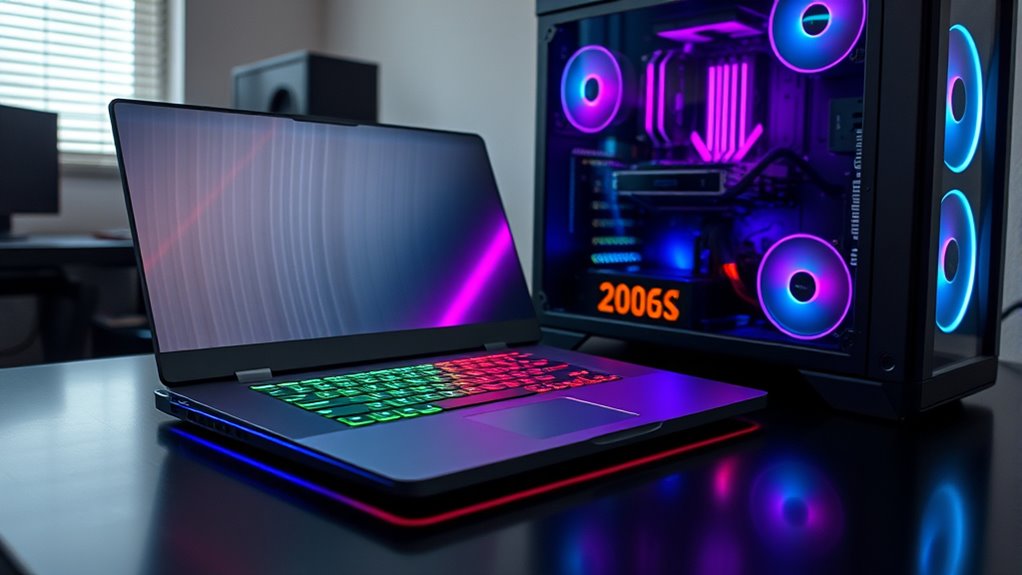
Are gaming laptops better than desktops? That question often pops up when you’re trying to decide which setup offers the best value for your gaming needs. When weighing your options, you’ll want to contemplate portability factors and upgradeability options, as these play a significant role in how well each device fits your lifestyle and future-proofing plans. Gaming laptops excel in portability, allowing you to take your gaming rig anywhere—whether it’s to a friend’s house, a gaming LAN event, or even just around your apartment. If mobility is a priority, then a gaming laptop provides the convenience of a compact, all-in-one device that doesn’t require hauling around a tower or multiple peripherals. However, desktop setups generally fall short in this area, since they’re designed to stay in one place and often require a separate monitor, keyboard, and mouse.
When it comes to upgradeability options, desktops have the clear advantage. Building or customizing a desktop allows you to swap out components like the GPU, CPU, RAM, or storage, extending the lifespan of your system and adapting to new games or technology. This flexibility means you don’t need to replace the entire system when performance dips or new hardware becomes available. Gaming laptops, on the other hand, tend to have limited upgrade options. Some models allow for RAM and storage upgrades, but upgrading the GPU or CPU is usually either complicated or impossible due to integrated components and thermal constraints. If you’re the type of gamer who loves tinkering or plans to keep their system updated over years, a desktop provides more control and long-term value. Additionally, understanding AI-powered features can help optimize gaming performance and system management over time.
That said, gaming laptops often come with integrated features that make them appealing, such as high-refresh-rate screens and built-in peripherals, which can save you money and space. They’re also designed to maximize performance in a portable form factor, with powerful hardware packed into a relatively compact case. But if you’re looking for the best bang for your buck, especially regarding upgradeability and longevity, desktops are hard to beat. They tend to be more cost-effective, offer better thermal management, and can be customized or expanded as your gaming needs evolve. Ultimately, your choice depends on whether portability outweighs upgrade potential, but understanding these factors helps you make a more informed decision aligned with your gaming lifestyle.
Frequently Asked Questions
Can Gaming Laptops Be Upgraded Like Desktops?
Gaming laptops can be upgraded, but their hardware customization and upgradeability options are limited compared to desktops. You might be able to upgrade components like RAM or storage, but other parts such as the GPU or CPU are often soldered and not easily replaceable. If you want maximum upgradeability, a desktop offers more flexibility, allowing you to swap out hardware as needed for better performance and longevity.
Which Offers Better Cooling: Laptop or Desktop?
You’ll find desktops generally offer better cooling efficiency because of their larger size and advanced thermal management options. Desktops can accommodate bigger fans, more heat sinks, and better airflow, helping keep components cool under heavy loads. Laptops, constrained by size, often struggle with thermal management, leading to higher temperatures during gaming sessions. So, if cooling is your priority, a desktop provides superior thermal management and more effective cooling.
How Does Portability Affect Gaming Performance?
Portability impact can be significant, as gaming laptops allow you to play anywhere, but they often face mobility trade-offs like limited upgrade options and thermal constraints. This can affect gaming performance, causing potential overheating or reduced graphical settings during extended play. If you prioritize mobility, expect some compromises in performance and cooling. Conversely, desktops offer superior cooling and power but lack portability, so choose based on your gaming lifestyle.
Are Gaming Laptops More Cost-Effective Long-Term?
Gaming laptops aren’t usually more cost-effective long-term because budget constraints often limit their upgradeability concerns. While they cost more upfront, desktops offer better value since you can upgrade components over time, extending their lifespan. If you’re budget-conscious and want to maximize your investment, a desktop allows more flexibility and long-term savings, whereas gaming laptops may require replacement sooner due to limited upgrade options.
Do Desktops Have a Lifespan Advantage Over Laptops?
Yes, desktops generally have a lifespan advantage over laptops because of their better hardware durability and upgrade potential. You can easily replace or upgrade components like the graphics card, RAM, or storage, extending your system’s life. Laptops tend to wear out faster due to compact design and limited upgrade options. So, if longevity matters, a desktop offers more flexibility and durability to keep up with your gaming needs.
Conclusion
So, which is the better value for you—gaming laptop or desktop? It really depends on your gaming style, budget, and how much portability matters. While laptops offer convenience, desktops often provide more power for your dollar. But ultimately, isn’t it about choosing what helps you enjoy gaming the most? Whether you prioritize mobility or performance, make sure your choice aligns with your gaming goals and lifestyle. After all, isn’t the real win finding what makes you happiest?
Fall Picks
fall essentials
As an affiliate, we earn on qualifying purchases.