When choosing a monitor for work, play, or both, focus on ergonomic features like height adjustment, tilt, and swivel to stay comfortable during long hours. Look for high-resolution screens—like 4K—for detailed tasks and smooth performance with fast refresh rates for gaming. Make sure it has enough connectivity options, such as HDMI or USB-C, and consider calibration tools for color accuracy if needed. If you’re curious about finding the perfect setup, keep exploring to discover more tips.
Key Takeaways
- Determine your primary usage to prioritize features like color accuracy for work or high refresh rates for gaming.
- Choose a size and resolution that suit your workspace and enhance productivity or entertainment experience.
- Ensure the monitor has ergonomic adjustments—height, tilt, swivel, and pivot—for long-term comfort.
- Check for connectivity options such as HDMI, DisplayPort, or USB-C to support your devices seamlessly.
- Consider calibration tools or software support to maintain color fidelity and display quality over time.
Are you unsure where to start when choosing a monitor? It can feel overwhelming with so many options on the market, but focusing on a few key features will help you narrow down your choices. First, consider your primary use—whether it’s work, play, or a mix of both. For work, especially if you spend long hours at your desk, ergonomic adjustments are essential. Look for a monitor that offers height adjustment, tilt, swivel, and pivot features. These allow you to position the screen comfortably, reducing strain on your neck, shoulders, and eyes. Proper ergonomics prevent fatigue and improve your overall productivity.
Display calibration is another important factor. A monitor with good display calibration ensures accurate colors and brightness levels, which is especially important if you handle graphic design, photo editing, or any tasks requiring color precision. Even for general office work or gaming, a well-calibrated display enhances the visual experience, making images sharper and colors more vibrant. Many monitors come with built-in calibration tools or support calibration via software, giving you options to fine-tune the display to your liking. Additionally, display calibration can help maintain consistent color accuracy over time, which is crucial for professional work. Keeping the display properly calibrated can also extend the lifespan of the monitor’s color accuracy, especially when the monitor supports advanced calibration features. Incorporating color accuracy into your selection ensures your work and entertainment look their best for years to come.
Good display calibration ensures accurate colors and brightness for work, gaming, and vibrant visuals.
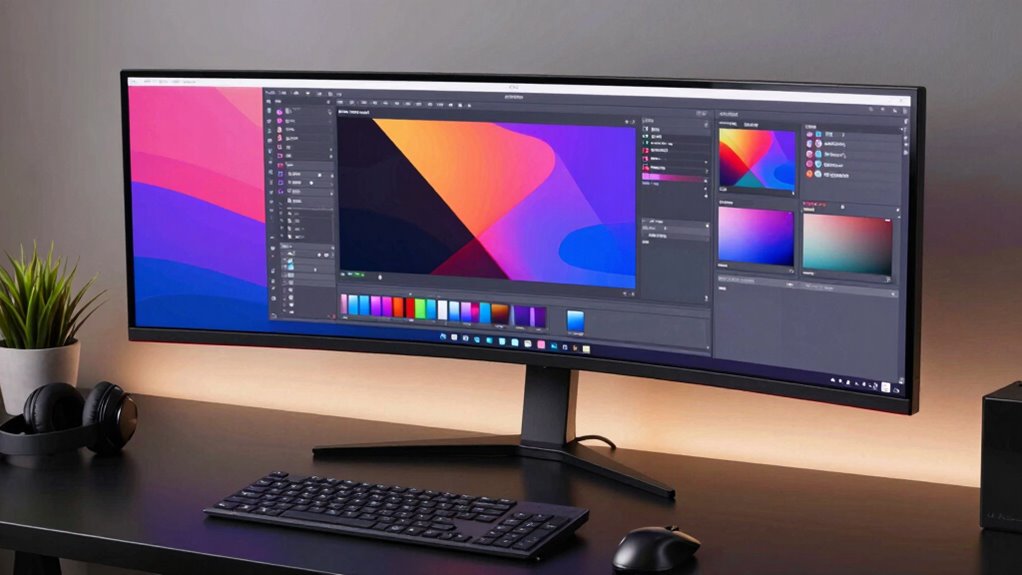
Size and resolution are next in line. If you’re working with detailed spreadsheets, large documents, or multiple windows, a larger screen with high resolution—such as 4K—can boost efficiency. For gaming or multimedia, a high refresh rate (like 120Hz or higher) improves motion smoothness, while a fast response time minimizes ghosting and blurring. If you plan to use the monitor for both work and play, balance these features to suit both needs. A versatile monitor with adjustable settings can adapt to different tasks, whether you’re editing photos or enjoying the latest video game. Additionally, considering the display size and how it fits your workspace can impact both comfort and productivity. Selecting the right size and resolution can significantly enhance your overall user experience.
Connectivity options are also worth considering. Make sure the monitor has the ports you need, such as HDMI, DisplayPort, or USB-C, to connect seamlessly with your devices. Some monitors include built-in speakers or USB hubs, which can reduce clutter on your desk. Additionally, consider the design and build quality—look for a sturdy stand and slim bezels for a modern aesthetic that maximizes screen real estate. Choosing a monitor with ergonomic features can significantly improve your comfort during long hours of use.
ergonomic adjustable monitor stand
As an affiliate, we earn on qualifying purchases.
As an affiliate, we earn on qualifying purchases.
Frequently Asked Questions
How Important Is Color Accuracy for Everyday Use?
Color accuracy is pretty important for everyday use, especially if you do any photo editing, design, or content creation. You should prioritize monitors with good color calibration to guarantee true-to-life colors. Additionally, display brightness impacts visibility and comfort, so pick a screen with adjustable brightness levels. This way, your viewing experience remains pleasant, whether you’re working, gaming, or just browsing. Accurate colors and proper brightness make your daily screen time more enjoyable and efficient.
Can I Use a Gaming Monitor for Professional Work?
Yes, you can use a gaming monitor for professional work, especially if it offers solid gaming features like high refresh rates and fast response times. Just make sure it has professional ergonomics—adjustable height, tilt, and swivel—to prevent strain during long hours. While gaming monitors excel in visuals and speed, check if color accuracy meets your work needs, particularly for tasks like design or editing.
What Are the Best Monitor Sizes for Small Desks?
For small desks, the best monitor sizes are typically 24 inches or smaller. These sizes improve monitor ergonomics by reducing eye strain and allowing you to adjust viewing angles easily. They also help optimize desk space, giving you more room for other essentials. Selecting a compact monitor guarantees you maintain a comfortable setup without overcrowding your workspace, making it easier to stay organized and focused on your tasks.
How Does Refresh Rate Affect Video Editing?
A higher refresh rate keeps your video editing smooth and fluid, especially during fast-paced scenes or intricate motion work. If your monitor has a low refresh rate, you might notice choppiness or lag that disrupts your workflow and breaks your concentration. For precise editing, aim for a refresh rate of at least 60Hz, but going higher enhances real-time preview accuracy, making your adjustments seamless and your projects flawless.
Are Curved Monitors Better for Multitasking?
Curved monitors can be better for multitasking because their ergonomic design reduces eye strain and offers a more immersive viewing experience. The screen curvature helps keep all parts of the display at a consistent distance from your eyes, making it easier to view multiple windows simultaneously. If you work with multiple applications or spreadsheets, a curved monitor can enhance comfort and efficiency, especially over long periods.
4K gaming monitor with high refresh rate
As an affiliate, we earn on qualifying purchases.
As an affiliate, we earn on qualifying purchases.
Conclusion
Just as the wise often seek the right compass before venturing into the unknown, choosing the perfect monitor guides your journey through work and play. Consider your needs, balance features, and aim for harmony, much like balancing the scales of justice. Remember, a good monitor isn’t just a tool—it’s your portal to productivity and entertainment. With the right choice, you’ll find your own Excalibur, ready to conquer any digital quest that comes your way.
color calibration monitor for photo editing
As an affiliate, we earn on qualifying purchases.
As an affiliate, we earn on qualifying purchases.
USB-C monitor with multiple connectivity options
As an affiliate, we earn on qualifying purchases.
As an affiliate, we earn on qualifying purchases.