TL;DR
Building your AI workstation used to be cheaper, but recent component shortages and bulk buying by vendors have shifted the balance. Now, choosing depends on your workload, budget, and desire for control or support. Both options have pros and cons worth weighing carefully.
If you’re eyeing a powerful AI workstation, you’re probably wondering: should I build it myself or buy a ready-made system? That question has taken a sharp turn in recent years. What used to be a straightforward choice—DIY for savings, prebuilt for speed—is now a complex decision involving cost, control, and support.
Today, the right choice depends on your workload, budget, and how much time you want to spend tinkering. In this guide, I’ll break down the real tradeoffs, backed by recent market shifts, so you can pick what makes sense for your AI projects in 2026.
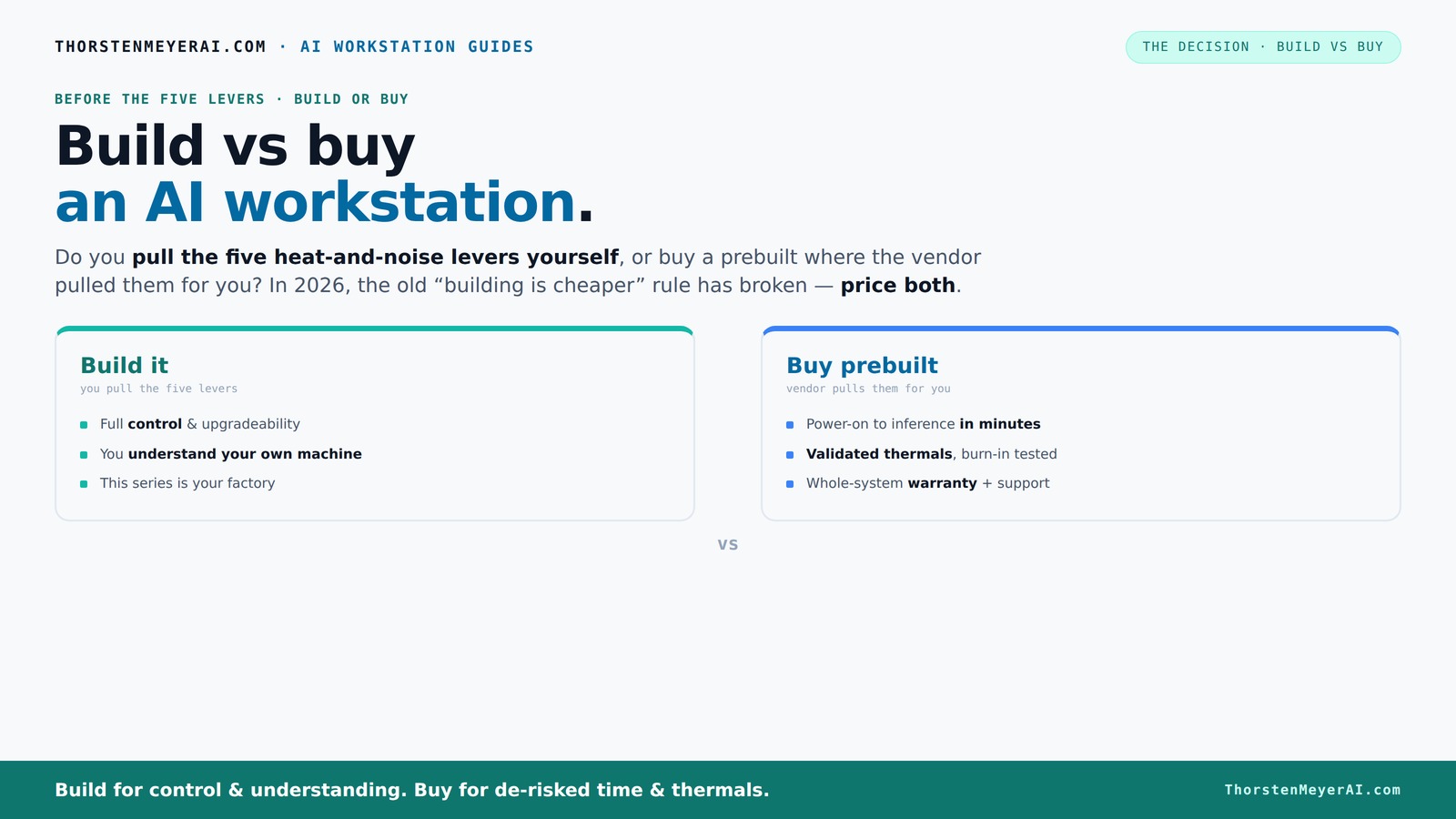
Build vs buy
an AI workstation.
The real question behind this whole series: do you pull the five heat-and-noise levers yourself, or buy a prebuilt where the vendor pulled them for you? And in 2026, the old “building is cheaper” rule has broken. Match your situation in Part 3.
Key Takeaways
- Market shifts in 2026 mean prebuilt AI workstations often cost as much or less than DIY builds—don't assume build is cheaper anymore.
- Thermal management is key: prebuilts are optimized and tested, DIY requires hands-on tuning and expertise.
- Support and warranty can save you time and stress, especially for critical AI workloads—consider this in your decision.
- Upgrade paths favor DIY for flexibility, but prebuilts can be upgraded if you choose models designed for it.
- Matching your workload (training vs inference) is vital—select the right system based on your specific AI tasks.
high performance AI workstation prebuilt
As an affiliate, we earn on qualifying purchases.
As an affiliate, we earn on qualifying purchases.
Why Building Your AI Workstation Isn’t Always Cheaper Anymore
Building your own rig used to be the obvious way to save money. But since 2026, component shortages and bulk buying by big vendors have changed the game. A DIY system that once cost under $1,000 now often pushes past $1,250 or more, even without high-end GPUs. Learn more about build vs buy options.
For example, demand for DDR5 RAM, GPUs, and SSDs has skyrocketed, causing prices to spike. This has made sourcing individual components more expensive and unpredictable, especially during supply crunches. Meanwhile, large manufacturers buy in bulk, securing lower prices and passing those savings onto consumers through prebuilt options that are highly competitive in price. This dynamic shifts the traditional assumption that building is always cheaper, as it now often involves hidden costs like longer wait times or inflated component prices during shortages.
The implication is that your decision to build should now include a detailed cost analysis, considering market fluctuations and availability. Sometimes, the convenience and reliability of a prebuilt system can outweigh the marginal savings of a DIY build, especially when factoring in time and potential troubleshooting.
As an affiliate, we earn on qualifying purchases.
Who Pulls the Thermals: Build It Yourself or Let the Vendor Handle It?
One of the biggest differences in this decision is thermal management. When you buy a prebuilt AI workstation, the vendor has already optimized cooling—think water-cooling, custom fans, and validated airflow—so your machine runs cool and quiet. This optimization is crucial because thermal issues can throttle your GPU performance, leading to slower training times or system instability. Proper thermal design extends component lifespan and ensures consistent performance during intensive workloads, which is vital for AI tasks that run for hours. Explore build vs buy considerations.
If you build, you’re responsible for tuning these levers: undervolting GPUs, matching coolers, setting up airflow, and fine-tuning fan curves. While this offers customization, it also introduces complexity. Poor thermal management can cause overheating, throttling, or even hardware failure, especially under sustained AI workloads. For example, choosing an inadequate cooler or poor airflow setup might save money initially but result in thermal throttling that diminishes performance and increases long-term costs.
Choosing a prebuilt removes this guesswork because the system has been stress-tested for thermal performance, often with a warranty backing it up. Building gives you control—and potential savings—but requires expertise, patience, and a willingness to troubleshoot thermal issues to optimize performance.
As an affiliate, we earn on qualifying purchases.
The Real Cost: Time, Support, and Peace of Mind
If speed is your priority, prebuilt systems shine. They arrive with everything installed—OS, drivers, AI frameworks—and are ready to run in minutes. For busy professionals or startups, that means less downtime and fewer headaches, enabling faster deployment of AI models and research projects. The time saved can be critical when deadlines are tight or when you need immediate access to a powerful system.
Support is another big factor. Prebuilt vendors often offer warranties and dedicated support lines, which can be a lifesaver when troubleshooting complex AI workloads. For example, if your system throttles during a training run or crashes unexpectedly, you can contact support and get quick help. This support reduces the risk of prolonged downtime and helps you focus on your work rather than hardware issues. See why prebuilts are a good choice.
In contrast, building your own rig can mean hours troubleshooting BIOS settings, driver conflicts, or component compatibility issues. While this DIY approach offers customization, it can also lead to longer setup times and potential frustration, especially if hardware issues arise during critical projects. The tradeoff is clear: convenience and peace of mind versus full control and potential cost savings, but with added responsibility for maintenance and troubleshooting. Compare build vs buy options.
As an affiliate, we earn on qualifying purchases.
Frequently Asked Questions
Is it cheaper to build or buy an AI workstation in 2026?
In 2026, component shortages and bulk buying have made prebuilt systems often match or beat the cost of DIY builds. Always price your specific setup both ways before deciding.Will a prebuilt AI workstation perform worse than a custom build?
Not necessarily. Many prebuilts are validated for thermal and power performance, often matching or exceeding DIY efforts—especially with stress testing and warranty support included.Can I upgrade a prebuilt later?
It depends. Some prebuilts are designed with upgradeability in mind, but others use proprietary parts. Check the vendor's upgrade options before buying.What components matter most for AI workloads?
GPU VRAM and CUDA cores, system RAM, and cooling are critical. Also consider power delivery and thermal design to prevent throttling during heavy loads.How do I know if a prebuilt is AI-optimized?
Look for vendors emphasizing AI-ready hardware, validated cooling, and software support. Check reviews and specifications to ensure GPU, cooling, and support fit your needs.Conclusion
In 2026, the choice between building and buying your AI workstation hinges less on cost and more on your needs for control, speed, and support. If you’re comfortable with tinkering or upgrading, DIY still offers great value. But if you want a ready-to-run, proven system with support, prebuilts are more competitive than ever.
Think about your workload, timeline, and how much effort you want to invest. Either way, the right system will depend on your specific needs. power your AI ambitions—just pick the path that matches your style and goals.