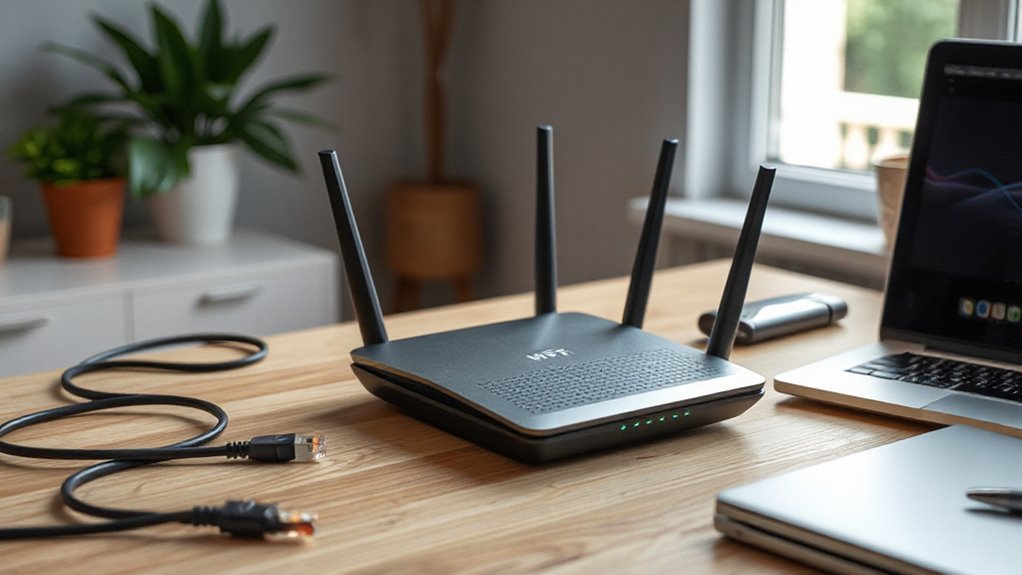

To boost your home internet for free, start by changing your Wi-Fi channel to a less crowded one through your router’s admin panel, which can reduce interference and speed things up. Also, guarantee your firmware is up to date, as updates fix bugs and improve performance. If your router supports it, activate features like beamforming and MU-MIMO for better signal focus. Keep these simple tweaks in mind; the next steps to enhance your connection won’t surprise you.

Get your next haul delivered free — and shop member deals
- Fast, free delivery on millions of items
- Access to Prime Big Deal Days deals on October 6–7
- Prime Video, Amazon Music and more included
Key Takeaways
- Manually switch to a less congested Wi-Fi channel via your router’s admin panel for better speed.
- Regularly update your router’s firmware to fix bugs and improve performance.
- Use automatic or manual channel selection to avoid interference from neighboring networks.
- Enable advanced features like MU-MIMO and beamforming for more efficient device connections.
- Conduct periodic speed tests and optimize placement for stronger, more stable signals.

Are you tired of slow internet speeds and dropped connections? If so, you’re not alone. Many home networks struggle with interference and outdated settings that hinder performance. The good news is, you can often fix these issues with simple, free tweaks to your Wi-Fi router. One of the most effective steps is optimizing your channel selection. Wi-Fi routers broadcast on different channels within the 2.4 GHz and 5 GHz bands. If your neighbors’ networks are all on the same channel, this congestion causes interference, slowing down your connection. To improve speed, access your router’s admin panel and scan for the least crowded channel. Many routers have an automatic setting, but if yours doesn’t, manually switch to a clearer channel. This small change can considerably boost your Wi-Fi performance without any additional cost.
Another vital tweak is keeping your router’s firmware up to date. Firmware is the software that runs your router, and manufacturers regularly release updates to fix bugs, improve stability, and enhance security. When your firmware is out of date, your router may not operate efficiently or securely, leading to slow speeds, dropped connections, or vulnerabilities. Check your router’s settings or manufacturer’s website periodically for firmware updates. Many routers have an auto-update feature—make sure it’s enabled. If not, manually download and install the latest firmware. Updating firmware is straightforward but essential, and doing it regularly ensures your router runs smoothly and benefits from the newest features and fixes. Additionally, ensuring your router utilizes advanced technology like MU-MIMO or beamforming can further improve network efficiency and speed.
As an affiliate, we earn on qualifying purchases.
Frequently Asked Questions
Can Changing My Router’s Location Improve Wi-Fi Speed?
Yes, changing your router’s location can improve Wi-Fi speed. Proper router placement guarantees a stronger signal by minimizing signal obstacles like walls or furniture. Position your router centrally, elevated, and away from thick walls or electronic devices that cause interference. This strategic placement reduces dead zones and boosts overall internet performance, giving you faster, more reliable Wi-Fi throughout your home.
Do Firmware Updates Automatically Enhance My Router’s Performance?
Think of firmware updates as your router’s secret recipe for better performance. Yes, they automatically enhance your router’s performance by optimizing settings like channel bandwidth and antenna positioning, making signals stronger and clearer. These updates fix bugs and improve stability, turning your Wi-Fi into a faster, more reliable highway. Keep your firmware current, and your internet will glide smoothly, even through the busiest digital rush hours.
How Does Reducing Device Interference Affect Wi-Fi Stability?
Reducing device interference considerably improves your Wi-Fi stability by minimizing wireless congestion and signal interference. When fewer devices compete for the same channel, your router can transmit data more efficiently, leading to a stronger, more reliable connection. To achieve this, you can change your Wi-Fi channel, limit the number of connected devices, or keep devices away from other electronics that cause interference. These steps help ensure smoother streaming, faster downloads, and fewer disconnects.
Are There Risks in Modifying Advanced Router Settings?
Modifying advanced router settings can introduce security risks if you’re not careful, especially if you expose ports or disable firewalls. Did you know that 60% of home networks face vulnerabilities due to improper configurations? You should be aware of the increased configuration complexity, which can lead to accidental misconfigurations. Always back up your settings and follow trusted guides to minimize risks and keep your network secure while tweaking your router.
Can I Improve Wi-Fi Security Without Losing Speed?
Yes, you can improve your Wi-Fi security without sacrificing speed. Use strong encryption protocols like WPA3 or WPA2, which offer robust protection without slowing your connection. Additionally, set a complex password that’s hard to guess, combining letters, numbers, and symbols. These tweaks enhance your network’s security while keeping your internet fast. Regularly update your router’s firmware too, for peak security and performance.
As an affiliate, we earn on qualifying purchases.
Conclusion
Just like tuning a musical instrument brings harmony to a song, these simple Wi-Fi tweaks can transform your internet experience. Imagine finally streaming your favorite show without buffering or working smoothly from your cozy corner—it’s like revealing a secret passage to uninterrupted connection. I once struggled with slow Wi-Fi until I tried these tips, and suddenly, everything clicked. With just a few easy adjustments, you’ll feel the difference and enjoy a smoother, more reliable home network every day.
As an affiliate, we earn on qualifying purchases.
As an affiliate, we earn on qualifying purchases.
Fall Picks
fall essentials
As an affiliate, we earn on qualifying purchases.