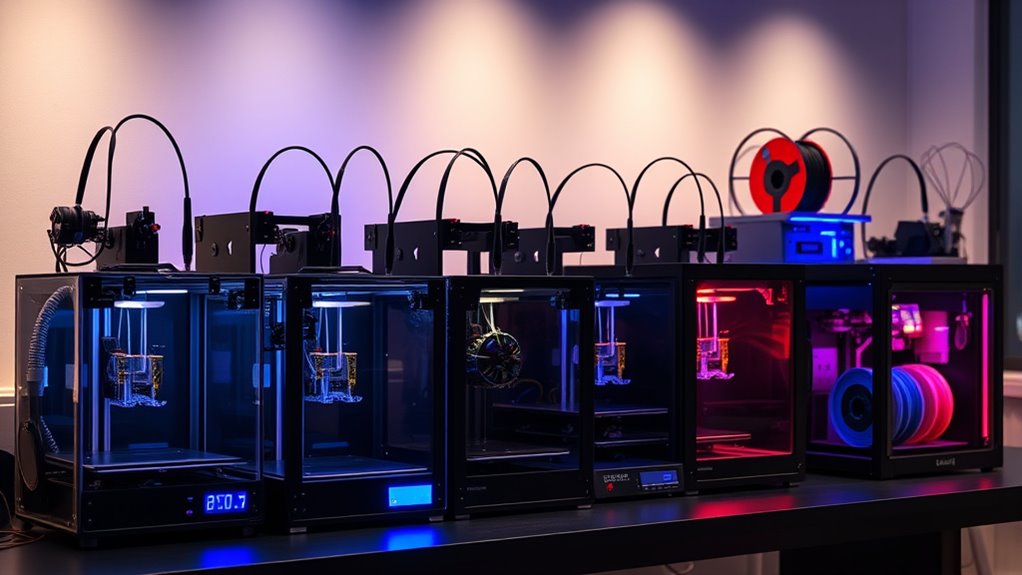

Hobbyist 3D printers continue to evolve, offering a blend of affordability, ease of use, and high-quality output. The Creality Ender 3 V3 SE stands out as the best overall for its balance of speed, reliability, and community support. For those exploring resin printing, the ANYCUBIC Photon Mono 4 offers stunning detail, while the Bambu Lab P1S impresses with multi-color capabilities and high speed. Buyers face tradeoffs between print quality, speed, size, and complexity—this guide breaks down the key features so you can find the right fit. Keep reading for a detailed review of these options and what makes each one unique.

Get your next haul delivered free with Prime
- Fast, free delivery on millions of items
- Prime Video, Amazon Music and more included
- Member-only deals all year
Complete the kit


Key Takeaways
- The top-performing printers balance speed, print quality, and ease of setup, with the Ender 3 V3 SE exemplifying this mix.
- Resin printers like the ANYCUBIC Photon Mono 4 excel in detailed projects but require more maintenance and safety precautions.
- Multi-color and multi-material support are increasingly common, but often come with higher costs and complexity.
- Large build volumes are available at a premium, while compact models are better suited for limited spaces or simple projects.
- The best hobbyist printers offer a good mix of automatic features (auto-leveling, auto-loading) to reduce setup time for beginners.
| ANYCUBIC Photon Mono 4 Resin 3D Printer with 7” 10K Mono LCD Screen |  | Best for High-Resolution Detail and Beginners Exploring Resin Printing | Resolution: 9024×5120 | Build Volume: 6.04” x 3.42” x 6.49” / 153.4mm x 87mm x 165mm | Light Source: LighTurbo matrix light source | VIEW ON AMAZON | See Our Full Breakdown |
| Creality K2 Pro 3D Printer with Multicolor Support, Dual AI Cameras, Auto Leveling, 300x300x300mm Build Volume |  | Best for Multi-Color and Multi-Material Projects with Smart Monitoring | Build Volume: 300x300x300mm | Max Speed: 600mm/s | Hotend Temperature: 300°C | VIEW ON AMAZON | See Our Full Breakdown |
| Bambu Lab P1S Combo 3D Printer with AMS – Multi-Color, High Speed, Auto Bed Leveling |  | Best for Fast, Multi-Color Printing with Ease of Setup | Colors: Up to 16 | Print Speed: 500mm/s | Auto Bed Leveling: Yes | VIEW ON AMAZON | See Our Full Breakdown |
| Creality Ender 3 V3 SE 3D Printer, 250mm/s High-Speed Desktop Printer, CR Touch Auto-Leveling, Sprite Direct Extruder, Dual Z-Axis, Auto-Load Filament, 8.66×8.66×9.84 Print Volume |  | Best for Fast, Reliable Printing with Easy Assembly for Beginners and Intermediate Users | Print Speed: 250mm/s | Print Volume: 8.66 x 8.66 x 9.84 inches | Auto-Leveling: CR Touch | VIEW ON AMAZON | See Our Full Breakdown |
| Creality K1 Max 3D Printer, 600mm/s High-Speed, Auto Leveling, Large 300x300x300mm Build Volume |  | Best for Large-Scale, High-Speed Printing for Advanced Hobbyists | Print Speed: 600mm/s | Build Volume: 300 x 300 x 300mm | Max Hotend Temp: 300°C | VIEW ON AMAZON | See Our Full Breakdown |
| FlashForge Adventurer 5M 3D Printer, Support Multi Materials, High Precision, 600mm/s Max Speed, Auto Bed Leveling, 280°C Extruder, 220x220x220mm Build Volume |  | Best Overall for Speed and Multi-Material Flexibility | Max Speed: 600mm/s | Build Volume: 220x220x220mm | Extruder Temperature: 280°C | VIEW ON AMAZON | See Our Full Breakdown |
| Creality K2 SE 3D Printer with Multicolor Support, Auto Leveling, High-Speed Printing, Compact Design |  | Best for Multicolor and Speed in a Compact Package | Build Volume: 220 x 215 x 245 mm | Filament Support: Up to 16 colors (CFS units sold separately) | Printing Speed: Up to 500 mm/s | VIEW ON AMAZON | See Our Full Breakdown |
| Bambu Lab A1 Mini Combo 3D Printer with AMS Lite, Multi-Color Printing, High Speed & Precision, Quiet, Beginner-Friendly |  | Best for Beginners and Quiet Operation with Multi-Color | Acceleration: 10,000 mm/s² | Noise Level: ≤48 dB | Calibration: Full-Auto | VIEW ON AMAZON | See Our Full Breakdown |
| ELEGOO Neptune 3 Pro 3D Printer with Auto Leveling and Touchscreen |  | Best for Reliable, Versatile Printing with Auto Bed Leveling | Build Volume: 225x225x280 mm | Auto Bed Leveling: 36-point | Extruder Type: Dual-gear direct drive | VIEW ON AMAZON | See Our Full Breakdown |
| FlashForge AD5M 3D Printer with Auto Calibration and Quick-Swap Nozzle |  | Best for Fast, Versatile Printing with Easy Maintenance | Print Size: 220x220x220mm | Max Speed: 600mm/s | Nozzle Diameters: 0.25/0.4/0.6/0.8 mm | VIEW ON AMAZON | See Our Full Breakdown |
| FlashForge Adventurer 5M 3D Printer with Auto Leveling and High-Speed Printing |  | Best for Rapid Prototyping and Versatile Projects | Print Size: 220x220x220mm | Max Speed: 600mm/s | Extruder Temperature: 280°C | VIEW ON AMAZON | See Our Full Breakdown |
| Creality Ender 3 V3 SE 3D Printer, 250mm/s Faster Print Speed, Auto Leveling, Sprite Direct Extruder, Dual Z-Axis, Auto Filament Loading, 8.66×8.66×9.84 inch Print Size |  | Best for Beginners and Speed-Focused Users | Maximum Print Speed: 250mm/s | Print Size: 8.66 x 8.66 x 9.84 inches | Extruder: Sprite full metal dual-gear direct extruder | VIEW ON AMAZON | See Our Full Breakdown |
| Creality K2 Combo 3D Printer with Multicolor Printing, Auto Leveling, and AI Camera |  | Best for Multicolor and High-Precision Projects | Build Volume: 260×260×260 mm | Color Support: Up to 16 colors with 4 CFS units | Printing Speed: 600mm/s | VIEW ON AMAZON | See Our Full Breakdown |
| hobbyist 3d printer | Build Volume |
|---|---|
| ANYCUBIC Photon Mono 4 Resin 3 | 6.04” x 3.42” x 6.49” / 153.4mm x 87mm x 165mm |
| Creality K2 Pro 3D Printer wit | 300x300x300mm |
| Bambu Lab P1S Combo 3D Printer | — |
| Creality Ender 3 V3 SE 3D Prin | — |
| Creality K1 Max 3D Printer | 300 x 300 x 300mm |
| FlashForge Adventurer 5M 3D Pr | 220x220x220mm |
| Creality K2 SE 3D Printer with | 220 x 215 x 245 mm |
| Bambu Lab A1 Mini Combo 3D Pri | — |
| ELEGOO Neptune 3 Pro 3D Printe | 225x225x280 mm |
| FlashForge AD5M 3D Printer wit | — |
| FlashForge Adventurer 5M 3D Pr | — |
| Creality Ender 3 V3 SE 3D Prin | — |
| Creality K2 Combo 3D Printer w | 260×260×260 mm |
More Details on Our Top Picks
ANYCUBIC Photon Mono 4 Resin 3D Printer with 7” 10K Mono LCD Screen
The ANYCUBIC Photon Mono 4 stands out for its stunning 10K LCD resolution, making it ideal for detailed miniatures and intricate models. Compared with the Bambu Lab P1S, it offers a larger build volume, which is advantageous for bigger resin projects, though it lacks multi-color support. Its stable LighTurbo light source ensures uniform layer curing, reducing print defects common in lower-quality resin printers. The user-friendly leveling and print resume features make it accessible for hobbyists just starting with resin but may disappoint users seeking advanced post-processing options or multi-color capabilities. The absence of app support could be a downside for those wanting seamless remote management. Overall, this pick is perfect for hobbyists prioritizing high detail and ease of use in resin printing, but less so for multi-material or multi-color enthusiasts.
Pros:- High-resolution 10K LCD for detailed models
- Large build volume suitable for various projects
- Stable, uniform lighting reduces layer lines
- User-friendly leveling and resume printing
Cons:- No app support for remote management
- Limited info on post-processing features
Best for: Hobbyists wanting high-detail resin prints with straightforward operation
Not ideal for: Users interested in multi-color or multi-material resin printing, or those seeking advanced remote features
- Resolution:9024×5120
- Build Volume:6.04” x 3.42” x 6.49” / 153.4mm x 87mm x 165mm
- Light Source:LighTurbo matrix light source
- Display:7” 10K Mono LCD
- Item Dimensions:10 x 10 x 15 inches
- Item Weight:7.7 pounds
Our verdict“This resin printer is best suited for detail-focused hobbyists who prioritize ease of use and high quality over multi-color capabilities.”
Creality K2 Pro 3D Printer with Multicolor Support, Dual AI Cameras, Auto Leveling, 300x300x300mm Build Volume
The Creality K2 Pro is designed for hobbyists who want to expand into multi-material and multi-color printing, surpassing the single-material limitations of the Ender 3 V3 SE. Its support for multiple filaments and advanced filament management makes it suitable for complex, multi-color models, though the CFS units are sold separately, adding to the total cost. The dual AI cameras and auto-leveling streamline setup and ongoing monitoring, which can be a game-changer for larger or more detailed projects. However, the setup process may be intimidating for newcomers, and the high price could deter casual users. Compared with the Ender 3 V3, it offers more versatility at the expense of increased complexity and cost. This printer is perfect for hobbyists ready to tackle multi-material projects and invest in smart features, but less so for those seeking a straightforward, budget-friendly option.
Pros:- Supports multicolor and multi-material printing
- Large build volume for bigger models
- High-speed printing up to 600mm/s
- Dual AI cameras for real-time monitoring and auto-tuning
Cons:- CFS units sold separately, increasing overall cost
- Complex setup for beginners
- Price may be high for casual hobbyists
Best for: Hobbyists interested in multi-material and multi-color printing with smart monitoring
Not ideal for: Beginners or budget-conscious users who prefer simple, single-material printers
- Build Volume:300x300x300mm
- Max Speed:600mm/s
- Hotend Temperature:300°C
- Chamber Temperature:60°C
- Connectivity:LAN, cloud
- Additional Features:Dual AI cameras, auto leveling, RFID
Our verdict“This model suits experienced hobbyists seeking advanced multi-material options and smart features, but may overwhelm newcomers or budget buyers.”
Bambu Lab P1S Combo 3D Printer with AMS – Multi-Color, High Speed, Auto Bed Leveling
The Bambu Lab P1S Combo excels in multi-color, multi-material printing thanks to its support for up to 16 colors and quick setup time, making it ideal for users who want vibrant, complex prints without long waits. Its high speed of 500mm/s and rapid acceleration enable efficient production, surpassing many hobbyist-level printers that often sacrifice speed for detail. The auto bed leveling feature ensures consistent first layers, which is essential for multi-color models. However, connection to the Bambu Lab AMS is required for multi-color printing, which adds to the overall setup complexity and cost. Compared with the Creality K2 Pro, it offers easier color switching and a more streamlined workflow but may lack the same large build volume. This printer is well-suited for hobbyists prioritizing multi-color projects and speed, but less so for those with limited space or budget.
Pros:- Supports up to 16 colors for vibrant multi-material output
- High-speed printing at 500mm/s
- Automatic bed leveling for reliable first layers
- Easy to set up and operate
Cons:- Requires connection to Bambu Lab AMS for multi-color printing
- Additional cost for AMS Lite or AMS modules
- Limited filament compatibility for some advanced materials
Best for: Hobbyists wanting fast, multi-color, multi-material prints with minimal fuss
Not ideal for: Users who prefer single-color or simple models, or who don’t want to invest in additional modules
- Colors:Up to 16
- Print Speed:500mm/s
- Auto Bed Leveling:Yes
- Supported Filaments:PLA, PETG, TPU, PVA, PET, ABS, ASA
- Setup Time:15 minutes
Our verdict“This high-speed multi-color printer is best for hobbyists eager for vibrant, complex models with quick turnaround, but it involves extra hardware for full multi-color support.”
Creality Ender 3 V3 SE 3D Printer, 250mm/s High-Speed Desktop Printer, CR Touch Auto-Leveling, Sprite Direct Extruder, Dual Z-Axis, Auto-Load Filament, 8.66×8.66×9.84 Print Volume
Best for Fast, Reliable Printing with Easy Assembly for Beginners and Intermediate Users
View on AmazonThe Creality Ender 3 V3 SE offers a compelling balance of speed and user-friendly features, making it an excellent choice for hobbyists who want quick, reliable prints. Its 250mm/s speed surpasses many traditional desktop printers, enabling faster project completion, while the CR Touch auto-leveling simplifies bed setup. The Sprite direct extruder supports a variety of filament types, and the dual Z-axis enhances stability for consistent layers. Compared to the K1 Max, it’s less focused on ultra-high speeds but offers a more straightforward, accessible experience suitable for most hobbyists. Its easy assembly—around 20 minutes—and auto-loading filament reduce setup frustration. However, some users report noise issues despite the silent mainboard, and advanced features may require a learning curve. Overall, this is an ideal starter or intermediate printer for quick, dependable prints.
Pros:- High-speed printing up to 250mm/s
- Auto-leveling with CR Touch simplifies setup
- Supports various filament types with Sprite extruder
- Easy assembly within 20 minutes
Cons:- Some reports of noise despite silent components
- Auto-leveling features may need initial calibration
- Limited advanced features for professional use
Best for: Hobbyists seeking fast, reliable, and easy-to-assemble desktop 3D printer
Not ideal for: Power users looking for ultra-high speeds or advanced multi-material capabilities
- Print Speed:250mm/s
- Print Volume:8.66 x 8.66 x 9.84 inches
- Auto-Leveling:CR Touch
- Extruder:Sprite Direct
- Dual Z-Axis:Yes
- Mainboard:32-bit silent
Our verdict“This printer is well-suited for hobbyists who prioritize speed, ease of use, and reliable performance without complex setup.”
Creality K1 Max 3D Printer, 600mm/s High-Speed, Auto Leveling, Large 300x300x300mm Build Volume
The Creality K1 Max pushes the boundaries of speed with its 600mm/s capability, making it suitable for large-scale projects that demand rapid turnaround. Its sizable 300x300x300mm build volume supports big models without sacrificing speed, unlike slower, smaller printers. The integration of AI-powered LiDAR and camera monitoring enhances print accuracy and reduces failed prints, echoing the smart features found in the K2 Pro but with even faster throughput. The automatic leveling simplifies setup despite the complex hardware, though fine-tuning at such high speeds can be challenging for beginners. This model appeals to advanced hobbyists or small professional setups that need large, fast prints, but novices or those with limited space may find the features overwhelming or unnecessary.
Pros:- Impressive 600mm/s printing speed
- Large 300x300x300mm build volume
- AI and LiDAR monitoring for quality control
- Automatic bed leveling for ease of use
Cons:- High-speed printing may require detailed tuning
- Complex features could be overwhelming for newcomers
- Price not specified, potentially costly
Best for: Hobbyists or small studios needing large, fast, high-quality prints
Not ideal for: Beginners or casual users who don’t require large build volumes or ultra-high speeds
- Print Speed:600mm/s
- Build Volume:300 x 300 x 300mm
- Max Hotend Temp:300°C
- Extrusion Rate:32 mm³/s
- Monitoring:LiDAR and AI camera
- Warranty:1 year
Our verdict“This printer is best for experienced hobbyists or small teams needing rapid, large-scale printing, though it may be overkill for casual users.”
FlashForge Adventurer 5M 3D Printer, Support Multi Materials, High Precision, 600mm/s Max Speed, Auto Bed Leveling, 280°C Extruder, 220x220x220mm Build Volume
The FlashForge Adventurer 5M stands out for its impressive combination of high speed—up to 600mm/s—and support for multiple filament types, including high-temp materials like ABS and PETG. Compared with the Bambu Lab A1 Mini, it offers more versatility in material options and supports remote app control, making it well-suited for users who want fast, reliable prints with diverse filaments. However, its complex features and the need for a separate camera kit for remote monitoring can pose challenges for beginners. The automatic bed leveling simplifies setup, but the high speed may sometimes compromise print quality on intricate models if not carefully calibrated. This pick makes the most sense for hobbyists or educators who prioritize speed and multi-material support over absolute ease of use.
Pros:- Exceptional print speeds up to 600mm/s for efficient production
- Automatic bed leveling ensures first layer success and ease of setup
- Supports high-temperature filaments like ABS and PETG
- Remote app control for monitoring and adjustments
Cons:- Requires an additional camera kit for remote monitoring, adding cost and complexity
- Steeper learning curve due to advanced features and settings
Best for: Hobbyists or educators who need fast, multi-material printing with remote monitoring capabilities
Not ideal for: Beginners seeking a simple, plug-and-play device or those with limited space for additional camera accessories
- Max Speed:600mm/s
- Build Volume:220x220x220mm
- Extruder Temperature:280°C
- Nozzle Options:0.25/0.4/0.6/0.8mm
- Supported Filaments:PLA, PETG, ABS, ASA, and more
- Auto Bed Leveling:Yes
Our verdict“This printer is ideal for experienced hobbyists who value speed and multi-material versatility over simplicity.”
Creality K2 SE 3D Printer with Multicolor Support, Auto Leveling, High-Speed Printing, Compact Design
The Creality K2 SE is tailored for users who want to incorporate multicolor printing into their projects without sacrificing speed. Its support for up to 16 colors, via multiple filament systems sold separately, makes it stand out against single-color printers like the ELEGOO Neptune 3 Pro. Its high-speed capability—up to 500mm/s—combined with auto calibration and vibration control, provides reliable performance for hobbyists and semi-professionals. The setup can be complex, especially with the multicolor system requiring additional CFS units, which might be daunting for newcomers. Despite this, the compact footprint makes it suitable for small workshops or home studios. This model is best for experienced hobbyists seeking multicolor versatility and high-speed output, but less ideal for absolute beginners or those on a tight budget for accessories.
Pros:- Supports up to 16 filament colors for complex multicolor prints
- High-speed printing up to 500mm/s for rapid prototypes
- Reliable auto calibration and vibration control
- Compact design with a sizeable build volume
Cons:- Requires additional CFS units for multicolor support, increasing overall cost
- Setup complexity might challenge those new to multi-filament systems
- Some advanced features may require a learning curve
Best for: Hobbyists wanting multicolor printing with quick turnaround times in a space-efficient form
Not ideal for: Beginners who prefer a straightforward, single-filament setup or those unwilling to invest in additional CFS modules
- Build Volume:220 x 215 x 245 mm
- Filament Support:Up to 16 colors (CFS units sold separately)
- Printing Speed:Up to 500 mm/s
- Frame Material:Aerospace-grade aluminum alloy
- Features:Auto leveling, vibration control, auto filament cutter, filament run-out sensor
Our verdict“This printer suits hobbyists demanding multicolor capability and speed in a compact format, willing to handle a more involved setup.”
Bambu Lab A1 Mini Combo 3D Printer with AMS Lite, Multi-Color Printing, High Speed & Precision, Quiet, Beginner-Friendly
The Bambu Lab A1 Mini Combo offers a compelling mix of high-speed, precise printing with a user-friendly interface. Its automatic calibration and active flow rate compensation make it easier for newcomers to achieve quality results without extensive tinkering. Unlike the FlashForge Adventurer 5M, which emphasizes multi-material support, this model specializes in multi-color output with the AMS Lite, all while maintaining low noise levels—less than 48 dB—ideal for home environments. However, the multi-color feature depends on the AMS Lite, which is sold separately or bundled, adding to the cost. Setup can still be somewhat complex for absolute beginners, especially those unfamiliar with multi-material workflows. Overall, this pick is perfect for users prioritizing quiet, reliable, multi-color printing with straightforward operation.
Pros:- High-speed, precise printing with active flow compensation
- Quiet operation at ≤48 dB, suitable for home use
- Full auto-calibration simplifies setup
- Multi-color printing with AMS Lite (sold separately)
Cons:- Requires AMS Lite for multi-color capability, which adds extra cost
- Limited build volume details may restrict larger projects
- Setup might be complex for absolute beginners unfamiliar with multi-material systems
Best for: Beginners or small studios seeking quiet, multi-color printing with automatic features
Not ideal for: Power users requiring maximum build volume or those on a tight budget for accessories
- Acceleration:10,000 mm/s²
- Noise Level:≤48 dB
- Calibration:Full-Auto
- Color Printing:Multi-Color with AMS Lite
- Setup Time:20 minutes
- Nozzle:1-Clip quick swap
Our verdict“Ideal for newcomers who want quiet, multi-color printing with minimal manual calibration effort, provided they invest in the AMS Lite accessory.”
ELEGOO Neptune 3 Pro 3D Printer with Auto Leveling and Touchscreen
The ELEGOO Neptune 3 Pro offers a straightforward, reliable choice for hobbyists who need consistent results without complex features. Its 225x225x280mm build volume strikes a good balance for most projects, and the auto bed leveling with 36 points simplifies setup compared to manual methods. While it doesn’t support multi-color printing like the Creality K2 SE, it excels in ease of use and quiet operation at 47dB, making it suitable for casual or educational settings. The all-metal extruder ensures durability, but the somewhat limited build volume might restrict larger models. This printer is best for users who want dependable, easy-to-assemble hardware without advanced multi-material features, but it isn’t ideal for those focusing on multi-color or high-temperature materials.
Pros:- Easy assembly with pre-assembled parts and full toolkit
- Auto bed leveling with 36-point accuracy
- Quiet operation at 47dB
- Supports multiple filament types including TPU and ABS
Cons:- Limited build volume for very large models
- No multi-color support or advanced multi-material features
- Basic touchscreen interface may lack advanced customization options
Best for: Beginners or hobbyists seeking a reliable, easy-to-use machine for standard projects
Not ideal for: Advanced users wanting multi-color or large-format printing capabilities
- Build Volume:225x225x280 mm
- Auto Bed Leveling:36-point
- Extruder Type:Dual-gear direct drive
- Touchscreen:Yes
- Noise Level:47dB
- Supported Filaments:PLA, TPU, PETG, ABS
Our verdict“This model is well-suited for beginners and hobbyists who prioritize reliability and simplicity over multi-material complexity.”
FlashForge AD5M 3D Printer with Auto Calibration and Quick-Swap Nozzle
The FlashForge AD5M combines high-speed capabilities—up to 600mm/s—with user-friendly features like automatic one-click leveling and quick-release nozzles, making it a strong choice for busy makers. Its durable CoreXY all-metal frame supports consistent, high-quality prints, and remote management through the app adds convenience. Compared with the Creality K2 SE, it emphasizes ease of maintenance with quick-swap nozzles, but its limited nozzle size options might restrict certain applications. The complex suite of features could overwhelm beginners, who might prefer simpler, single-function machines. Overall, this printer appeals to those needing rapid turnaround and straightforward maintenance, especially in a professional or semi-professional setting.
Pros:- Automatic one-click leveling simplifies setup
- High-speed printing up to 600mm/s for rapid prototyping
- Quick-release nozzles for fast, easy maintenance
- Remote app control for monitoring and management
Cons:- Limited to specific nozzle diameters, potentially requiring additional nozzles for specific needs
- Feature complexity may be daunting for first-time users
Best for: Hobbyists or professionals who need fast, reliable printing and easy maintenance routines
Not ideal for: Complete beginners or those requiring a wide variety of nozzle sizes for diverse projects
- Print Size:220x220x220mm
- Max Speed:600mm/s
- Nozzle Diameters:0.25/0.4/0.6/0.8 mm
- Build Plate:Double-sided PEI steel
- Auto Calibration:Yes
- Quick-Swap Nozzles:Yes
Our verdict“This printer is well-suited for users who prioritize speed, reliability, and easy upkeep in a professional or active hobbyist environment.”
FlashForge Adventurer 5M 3D Printer with Auto Leveling and High-Speed Printing
The FlashForge Adventurer 5M stands out for its impressive high-speed capabilities, reaching up to 600mm/s, which makes it ideal for quick turnarounds on prototypes. Compared to the Creality Ender 3 V3 SE, it offers faster print speeds and remote monitoring, but this speed can introduce noise and potentially compromise print quality if not managed carefully. Its automatic bed leveling simplifies setup, especially for users who want to avoid manual calibration, though the complex configuration might challenge those with limited technical skills. The large 220x220x220mm build size accommodates most hobby projects, while quick nozzle changes support multi-material use. However, the noise and setup complexity are tradeoffs for high-speed, remote features.
Pros:- Exceptional high-speed printing up to 600mm/s
- Automatic bed leveling for quick setup
- Remote monitoring via mobile app
- Quick nozzle change feature
Cons:- Complex setup may require technical skills
- Potential noise during high-speed operation
Best for: Hobbyists focused on fast prototyping and remote monitoring who have some technical experience
Not ideal for: Beginners seeking a simple, quiet, plug-and-play printer without noise concerns
- Print Size:220x220x220mm
- Max Speed:600mm/s
- Extruder Temperature:280°C
- Nozzle Sizes:0.25-0.8mm
- Nozzle Flow Rate:32mm³/s
- Print Bed:Dual-sided PEI platform
Our verdict“Ideal for hobbyists who prioritize rapid prototyping and are comfortable managing a more complex, louder machine.”
Creality Ender 3 V3 SE 3D Printer, 250mm/s Faster Print Speed, Auto Leveling, Sprite Direct Extruder, Dual Z-Axis, Auto Filament Loading, 8.66×8.66×9.84 inch Print Size
The Creality Ender 3 V3 SE makes a compelling case for those new to 3D printing, combining ease of assembly—taking roughly 20 minutes—with reliable auto leveling via the CR Touch sensor. Its maximum speed of 250mm/s outperforms most entry-level printers, yet it maintains print quality thanks to the Sprite direct extruder, which supports a variety of filament types. Compared with the FlashForge Adventurer 5M, it offers a simpler setup and quieter operation, making it suitable for home use. Its dual Z-axis enhances stability, ensuring more consistent prints. The limited detailed build volume (8.66×8.66×9.84 inches) might restrict larger projects, but overall, this model strikes a balance between speed, ease, and reliability.
Pros:- Fast assembly in about 20 minutes
- Supports high-speed printing up to 250mm/s
- Auto leveling with CR Touch sensor simplifies calibration
- Reliable Sprite dual-gear extruder supports various filaments
Cons:- Limited build volume for larger projects
- Lack of detailed specifications on certain features like filament compatibility
Best for: Beginners and hobbyists seeking a fast, easy-to-assemble machine with good print quality
Not ideal for: Advanced users requiring larger build volumes or specialized features like multi-material support
- Maximum Print Speed:250mm/s
- Print Size:8.66 x 8.66 x 9.84 inches
- Extruder:Sprite full metal dual-gear direct extruder
- Auto Leveling:CR Touch sensor
- Z-Axis:Dual Z-axis lead screws
- Assembly Time:20 minutes
Our verdict“Great for beginners who value speed, ease, and consistent quality in a straightforward package.”
Creality K2 Combo 3D Printer with Multicolor Printing, Auto Leveling, and AI Camera
The Creality K2 Combo introduces hobbyists to multicolor printing with support for up to 16 colors via four CFS units, making it ideal for complex, colorful projects. Its nearly pre-assembled design reduces setup time, and the AI camera facilitates real-time monitoring and remote operation, which is a major advantage over single-color printers like the Bambu Lab P1S. The build volume of 260×260×260mm offers ample space for detailed models, while quiet operation with step-servo motors allows for extended printing sessions at home. However, the multiple CFS units require some technical skill to set up correctly, and software compatibility details are limited, which could complicate initial use. Overall, this printer excels for multi-color, high-precision work out of the box.
Pros:- Supports up to 16 colors simultaneously
- Pre-assembled for quick setup
- Quiet operation with step-servo motors
- AI camera for real-time monitoring
Cons:- Complex setup for multiple CFS units
- Limited software compatibility details
Best for: Hobbyists interested in multicolor printing and real-time monitoring who are comfortable with some technical setup
Not ideal for: Beginners seeking a plug-and-play, budget-friendly machine without multicolor support
- Build Volume:260×260×260 mm
- Color Support:Up to 16 colors with 4 CFS units
- Printing Speed:600mm/s
- Auto Leveling:Smart auto leveling with AI camera
- Pre-assembled:Yes
- Supported Materials:PLA, PETG, ABS, PLA-CF
Our verdict“Perfect for hobbyists wanting vibrant, multicolor prints with remote monitoring and minimal assembly effort.”
How We Picked
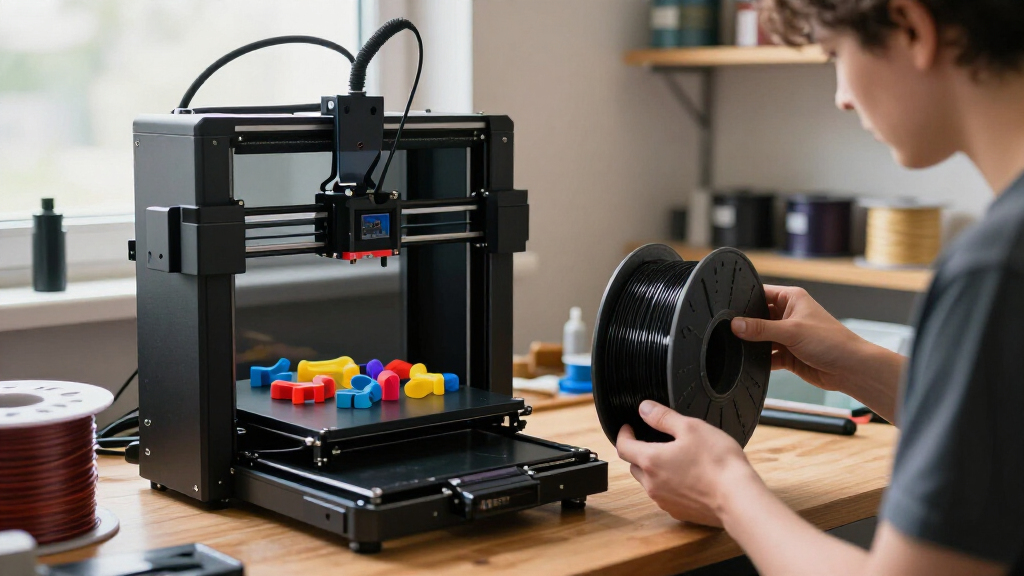
These printers were selected based on a combination of performance, usability, build quality, and value for hobbyists. We prioritized models that offer reliable operation, straightforward assembly, and features that help users produce quality prints with minimal frustration. Considerations such as print speed, resolution, size, and material compatibility played a role in the rankings. We also looked at user reviews and community support, which are vital for troubleshooting and upgrades. The ranking reflects a balance of affordability and advanced features, aiming to serve a broad range of hobbyist needs from beginners to experienced makers.Factors to Consider When Choosing Hobbyist 3d Printers
Choosing the right hobbyist 3D printer involves understanding several key factors beyond basic features. A good printer should match your skill level, project types, and workspace. Considering these broader aspects can prevent costly mistakes and ensure long-term satisfaction with your investment.Print Quality and Resolution
Higher resolution and finer layer control translate into smoother, more detailed prints. Resin printers generally excel here, making them ideal for intricate models, while FDM printers are better suited for larger, less detailed objects. Be mindful that higher resolution often means longer print times and higher costs for equipment and materials.
Ease of Use and Automation
Features like auto-bed leveling, auto-loading filament, and touchscreen controls significantly reduce setup time and frustration. For beginners, these automation features can make the difference between a hobby and a chore. However, they often add to the cost, so weigh convenience against your budget and willingness to manually calibrate or troubleshoot.
Build Volume and Size
Assess your typical project size before choosing a printer. Larger build volumes let you create bigger models but usually come with a higher price tag and larger footprint. Smaller, compact printers are easier to fit in limited spaces and are often simpler to operate, though they limit the size of your projects.
Material Compatibility
Different printers support different filaments and resins, affecting your creative options. Some models support multi-material or multi-color printing, opening up possibilities for complex designs. Be aware that more versatile material support can increase maintenance and operational complexity.
Budget and Long-Term Value
Initial cost isn’t the only factor—consider ongoing expenses for materials, replacements, and upgrades. Cheaper models might save money upfront but could require frequent repairs or upgrades, impacting overall value. Conversely, investing in a higher-end model can save time and frustration but should align with your long-term hobby goals.
Frequently Asked Questions
Is a resin 3D printer better for hobbyists or beginners?
Resin printers like the ANYCUBIC Photon Mono 4 provide exceptional detail, making them ideal for intricate models, miniatures, or detailed prototypes. However, they require more careful handling, post-processing, and safety measures, which can be overwhelming for complete beginners. Generally, FDM printers are more forgiving and easier to maintain, making them a better starting point for hobbyists new to 3D printing.
How important is auto-leveling in a hobbyist 3D printer?
Auto-leveling significantly simplifies setup, especially for newcomers who might struggle with manual calibration. It ensures a more consistent first layer, reducing failed prints and material waste. While some budget models lack this feature, investing in auto-leveling can save time and frustration over the long run, particularly for hobbyists aiming for reliable, repeatable results.
Should I prioritize print speed over quality?
Speed can be tempting, but it often comes at the expense of detail and surface finish. For hobby projects that require high precision, slower print speeds with finer layer settings are preferable. Conversely, if you need larger models quickly and can accept a rougher surface, faster settings might be suitable. Balancing speed and quality depends on your specific project needs and patience level.
Are larger build volumes worth the extra cost?
Larger build volumes provide flexibility for bigger projects but tend to increase both the upfront cost and the printer’s footprint. If your typical projects are small or medium-sized, a smaller printer will be more affordable and space-efficient. Consider your project scope carefully—if you frequently need large parts, investing in a bigger printer makes sense.
Can I upgrade a hobbyist 3D printer later?
Many hobbyist printers are designed with upgradeability in mind, allowing you to improve components like the hotend, extruder, or add auto-bed leveling sensors over time. This approach can extend the lifespan and capabilities of your machine. However, ensure that the base model supports upgrades before purchasing, as some budget models may have limited compatibility.
Conclusion
For beginners just starting out, the Creality Ender 3 V3 SE offers a reliable, easy-to-use option with plenty of community support. Hobbyists seeking high detail and resin capabilities should consider the ANYCUBIC Photon Mono 4, while those looking for multi-material or multi-color printing might prefer the Bambu Lab P1S. For advanced users needing large volume and speed, the K1 Max or K2 Pro are compelling choices. Ultimately, your choice depends on your project types, skill level, and budget—match the printer to your specific hobbies and long-term goals for the best experience.
Halloween Picks
halloween
As an affiliate, we earn on qualifying purchases.