As a professional, you should prioritize a tablet with precise stylus support, fast responsiveness, and seamless app compatibility to keep your notes clear and organized. Opt for a lightweight, durable design with enough screen space to work comfortably on the go. Long battery life, fast charging, and reliable connectivity are essential to stay productive without interruptions. Focusing on these features helps you create an efficient setup that adapts to your workflow—more tips are just ahead.
Key Takeaways
- Prioritize high-precision stylus support for accurate note-taking and sketching.
- Choose a lightweight, durable design for portability and protection during travel.
- Ensure long battery life with fast charging to maintain productivity throughout the day.
- Opt for robust connectivity options like Wi-Fi 6, LTE, or 5G for reliable internet access.
- Select a device with strong performance specs to handle multitasking, editing, and demanding workflows.
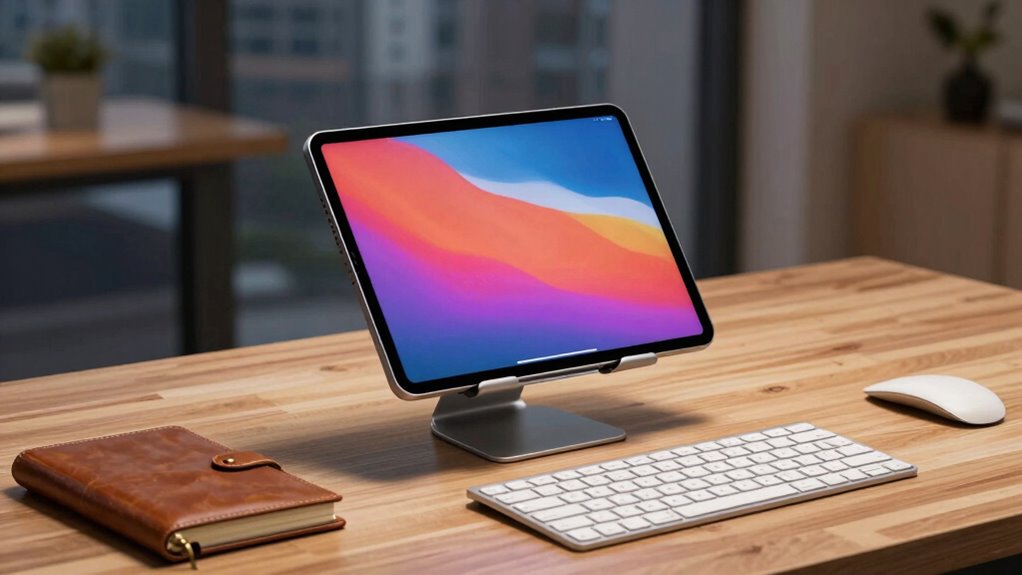
In today’s fast-paced professional world, tablets have become essential tools for boosting productivity and streamlining workflows. When choosing a tablet setup, one of the first features to consider is its ability to support digital note taking. As a professional, you need a device that lets you jot down ideas, meeting notes, or quick sketches seamlessly, whether you’re in a conference room or on the go. Look for tablets that support stylus input with high precision, responsiveness, and pressure sensitivity. This guarantees your notes are clear, organized, and easy to edit later. Compatibility with popular note-taking apps can also make a significant difference, helping you stay organized and efficient.
Another key aspect to consider is the tablet’s portable design. Your device should be lightweight and slim enough to carry around effortlessly, fitting comfortably into your bag or briefcase. A portable design allows you to stay productive without feeling weighed down, whether you’re commuting, traveling, or moving between meetings. The size matters too—most professionals prefer tablets with screens between 10 to 12 inches, offering enough real estate for work while remaining easy to handle. A durable build is equally important; a rugged exterior or reinforced corners can protect your investment against everyday bumps and accidental drops. This resilience ensures your device remains reliable, no matter where your work takes you. Incorporating durability features can significantly extend your device’s lifespan and maintain its performance over time. Additionally, selecting devices with industrial-grade materials can further enhance durability and resistance to wear and tear. Opting for a device with enhanced shock absorption can also provide added protection during travel. Ensuring your device has water-resistant qualities can be beneficial in unpredictable environments or inclement weather, adding an extra layer of protection.
Choose a lightweight, durable tablet with a 10-12 inch screen for effortless portability and reliable everyday use.
Battery life is another critical consideration. A long-lasting battery means you can work for hours without constantly searching for an outlet or carrying extra chargers. For busy professionals, a tablet that can last through a full day of meetings, travel, and remote work is invaluable. Additionally, fast charging capabilities can minimize downtime if your battery runs low unexpectedly. Connectivity options should also be premier, with support for Wi-Fi 6 and optional LTE or 5G, so you can stay connected wherever you are without interruptions. Furthermore, selecting a tablet with robust wireless connectivity can enhance your overall productivity and reduce frustrations caused by connectivity issues.
Performance matters, too. Look for a tablet with a powerful processor and sufficient RAM to handle multitasking smoothly—whether you’re switching between apps, editing documents, or running video calls. Storage capacity is equally important; opt for enough onboard space to save essential files, presentations, and media without constantly relying on cloud storage or external drives. Ultimately, the ideal tablet setup combines a focus on digital note taking capabilities with a portable, durable design, high performance, and reliable connectivity. With these features, you’ll be equipped to stay productive, organized, and flexible in today’s dynamic work environment.

Bopomofo Stylus (5 Pcs), 2-in-1 Stylus Pen for Touch Screen, High Precision and Sensitivity, Suitable for iPhone/ipad/Android Tablets, Compatible with Touch Screens (Black/White/Blue/Rose Gold/Silver)
【Stylus for Touch Screen】This stylus can be used on touch screen, designed to replace your fingers, the stylus…
As an affiliate, we earn on qualifying purchases.
As an affiliate, we earn on qualifying purchases.
Frequently Asked Questions
How Does Tablet Security Impact Professional Data Protection?
Tablet security directly impacts your data protection by preventing unauthorized access and safeguarding sensitive information. When you use data encryption, your data becomes unreadable to hackers even if they access your device. Strong user authentication guarantees only you can gain access to and operate the tablet. Together, these security measures create a robust barrier, helping you maintain confidentiality and comply with data protection standards in your professional activities.
What Accessories Are Essential for a Professional Tablet Setup?
You should prioritize essential accessories like a stylus for precise input and guarantee your tablet supports stylus compatibility for seamless work. Additionally, consider external keyboard options to boost productivity and comfort during long tasks. A protective case keeps your device safe, while a portable charger ensures you stay powered throughout your day. These accessories combine functionality and convenience, helping you work efficiently and protect your professional investment.
How Do Tablet Operating Systems Differ for Professional Use?
Tablet operating systems differ mainly in user interface and app compatibility. You’ll find that some OS, like iOS, offers a sleek, intuitive interface with a curated app store, ideal for streamlined professional tasks. Android provides greater customization and broader app compatibility, fitting diverse work needs. Windows tablets combine familiar desktop features with touch capabilities, making them perfect if you need robust software integration. Your choice depends on your workflow and preferred user experience.
Can Tablets Integrate Seamlessly With Existing Office Software?
Seventy percent of professionals find seamless integration vital, and tablets excel here. You can leverage cloud synchronization for real-time updates across devices, ensuring your office software stays current. Plus, user interface customization allows you to tailor the experience to your needs, making workflows more efficient. With these features, your tablet can seamlessly mesh with existing office systems, boosting productivity and streamlining daily tasks.
What Is the Typical Lifespan of a Professional Tablet Device?
A professional tablet typically lasts around 3 to 5 years, depending on usage and care. You should watch for battery longevity, as batteries tend to degrade over time, affecting performance. Screen durability is also crucial; a sturdy, scratch-resistant screen minimizes damage from daily wear and tear. Regular updates and proper maintenance can extend your device’s lifespan, ensuring it remains dependable for your work needs over several years.
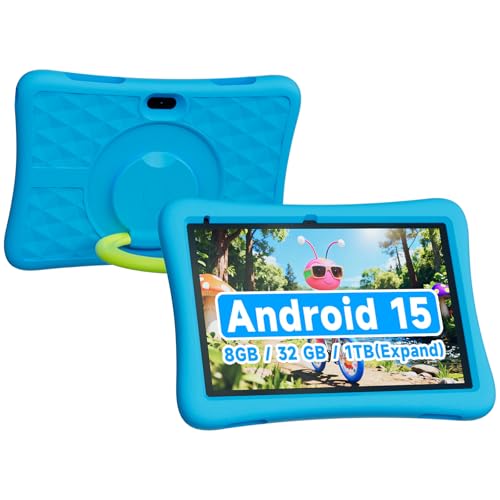
ZZB 10 Inch Android 15 Tablet for Kids with Case, 8GB (3+5 Extended) RAM + 32GB Storage (Supports 1TB Micro SD), 6000mAh Long Battery, Dual Cameras, Android Tablets Tablets for Kids
10 inch Android Tablet for Kids:This Android 15.0 tablet is packed with child-appropriate learning apps, eBooks, and games….
As an affiliate, we earn on qualifying purchases.
As an affiliate, we earn on qualifying purchases.
Conclusion
As a professional, choosing the right tablet setup can boost your productivity and streamline your workflow. Remember, over 60% of professionals now rely on tablets for daily tasks, making it essential to select one that fits your needs. Prioritize features like a high-quality display, long battery life, and robust performance. With the right device, you’ll be more efficient and ready to tackle your workday confidently, turning your tablet into an indispensable tool.
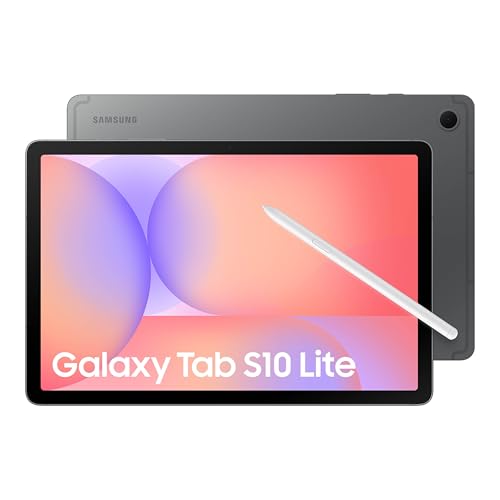
Samsung Galaxy Tab S10 Lite, 6GB RAM, 128GB, 2TB Expand, Long Battery Life, 10.9” LCD, S Pen for Note-Taking, Exynos 1380, Circle to Search, AI Tools, Gray
DIVE INTO THIS DISPLAY: All of your fun content pops on the 10.9" screen. Catch up on plans…
As an affiliate, we earn on qualifying purchases.
As an affiliate, we earn on qualifying purchases.

Apple iPad 11-inch: A16 chip, 11-inch Model, Liquid Retina Display, 128GB, Wi-Fi 6 + 5G Cellular, 12MP Front/12MP Back Camera, Touch ID, All-Day Battery Life — Blue
WHY IPAD — The 11-inch iPad is now more capable than ever with the superfast A16 chip, a…
As an affiliate, we earn on qualifying purchases.
As an affiliate, we earn on qualifying purchases.