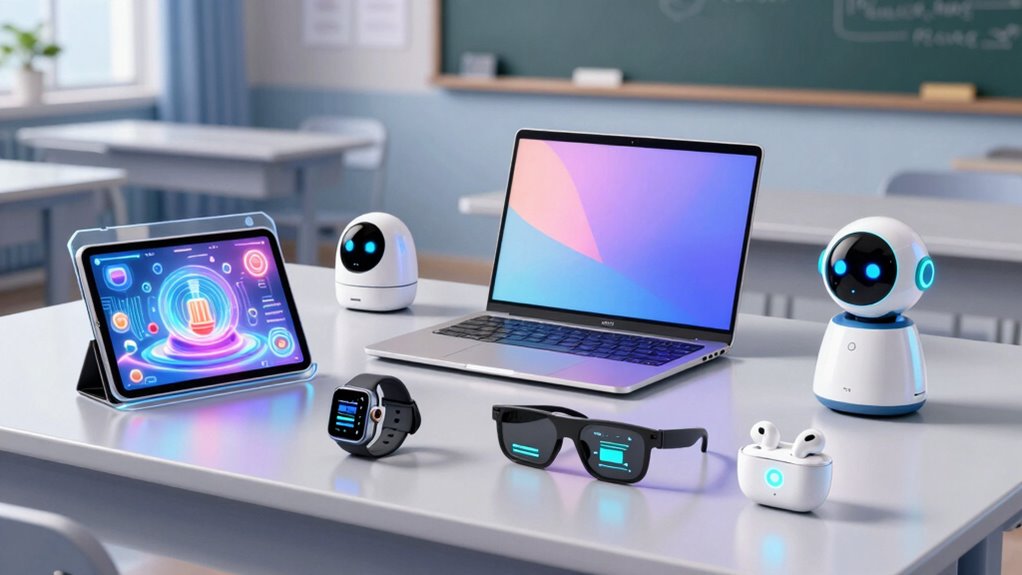

Choosing high end back to school tech in 2026 means balancing performance, build quality, and price. The HP OmniBook X stands out as the best overall for its powerful AI capabilities and vibrant touchscreen. The Apple MacBook Neo offers top-tier performance with its A18 Pro Chip, ideal for demanding tasks, while the MacBook Air 15-inch combines portability with premium features for students who need both mobility and power. Buyers often face tradeoffs between cutting-edge specs and budget considerations, especially when high-end features come at premium prices. Continue reading for a detailed breakdown of these options to find the best fit for your needs.

Get your next haul delivered free — and shop member deals
- Fast, free delivery on millions of items
- Access to Prime Big Deal Days deals on October 6–7
- Prime Video, Amazon Music and more included
Key Takeaways
- Top-tier performance is concentrated in the MacBook Neo and HP OmniBook, making them ideal for power users.
- Portability and display quality are key differentiators, with the MacBook Air 15-inch offering a larger screen in a lightweight package.
- The reMarkable Paper Pro provides a unique e-ink experience, suited for note-taking and reading, but lacks typical laptop features.
- Buying high-end tech involves tradeoffs between performance, price, and portability; not every feature is necessary for every student.
- Design and build quality often justify premium prices, but some options like the pink HP 14” prioritize style over raw power.
| HP OmniBook X 14-inch Next Gen AI PC with 3K Touchscreen |  | Best Overall for High-End Versatility and Performance | Display: 14-inch 3K OLED Touchscreen | Processor: Intel Core Ultra 7 Processor 356H | RAM: 24 GB LPDDR5x | VIEW ON AMAZON | See Our Full Breakdown |
| Apple 2026 MacBook Neo 13-inch Laptop with A18 Pro Chip |  | Best for Portability and Apple Ecosystem Integration | Display: 13-inch Liquid Retina | Processor: A18 Pro chip | Memory: 8GB Unified Memory | VIEW ON AMAZON | See Our Full Breakdown |
| Apple 2026 MacBook Air 15-inch Laptop with M5 Chip, 16GB RAM, 1TB SSD, Liquid Retina Display, Sky Blue |  | Best for Large Screen and Long Battery in a Portable Form | Display: 15.3-inch Liquid Retina | Processor: M5 chip | Memory: 16GB Unified Memory | VIEW ON AMAZON | See Our Full Breakdown |
| reMarkable Paper Pro with Marker Plus |  | Best for Digital Note-Taking and Reading | Display: 11.8-inch Canvas Color | Included Items: reMarkable Paper Pro, Marker Plus, 6 spare Marker tips | Features: Color display, adjustable reading light, low-glare screen | VIEW ON AMAZON | See Our Full Breakdown |
| HP 15.6″ Laptop with Microsoft 365 – 32GB RAM, 1TB Storage, Intel Quad-Core Processor, Win11, WOWPC Bundle |  | Best for Budget-Friendly Power and Productivity Bundle | Display: 15.6″ HD BrightView micro-edge | Processor: Intel Pentium N5030 quad-core | RAM: 32GB DDR4 | VIEW ON AMAZON | See Our Full Breakdown |
| HP 14″ HD Laptop – Back to School Limited Edition with Microsoft 365, Intel Quad-Core, 8GB RAM, 576GB Storage, Pink, Windows 11 |  | Best for Style-Conscious Students Who Need Portability | Display: 14 inches HD | Processor: Intel Quad-Core | RAM: 8GB | VIEW ON AMAZON | See Our Full Breakdown |
| high end back to school tech | Display | Processor | Storage | Battery Life |
|---|---|---|---|---|
| HP OmniBook X 14-inch Next Gen | 14-inch 3K OLED Touchscreen | Intel Core Ultra 7 Processor 356H | 1 TB PCIe Gen4 NVMe M.2 SSD | Up to 27 hours and 30 minutes |
| Apple 2026 MacBook Neo 13-inch | 13-inch Liquid Retina | A18 Pro chip | 256GB SSD | Up to 16 hours |
| Apple 2026 MacBook Air 15-inch | 15.3-inch Liquid Retina | M5 chip | 1TB SSD | Up to 18 hours |
| reMarkable Paper Pro with Mark | 11.8-inch Canvas Color | — | — | — |
| HP 15.6" Laptop with Microsoft | 15.6" HD BrightView micro-edge | Intel Pentium N5030 quad-core | 1TB total (512GB SSD + external drive) | — |
| HP 14" HD Laptop | 14 inches HD | Intel Quad-Core | 576GB (64GB built-in + 512GB external hard drive) | Up to 11.5 hours |
More Details on Our Top Picks
HP OmniBook X 14-inch Next Gen AI PC with 3K Touchscreen
This model stands out for its stunning 3K OLED touchscreen that delivers vibrant colors and deep blacks, making it ideal for both creative work and media consumption. Its powerful Intel Core Ultra 7 Processor and 24 GB RAM ensure smooth multitasking, surpassing many ultraportables in raw performance. The impressive battery life of up to 27 hours outlasts most competitors, including the MacBook Neo, which offers only 16 hours. However, its premium price and weight mean it’s less suited for those seeking ultra-light portability. The AI-driven features enhance productivity, but limited info on dedicated GPU performance suggests it’s more suited for general use rather than high-end gaming or intensive graphics. This pick makes the most sense for students who want a versatile, high-performance machine that can handle work, entertainment, and creative tasks without compromise.
Pros:- Vivid 3K OLED touchscreen with rich colors and deep blacks
- Long-lasting battery life with fast charging
- High-performance specs with 24 GB RAM and 1 TB SSD
- AI-powered optimizations for enhanced user experience
Cons:- Premium price may be out of reach for some students
- Potentially heavy for all-day portability
- Limited details on dedicated GPU performance
Best for: Students needing a high-end, all-in-one laptop for creative work, multitasking, and media consumption.
Not ideal for: Those prioritizing ultra-lightweight portability or budget-conscious buyers who find the premium price prohibitive.
- Display:14-inch 3K OLED Touchscreen
- Processor:Intel Core Ultra 7 Processor 356H
- RAM:24 GB LPDDR5x
- Storage:1 TB PCIe Gen4 NVMe M.2 SSD
- Graphics:Intel Graphics
- Battery Life:Up to 27 hours and 30 minutes
Our verdict“This is an excellent choice for students seeking a powerful, versatile machine that excels in multimedia and creative tasks despite its higher price and weight.”
Apple 2026 MacBook Neo 13-inch Laptop with A18 Pro Chip
The MacBook Neo offers a sleek, compact 13-inch Liquid Retina display and the new A18 Pro chip, delivering solid performance in a highly portable package. Its long battery life of 16 hours makes it ideal for students on the move, especially compared to the HP 15.6″ bundle with its limited 1366 x 768 resolution. While it excels in build quality and AI capabilities, its storage capacity of 256GB is more restrictive than the 1TB options elsewhere, and its lack of a dedicated GPU limits high-end graphics or gaming use. Its durable recycled aluminum design adds a sustainability edge, but availability remains uncertain. This model is best suited for students who prioritize a lightweight, premium device with excellent battery life and seamless integration into the Apple ecosystem.
Pros:- Lightweight and durable aluminum design
- Long-lasting battery of up to 16 hours
- Vivid Liquid Retina display with a billion colors
- Powerful AI capabilities with the A18 Pro chip
Cons:- Limited storage at 256GB
- No dedicated GPU for intensive graphics tasks
- Availability and release details are uncertain
Best for: Students needing a highly portable, durable laptop for productivity and media with long battery life.
Not ideal for: Students requiring large storage or intensive graphics performance, or those on a tight budget.
- Display:13-inch Liquid Retina
- Processor:A18 Pro chip
- Memory:8GB Unified Memory
- Storage:256GB SSD
- Battery Life:Up to 16 hours
- Materials:Recycled aluminum
Our verdict“Ideal for students seeking a premium, portable machine with excellent battery life and Apple’s ecosystem advantages, despite storage limitations.”
Apple 2026 MacBook Air 15-inch Laptop with M5 Chip, 16GB RAM, 1TB SSD, Liquid Retina Display, Sky Blue
This MacBook Air with a 15.3-inch Liquid Retina display offers a spacious viewing area that surpasses the smaller MacBook Neo, making it ideal for multitasking and media editing. The M5 chip with AI capabilities ensures smooth performance, comparable to the HP OmniBook’s high-end specs, but in a more portable form. Its impressive battery life of up to 18 hours and lightweight design make it suitable for long campus days. However, the premium price and lack of a dedicated GPU limit its appeal for intensive creative workflows or gaming. Connectivity options are robust, supporting multiple external displays, unlike the Neo. This makes it a strong choice for students who need a larger display in a portable package for both work and leisure.
Pros:- Large 15.3-inch Liquid Retina display with vibrant colors
- Powerful M5 chip with AI features
- Long battery life of 18 hours
- Lightweight and portable for its size
Cons:- High price point
- Limited to two external displays without dedicated GPU
- Premium build may be overkill for basic tasks
Best for: Students who want a large, vibrant display with excellent portability and long battery life for multimedia tasks and productivity.
Not ideal for: Students with tight budgets or those requiring dedicated graphics for gaming or 3D work.
- Display:15.3-inch Liquid Retina
- Processor:M5 chip
- Memory:16GB Unified Memory
- Storage:1TB SSD
- Camera:12MP Center Stage
- Battery Life:Up to 18 hours
Our verdict“This model is perfect for students who want a large, high-quality display in a portable form with excellent battery life despite its premium price.”
reMarkable Paper Pro with Marker Plus
The reMarkable Paper Pro excels as a digital notebook with a paper-like writing experience on its 11.8-inch color display. Unlike traditional tablets like the HP OmniBook, it focuses on reading, sketching, and note organization, making it ideal for students who prefer writing or drawing in a digital format. Its color display and low-glare technology improve readability and reduce eye strain, especially compared to more general-purpose tablets. While it doesn’t replace a laptop, its portability and specialized features make it a smart choice for taking notes during lectures or organizing study materials. However, it’s limited to note-taking and reading, so students needing full computing capabilities should look elsewhere. It’s best suited for students who want a dedicated, distraction-free device for studying and creativity.
Pros:- Color display for writing and sketching
- Paper-like writing experience with Marker Plus
- Portable and lightweight design
- Adjustable reading light for night use
Cons:- Limited to note-taking and reading functions
- Learning curve for new users unfamiliar with digital notebooks
- Higher price for a specialized device
Best for: Students who want a dedicated digital notebook for note-taking, sketching, and reading without the distractions of a traditional tablet.
Not ideal for: Those requiring a full-function laptop for multitasking or running complex software.
- Display:11.8-inch Canvas Color
- Included Items:reMarkable Paper Pro, Marker Plus, 6 spare Marker tips
- Features:Color display, adjustable reading light, low-glare screen
Our verdict“Best suited for students who value dedicated digital note-taking and reading over full computing capabilities.”
HP 15.6″ Laptop with Microsoft 365 – 32GB RAM, 1TB Storage, Intel Quad-Core Processor, Win11, WOWPC Bundle
This HP 15.6″ laptop offers substantial 32GB RAM and a quad-core Intel processor, making it suitable for multitasking and media consumption, especially compared to the smaller and less powerful HP 14″ limited edition. Its 1TB storage supports large files and multiple applications, and the included accessories make it a practical choice for students seeking a complete setup. However, the 1366 x 768 resolution display falls short of high-definition clarity, especially when compared to the vivid screens of the MacBook Air or OmniBook. Its processor, while adequate for general tasks, may struggle with more intensive workloads or gaming. This model makes the most sense for students who prioritize raw power and storage over display quality and are looking for a budget-friendly, bundled solution.
Pros:- Powerful quad-core Intel processor for multitasking
- Large 32GB RAM and 1TB storage for extensive files
- Includes comprehensive accessory bundle for convenience
- Windows 11 pre-installed for modern usability
Cons:- Display resolution is limited to 1366 x 768
- Processor may be underpowered for demanding applications
- Not suited for high-end graphics or gaming
Best for: Students needing a powerful multitasking machine with large storage and accessories for everyday tasks and media.
Not ideal for: Students requiring high-resolution displays or gaming-capable graphics, or those with a tight budget for higher-end devices.
- Display:15.6″ HD BrightView micro-edge
- Processor:Intel Pentium N5030 quad-core
- RAM:32GB DDR4
- Storage:1TB total (512GB SSD + external drive)
- Graphics:Intel UHD Graphics
- Operating System:Windows 11
Our verdict“This bundle is ideal for students seeking a budget-friendly, powerful multitasking laptop with ample storage and accessories, despite its lower display resolution.”
HP 14″ HD Laptop – Back to School Limited Edition with Microsoft 365, Intel Quad-Core, 8GB RAM, 576GB Storage, Pink, Windows 11
This pink HP 14-inch HD laptop stands out for students who prioritize style without sacrificing essential performance. Compared with the HP OmniBook X, which offers a higher-resolution touchscreen and more advanced AI features, this model trades some display sharpness for a lighter weight and longer battery life, making it better suited for day-long classes and travel. Its Intel quad-core processor and 8GB RAM support multitasking, but the limited internal storage means you’ll rely heavily on the included external hard drive, which could be less convenient for quick access. The pre-installed Microsoft 365 bundle adds value for productivity, though software updates can be time-consuming. Overall, this pick makes the most sense for students seeking a stylish, lightweight device with reliable battery life and a fun color palette.
Pros:- Lightweight and highly portable at just over 3 pounds
- Long-lasting battery life up to 11.5 hours supports all-day use
- Includes a bundle of accessories and external storage for added convenience
- Bold pink color adds a personalized touch
Cons:- Limited built-in storage, relying on external hard drive
- HD display may not be sharp enough for detailed visual work
- Pre-installed software might need updates, which could slow initial setup
Best for: Students who want a portable, stylish laptop with decent performance and long battery life
Not ideal for: Power users needing high-resolution displays or large internal storage for extensive multimedia work
- Display:14 inches HD
- Processor:Intel Quad-Core
- RAM:8GB
- Storage:576GB (64GB built-in + 512GB external hard drive)
- Battery Life:Up to 11.5 hours
- Weight:3.24 pounds
- Thickness:0.71 inches
- Color:Pink
- Operating System:Windows 11
Our verdict“This laptop is ideal for style-conscious students who need a portable device with long battery life for everyday academic tasks.”

How We Picked
The products in this roundup were selected based on their high-end specifications, build quality, brand reputation, and relevance to students in 2026. We prioritized performance capabilities, display quality, battery life, and overall value for a premium back-to-school experience. Devices were evaluated for versatility—whether they serve as primary workhorses or supplementary tools—and for their uniqueness within the high-end category. Our ranking emphasizes real-world utility and how well each product balances features with price, helping students and parents find options that justify their investment.| high end back to school tech | Processor | Battery Life |
|---|---|---|
| HP OmniBook X 14-inch Next Gen | Intel Core Ultra 7 Processor 356H | Up to 27 hours and 30 minutes |
| Apple 2026 MacBook Neo 13-inch | A18 Pro chip | Up to 16 hours |
| Apple 2026 MacBook Air 15-inch | M5 chip | Up to 18 hours |
| reMarkable Paper Pro with Mark | — | — |
| HP 15.6" Laptop with Microsoft | Intel Pentium N5030 quad-core | — |
| HP 14" HD Laptop | Intel Quad-Core | Up to 11.5 hours |
Factors to Consider When Choosing High End Back To School Tech
When selecting high end back to school tech, it’s essential to consider several factors that align with your academic needs and lifestyle. Premium devices come with a range of features, so understanding these can help you avoid overspending on unnecessary specs or missing out on critical functionalities. A balanced approach ensures you get the best value and performance, whether you’re a student needing portability or a power user requiring advanced processing. Here are key factors to keep in mind:Performance and Power
High-end devices typically feature the latest processors and ample RAM, which are crucial for multitasking, creative work, or demanding applications. Prioritize processors like Apple’s A18 Pro or Intel’s Quad-Core chips if you need speed for productivity or gaming. However, more power often means higher cost and shorter battery life, so consider your usage pattern to find a device that balances speed with endurance.
Display Quality and Size
Display resolution and size significantly impact your daily experience. Larger screens like the 15-inch MacBook Air offer more workspace but can be less portable, while 13-inch models excel in mobility. Touchscreen capabilities, vibrant color accuracy, and high resolution (such as 3K or Liquid Retina displays) are worth the premium if your work involves creative tasks or media consumption. Be mindful that larger, high-quality screens can also drain battery faster.
Build Quality and Design
Premium devices should feel sturdy and stylish, with materials like aluminum or high-quality plastics. The design impacts durability and your overall satisfaction, especially for students on the go. Keep in mind that stylish finishes—like the Pink HP model—may prioritize aesthetics over durability, so assess your environment and handling habits before choosing flashy designs.
Battery Life and Portability
High-end tech often involves tradeoffs between power and battery life. Devices like the MacBook Air are known for excellent portability and extended battery life, making them ideal for students who need all-day use. Conversely, more powerful options might require frequent charging. Consider your daily routine—if portability is a priority, opt for lighter models with longer battery endurance.
Additional Features and Ecosystem
Features such as integrated styluses (like the reMarkable Paper Pro), bundled software (Microsoft 365), or unique accessories can enhance your productivity. Compatibility with existing devices and ecosystems also influences your choice—Apple devices work best within their ecosystem, while Windows options offer broader hardware flexibility. Weigh these extras against the core needs to avoid paying extra for features you won’t use.
Frequently Asked Questions
Is a higher-priced laptop worth it for back to school?
Investing in a higher-priced laptop can be worthwhile if you require advanced performance, durability, and features that last through multiple years of use. Premium models often incorporate better build quality, higher-resolution displays, and longer battery life, which can improve your overall experience. However, if your tasks are basic, a more affordable device might serve your needs without the extra expense, so evaluate your specific requirements carefully.
Should I prioritize portability or screen size for back to school tech?
This depends on your daily routine. If you’re often commuting or moving between classes, portability and lightweight design matter more, making smaller or ultralight devices ideal. If your coursework involves detailed design work, media editing, or multitasking, a larger screen provides better comfort and productivity. Balance these factors based on how you plan to use your device most frequently.
Are touchscreen features necessary for high-end back to school tech?
Touchscreens can enhance creativity and ease of use, especially on devices like the HP OmniBook or MacBook Air with Liquid Retina displays. However, they often come at a premium and can drain battery faster. If you rely heavily on drawing, note-taking, or interactive apps, a touchscreen might be worth the investment. Otherwise, traditional laptops with excellent keyboards and high-resolution displays can suffice.
How important is ecosystem compatibility when choosing premium tech?
Compatibility within the Apple or Windows ecosystems can streamline your workflow by enabling seamless device integration, shared apps, and accessories. For example, Apple’s ecosystem offers continuity features like Handoff and AirDrop, which benefit users already invested in Apple products. Windows devices may provide broader hardware options and customization. Consider your existing devices and preferences to maximize productivity and ease of use.
Is it better to buy a device now or wait for future releases?
While waiting can sometimes mean access to newer features or better prices, it also risks delaying essential purchases for the school year. High-end devices tend to have longer relevance, but technology evolves quickly. Assess your immediate needs—if your current device is insufficient or unreliable, purchasing now ensures you’re prepared for the upcoming semester. Otherwise, monitor upcoming releases if you’re not in urgent need.
Conclusion
For students seeking an all-around balanced device, the Apple 2026 MacBook Neo offers a blend of power, portability, and ecosystem advantages, making it the best overall choice. Those prioritizing value without sacrificing performance should consider the HP 15.6″ Laptop with Microsoft 365 for its robust specs at a more accessible price. If premium features and sleek design matter most, the MacBook Air 15-inch stands out as the top choice for style-conscious users. Beginners or students with basic needs will find the HP 14″ Limited Edition sufficient and affordable. Lastly, creative users or note-takers might prefer the reMarkable Paper Pro for its unique e-ink experience. Tailor your choice to your specific academic and lifestyle needs to get the most from your investment.
As an affiliate, we earn on qualifying purchases.Fall Picks
fall essentials