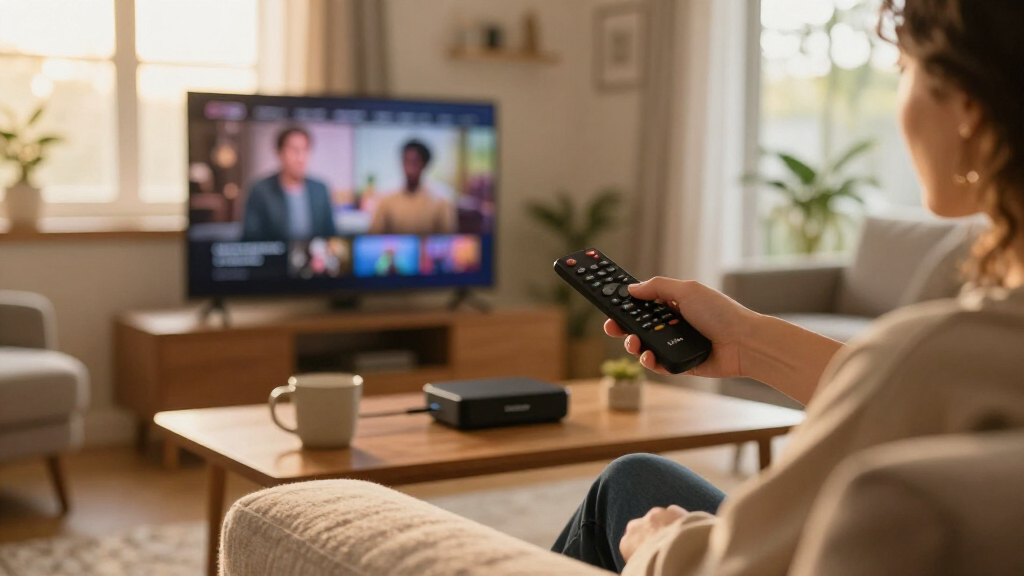

Amazon’s Fire TV lineup spans everything from basic HD sticks to hands-free streaming hubs, and the differences between models matter more than the price gap suggests. The Fire TV Stick 4K Max (2nd Gen) stands out as the best overall pick for most buyers, thanks to its fast processor, Wi-Fi 6E support, and smooth 4K playback. If you want hands-free Alexa control and a device that doubles as a smart home hub, the Fire TV Cube (3rd Gen) is the premium alternative, while the Fire TV Stick HD covers the basics for older 1080p TVs. The main tradeoffs come down to picture quality support, Wi-Fi generation, remote quality, and whether you want voice control without touching a button. Read on for the full breakdown of all nine options, including bundles and refurbished picks.

Get your next haul delivered free — and shop member deals
- Fast, free delivery on millions of items
- Access to Prime Big Deal Days deals on October 6–7
- Prime Video, Amazon Music and more included
Key Takeaways
- The Fire TV Stick 4K Max (2nd Gen) earned the top spot because it hits the sweet spot between processing power, Wi-Fi 6E, and price — the Cube only makes sense if hands-free Alexa is a priority.
- Wi-Fi generation is a real differentiator in this lineup: the HD sticks lag behind, while the 4K Max and Cube support Wi-Fi 6E for busier households with many connected devices.
- Refurbished options (the Like-New Cube and 4K Stick) let you get flagship-tier hardware for mid-tier money, but they make the most sense only when stock of the exact model you want is limited.
- The 2-Year Protection Plan bundles add value mainly for households with kids or heavy remote use — the sticks themselves rarely fail, but remotes get lost and dropped.
- The Fire TV Stick HD is the weakest fit in a 4K TV household; if your TV is 4K, the jump to a 4K-capable stick is the single most worthwhile upgrade in the entire lineup.
| Amazon Fire TV Stick 4K Plus (Newest Model) with AI-Powered Fire TV Search, Wi-Fi 6, and Alexa+ |  | Best Overall | Max Resolution: 2160p (4K) up to 60 fps | Processor: Quad-core 1.7GHz | Wi-Fi: Wi-Fi 6 dual-band (2.4GHz and 5GHz) | VIEW LATEST PRICE | See Our Full Breakdown |
| Amazon Fire TV Stick HD (Newest Model) with Alexa Voice Remote |  | Best Value for HD TVs | Resolution: Full HD (1080p) | Connectivity: Wi-Fi 6, Bluetooth, HDMI, USB-C | Power: Direct Power from TV via USB-C cable | VIEW LATEST PRICE | See Our Full Breakdown |
| Amazon Fire TV Stick 4K Select Bundle with 2-Year Protection Plan |  | Best for High-Traffic Households | Max Resolution: 2160p, 1080p, 720p up to 60 fps | Processor: Quad-core 1.7 GHz | Wi-Fi: Dual-band, dual-antenna (MIMO), 802.11a/b/g/n/ac | VIEW LATEST PRICE | See Our Full Breakdown |
| Amazon Fire TV Cube (3rd Gen) with Alexa Voice Remote Pro |  | Best Premium Pick | Max Resolution: 2160p (4K) up to 60 fps | Processor: Octa-core (4 x 2.2 GHz, 4 x 2.0 GHz) | Wi-Fi: Wi-Fi 6E tri-band | VIEW LATEST PRICE | See Our Full Breakdown |
| Amazon Fire TV Cube (Like-New, Refurbished) – Hands-Free Streaming Device with Alexa, Wi-Fi 6E, 4K Ultra HD |  | Best Smart Pick for Voice-First Homes | Condition: Like-New (Certified Refurbished) | Processor: Octa-core (2X Fire TV Stick 4K Max) | Wi-Fi: Wi-Fi 6E | VIEW LATEST PRICE | See Our Full Breakdown |
| Amazon Fire TV Stick 4K (Newest Model, Like-New Refurbished) with AI-Powered Search, Wi-Fi 6, and Alexa Voice Remote |  | Best Budget 4K Pick | Condition: Like-New (refurbished, tested, and certified) | Resolution: 4K Ultra HD | HDR Support: Dolby Vision, HDR10+ | VIEW LATEST PRICE | See Our Full Breakdown |
| Amazon Fire TV Cube (3rd Gen) Streaming Media Player with Alexa |  | Best Premium / Power User Pick | Generation: 3rd Gen | Processor: Octa-core (4x 2.2GHz, 4x 2.0GHz) | Wi-Fi: Wi-Fi 6E tri-band; 802.11a/b/g/n/ac/ax | VIEW LATEST PRICE | See Our Full Breakdown |
| Amazon Fire TV Stick 4K Max (2nd Gen) Streaming Device with Alexa Voice Remote |  | Best Overall Stick | Model: Fire TV Stick 4K Max (2nd Gen) | Processor: Quad-core 2.0GHz | Storage: 16GB | VIEW LATEST PRICE | See Our Full Breakdown |
| Amazon Fire TV Stick HD (2nd Gen) with 2-Year Protection Plan |  | Best for Beginners and Secondary TVs | Model: Fire TV Stick HD (2nd Gen) | Resolution: 1080p and 720p up to 60 fps | Wi-Fi: Dual-band Wi-Fi 6 (2.4 GHz and 5 GHz) | VIEW LATEST PRICE | See Our Full Breakdown |
| Amazon Fire TV streaming device | Wi-Fi | Processor | Max Resolution | Audio |
|---|---|---|---|---|
| Amazon Fire TV Stick 4K Plus | Wi-Fi 6 dual-band (2.4GHz and 5GHz) | Quad-core 1.7GHz | 2160p (4K) up to 60 fps | Dolby Atmos, 7.1 surround, 2-channel stereo |
| Amazon Fire TV Stick HD | — | — | — | — |
| Amazon Fire TV Stick 4K Select | Dual-band, dual-antenna (MIMO), 802.11a/b/g/n/ac | Quad-core 1.7 GHz | 2160p, 1080p, 720p up to 60 fps | — |
| Amazon Fire TV Cube | Wi-Fi 6E tri-band | Octa-core (4 x 2.2 GHz, 4 x 2.0 GHz) | 2160p (4K) up to 60 fps | Dolby Atmos, 7.1 surround, HDMI passthrough up to 5.1 |
| Amazon Fire TV Cube | Wi-Fi 6E | Octa-core (2X Fire TV Stick 4K Max) | 4K Ultra HD | Dolby Atmos |
| Amazon Fire TV Stick 4K | — | — | — | Dolby Atmos |
| Amazon Fire TV Cube | Wi-Fi 6E tri-band; 802.11a/b/g/n/ac/ax | Octa-core (4x 2.2GHz, 4x 2.0GHz) | — | Dolby Atmos, 7.1 surround, stereo, 5.1 pass-through |
| Amazon Fire TV Stick 4K Max | Wi-Fi 6E tri-band (2.4/5/6 GHz) | Quad-core 2.0GHz | 2160p up to 60 fps | — |
| Amazon Fire TV Stick HD | Dual-band Wi-Fi 6 (2.4 GHz and 5 GHz) | — | — | — |
More Details on Our Top Picks
Amazon Fire TV Stick 4K Plus (Newest Model) with AI-Powered Fire TV Search, Wi-Fi 6, and Alexa+
This option stands out as the strongest all-around pick because it balances flagship-tier features with a compact stick design. Compared with the Fire TV Stick 4K Select, the 4K Plus adds Dolby Vision and Dolby Atmos, so movies look and sound closer to what a home theater setup delivers. Wi-Fi 6 also makes a real difference on busy household networks, where older sticks can stutter when several devices compete for bandwidth. The Alexa Voice Remote handles TV power, volume, and smart home control, which means one remote replaces three.
The tradeoffs are real, though: to get the full Dolby Vision and Wi-Fi 6 benefits, buyers need a compatible 4K TV and a modern router. Anyone still on a 1080p set is paying for picture quality they will never see, and much of the content still requires separate subscriptions.
Pros:- Full 4K with Dolby Vision, HDR10+, and Dolby Atmos for near-theater picture and sound
- Wi-Fi 6 keeps streaming smooth when many devices share the network
- Alexa+ voice search with AI-powered results and smart home control from one remote
- Cloud gaming via Xbox Game Pass adds value beyond streaming
Cons:- Full feature set requires a 4K HDR TV and a Wi-Fi 6 router
- Most streaming services require separate paid subscriptions
- IR remote functions may not work with every TV or soundbar
Best for: Owners of modern 4K HDR TVs on busy home networks who want the best picture without a set-top box
Not ideal for: Households with 1080p TVs or older routers — the Dolby Vision and Wi-Fi 6 advantages would be wasted
- Max Resolution:2160p (4K) up to 60 fps
- Processor:Quad-core 1.7GHz
- Wi-Fi:Wi-Fi 6 dual-band (2.4GHz and 5GHz)
- HDR Formats:Dolby Vision, HDR10, HDR10+, HLG
- Audio:Dolby Atmos, 7.1 surround, 2-channel stereo
- Storage:8GB
- Remote:Alexa Voice Remote with power, volume, and smart home control
- Size:99 x 30 x 14 mm (43.5 g)
Our verdict“The best choice for most 4K TV owners who want premium picture and audio in a plug-and-play stick.”
Amazon Fire TV Stick HD (Newest Model) with Alexa Voice Remote
Not everyone needs 4K, and this model is the smart pick for anyone whose TV tops out at 1080p. Unlike the Fire TV Stick 4K Plus, it skips premium HDR formats entirely — but that is exactly why it makes sense here, since those formats would be invisible on an HD set anyway. What buyers do get is Wi-Fi 6, a perk usually reserved for pricier models, plus the same Alexa+ experience and app library as the 4K lineup.
The standout convenience is Direct Power via USB-C: the stick draws power straight from the TV, so there is no wall adapter or cluttered outlet situation. Compared with the Fire TV Stick HD (2nd Gen), the newest model is faster and better connected. The main compromises are the ceiling of Full HD resolution and an app catalog where the free content is ad-supported.
Pros:- Fastest HD stick Amazon has released, with Wi-Fi 6 on board
- Direct Power via USB-C eliminates the need for a wall adapter
- Compact design plugs in without blocking adjacent HDMI ports
- Alexa Voice Remote doubles as a TV and soundbar controller
Cons:- Limited to Full HD — no 4K or HDR support at all
- Free content is ad-supported and most premium apps require subscriptions
Best for: Budget-conscious buyers or secondary TVs (bedroom, guest room) where 1080p is the max the screen supports
Not ideal for: Owners of 4K HDR TVs — this stick cannot output anything beyond Full HD, so it leaves picture quality on the table
- Resolution:Full HD (1080p)
- Connectivity:Wi-Fi 6, Bluetooth, HDMI, USB-C
- Power:Direct Power from TV via USB-C cable
- Remote:Alexa Voice Remote with TV power and volume buttons
- Voice Assistant:Alexa+ voice search and smart home control
- Special Features:Bluetooth headphone listening, app preset buttons
- Apps:Prime Video, Netflix, YouTube, Disney+, Apple TV, HBO Max and thousands more
Our verdict“The right pick if your TV is 1080p — it delivers the modern Fire TV experience without paying for resolution you cannot use.”
Amazon Fire TV Stick 4K Select Bundle with 2-Year Protection Plan
This bundle makes the most sense for one specific buyer: households where streaming sticks get knocked, dropped, or fought over. The included 2-year protection plan covers up to three claims with replacement devices shipped in 2–3 days — a safety net the standard Fire TV Stick 4K Plus does not include. In pure hardware terms, the 4K Select sits a step below the Plus: it handles HDR10+ but not Dolby Vision, and its dual-band Wi-Fi tops out at 802.11ac rather than Wi-Fi 6.
For most living rooms, those differences are modest — HDR10+ still looks excellent on 4K panels. The 8GB of storage is tight for anyone who installs many apps or games, and the plan only applies if the stick is purchased within 30 days. Renters with kids, vacation-home owners, and dorm dwellers get the most out of this coverage.
Pros:- Streams 4K Ultra HD with HDR10+ support
- 2-year protection plan with up to 3 claims and 2-3 day replacements
- Alexa Voice Remote controls TVs, soundbars, and A/V receivers
- New 2026 Fire TV interface with personalized Alexa+ recommendations
Cons:- Only 8GB of internal storage limits app and game installs
- No Dolby Vision or Wi-Fi 6, unlike the step-up 4K Plus
- Protection plan requires the stick to be purchased within the last 30 days
Best for: Families, dorm rooms, and vacation homes where devices take abuse and quick replacements matter
Not ideal for: Home theater enthusiasts — the lack of Dolby Vision and Wi-Fi 6 makes the 4K Plus a better fit for the main TV
- Max Resolution:2160p, 1080p, 720p up to 60 fps
- Processor:Quad-core 1.7 GHz
- Wi-Fi:Dual-band, dual-antenna (MIMO), 802.11a/b/g/n/ac
- HDR Formats:HDR10, HDR10+, HLG
- Storage:8 GB internal
- Bluetooth:Bluetooth 5.0 + BLE
- Protection Plan:2-year, up to 3 claims, replacement in 2-3 days
- Base Warranty:90-day limited warranty
Our verdict“Choose this bundle when durability coverage matters more than the last increment of picture quality.”
Amazon Fire TV Cube (3rd Gen) with Alexa Voice Remote Pro
For buyers who want a streaming hub rather than a stick, this pairing is the ceiling of the Fire TV lineup. The octa-core processor opens apps noticeably faster than any stick — including the Fire TV Stick 4K Plus — and the built-in Ethernet port removes wireless uncertainty altogether, which matters for 4K streams that demand consistent bandwidth. The HDMI 2.1 input even lets a cable box or game console route through the Cube.
What separates this bundle from the standalone Fire TV Cube (3rd Gen) is the Alexa Voice Remote Pro: backlit buttons for dark rooms, two customizable shortcuts, and a remote-finder feature that ends couch-cushion archaeology. The honest tradeoffs are cost and footprint — a 513g box on the shelf versus an invisible stick behind the TV, plus 4K viewing still depends on a compatible TV and high-speed HDMI cable.
Pros:- Octa-core processor delivers the fastest app loads and navigation in the lineup
- Ethernet port and HDMI 2.1 input allow wired streaming and routing other devices through the Cube
- Hands-free Alexa control works without touching the remote
- Remote Pro adds backlit buttons, customizable shortcuts, and a remote-finder
Cons:- Large box form factor takes shelf space versus an invisible stick
- 4K viewing requires a compatible 4K TV and high-speed HDMI connection
- Some content formats and services require separate subscriptions
Best for: Home theater owners who want the fastest Fire TV hardware, wired networking, and a premium remote in one box
Not ideal for: Minimalists and budget buyers — a stick behind the TV delivers most of the streaming experience for a fraction of the footprint and cost
- Max Resolution:2160p (4K) up to 60 fps
- Processor:Octa-core (4 x 2.2 GHz, 4 x 2.0 GHz)
- Wi-Fi:Wi-Fi 6E tri-band
- Ports:HDMI 2.1 in/out, USB-A 2.0, Ethernet (10/100 Mbps), IR extender
- Storage / Memory:16 GB storage, 2 GB RAM
- HDR Formats:Dolby Vision, HDR10, HDR10+, HLG
- Audio:Dolby Atmos, 7.1 surround, HDMI passthrough up to 5.1
- Included Remote:Alexa Voice Remote Pro with backlit buttons and remote finder
- Dimensions:3.38 x 3.38 x 2.99 in (513 g)
Our verdict“The full-featured choice for a main home theater where speed, wired reliability, and remote quality justify the premium.”
Amazon Fire TV Cube (Like-New, Refurbished) – Hands-Free Streaming Device with Alexa, Wi-Fi 6E, 4K Ultra HD
This refurbished Cube occupies a clever niche: it offers the flagship hands-free Alexa experience — with built-in microphones and speakers that work from across the room — at a lower entry point than buying new. The octa-core processor is roughly twice as powerful as the Fire TV Stick 4K Max, so app launches and menu navigation feel snappier than any stick can manage, and Wi-Fi 6E keeps streams stable on congested networks.
Compared with the Fire TV Cube (3rd Gen) bundle, this unit is an earlier generation and ships without the Remote Pro, so there is no backlighting or remote-finder. Amazon certifies it to look and work like new, with the same limited warranty, but it may arrive in generic packaging — a non-issue for functionality, though it makes this a poor gift presentation. An electronic mic disconnect button gives privacy-minded buyers direct control over the always-listening hardware.
Pros:- Cube-class octa-core performance, roughly 2X the power of the Fire TV Stick 4K Max
- Hands-free Alexa with built-in mic and speakers works from across the room
- Wi-Fi 6E support for smooth streaming on crowded networks
- Certified refurbish with the same limited warranty as a new device
Cons:- May arrive in generic Amazon-branded packaging instead of retail box
- Earlier generation than the 3rd Gen Cube, without the Remote Pro extras
- Subscription fees still apply for most streaming services
Best for: Smart-home enthusiasts who want hands-free Alexa control and Cube-level speed while spending less than the new-model bundle
Not ideal for: Gift buyers and anyone who wants the current-generation hardware, backlit Remote Pro, or retail packaging
- Condition:Like-New (Certified Refurbished)
- Processor:Octa-core (2X Fire TV Stick 4K Max)
- Wi-Fi:Wi-Fi 6E
- Max Resolution:4K Ultra HD
- HDR Support:Dolby Vision, HDR
- Audio:Dolby Atmos
- Voice Assistant:Alexa, hands-free with built-in mic and speakers
- Privacy:Electronic mic disconnect button
- Warranty:Same limited warranty as new device
Our verdict“A sensible way into hands-free Cube performance if you value function over current-gen packaging and remote perks.”
Amazon Fire TV Stick 4K (Newest Model, Like-New Refurbished) with AI-Powered Search, Wi-Fi 6, and Alexa Voice Remote
This certified refurbished Fire TV Stick 4K is the smartest way to get flagship-tier streaming without paying flagship money. You still get Dolby Vision, HDR10+, Dolby Atmos, and Wi-Fi 6 — the same core experience as the pricier Fire TV Stick 4K Max, just with a slower processor and half the storage. Compared with the Max, you give up Wi-Fi 6E and the larger app headroom, but for a living room that streams rather than games, that gap barely registers. The refurbished status comes with the same limited warranty as a new device, which makes the tradeoff of generic packaging easy to accept. The included Alexa Voice Remote handles TV power and volume, and Xbox Game Pass cloud gaming is supported if you want to dabble. This pick makes the most sense for value hunters who refuse to compromise on picture quality.
Pros:- Certified refurbished with the same limited warranty as a new device
- Full 4K with Dolby Vision, HDR10+, and Dolby Atmos support
- Wi-Fi 6 keeps streaming smooth on busy home networks
- Xbox Game Pass cloud gaming without a console
Cons:- Refurbished unit ships in generic packaging rather than retail box
- Most streaming services and cloud gaming require separate subscriptions
Best for: Value-focused buyers who want full 4K HDR streaming with Atmos in a secondary room without paying new-model prices
Not ideal for: Owners of Wi-Fi 6E routers who want maximum wireless headroom — the Fire TV Stick 4K Max is the better match there
- Condition:Like-New (refurbished, tested, and certified)
- Resolution:4K Ultra HD
- HDR Support:Dolby Vision, HDR10+
- Audio:Dolby Atmos
- Connectivity:Wi-Fi 6
- Remote:Alexa Voice Remote with TV power and volume control
- Gaming:Xbox Game Pass cloud gaming support
- Warranty:Same limited warranty as new device
Our verdict“A near-flagship 4K streaming experience at a reduced cost, ideal for a second TV where a new 4K Max would be overkill.”
Amazon Fire TV Cube (3rd Gen) Streaming Media Player with Alexa
The Fire TV Cube sits at the top of Amazon’s lineup for good reason: its octa-core processor is roughly twice as powerful as the Fire TV Stick 4K Max, which shows up as instant app launches and friction-free navigation. What separates it from every stick in this roundup is hands-free Alexa — built-in microphones and speakers mean you can control the TV, soundbar, cable box, and Ring cameras without touching a remote. It was also the first streaming player with Wi-Fi 6E, and its port selection (HDMI 2.1 in and out, Ethernet, USB-A) makes it the only option here that can sit at the center of a full AV setup. The tradeoffs are real: it’s a box, not a hidden stick, and its 6E speeds demand a compatible 6 GHz router with WPA3. This model is better suited to a main home-theater setup than a bedroom TV.
Pros:- Fastest Fire TV device — octa-core processor twice as powerful as the Stick 4K Max
- Hands-free Alexa with built-in mics and speakers for whole-room control
- Wi-Fi 6E plus Ethernet port and HDMI 2.1 input for AV integration
- Doubles as a smart home hub for TVs, soundbars, and Ring devices
Cons:- Wi-Fi 6E requires a 6 GHz network with WPA3 encryption
- 4K viewing requires a compatible Ultra HD TV and separate streaming subscriptions
- Set-top box form factor is bulkier than any stick option
Best for: Home theater owners and smart home enthusiasts who want the fastest interface and whole-room voice control
Not ideal for: Anyone wanting an invisible, behind-the-TV stick — the Cube is a set-top box that needs shelf space and, ideally, a wired Ethernet run
- Generation:3rd Gen
- Processor:Octa-core (4x 2.2GHz, 4x 2.0GHz)
- Wi-Fi:Wi-Fi 6E tri-band; 802.11a/b/g/n/ac/ax
- Ports:HDMI 2.1 in/out, IR extender, USB-A 2.0, Ethernet 10/100Mbps
- Storage / Memory:16 GB / 2 GB
- Resolution:Up to 2160p at 60 fps
- Audio:Dolby Atmos, 7.1 surround, stereo, 5.1 pass-through
- Voice Control:Hands-free Alexa plus included Alexa Voice Remote
Our verdict“The most capable Fire TV device available — buy it for a main entertainment setup where speed, hands-free control, and connectivity matter.”
Amazon Fire TV Stick 4K Max (2nd Gen) Streaming Device with Alexa Voice Remote
Of all the stick-shaped options in this roundup, the Fire TV Stick 4K Max (2nd Gen) earns the top spot for balance. It matches the Fire TV Cube on wireless technology — Wi-Fi 6E, Dolby Vision, HDR10+, Dolby Atmos — while hiding completely behind your TV. Its 16GB of storage is double every other Fire TV stick, which matters if you install many apps or games, and the bundled Alexa Voice Remote Enhanced can command TVs, soundbars, and A/V receivers, replacing several remotes at once. Against the standard Fire TV Stick 4K, the Max justifies its premium with faster navigation and future-proofed networking; against the Cube, it trades raw processing power and hands-free Alexa for a lower profile and simpler setup. Compared with the refurbished 4K Stick, this is the pick when you want new hardware and the most app headroom a stick can offer. Just know the 6E advantage stays locked without a compatible router.
Pros:- 16GB storage — double other Fire TV sticks
- Wi-Fi 6E tri-band for faster, more stable streaming
- Full 4K Ultra HD with Dolby Vision, HDR10+, and Dolby Atmos
- Alexa Voice Remote Enhanced controls TVs, soundbars, and receivers
Cons:- Wi-Fi 6E speeds require a compatible 6E router
- Cloud gaming and most streaming services need separate subscriptions
- 4K/HDR output requires a compatible Ultra HD TV
Best for: Buyers who want the most powerful stick-format streamer for a 4K TV, with room for lots of apps and games
Not ideal for: Anyone with a 1080p TV or an older router — the extra cost of Wi-Fi 6E and 4K support goes to waste
- Model:Fire TV Stick 4K Max (2nd Gen)
- Processor:Quad-core 2.0GHz
- Storage:16GB
- Wi-Fi:Wi-Fi 6E tri-band (2.4/5/6 GHz)
- Max Resolution:2160p up to 60 fps
- Video Support:Dolby Vision, HDR10, HDR10+, HLG, AV1
- Audio Support:Dolby Atmos, 7.1 surround, Dolby Digital Plus
- Remote:Alexa Voice Remote Enhanced
Our verdict“The best blend of power, portability, and future-proofing in stick form — the default choice for a modern 4K living room.”
Amazon Fire TV Stick HD (2nd Gen) with 2-Year Protection Plan
This Fire TV Stick HD bundle strips streaming down to what most secondary TVs actually need: Full HD picture, Wi-Fi 6, Alexa voice search, and every major app — plus a two-year protection plan covering up to three claims, which makes it a low-risk gift for less tech-savvy family members. The stick plugs straight into an HDMI port, so setup is genuinely beginner-friendly, and the included Alexa Voice Remote keeps things simple. Compared with the Fire TV Stick 4K Max, you’re deliberately stepping down to 1080p and 8GB of storage — but on a bedroom or kitchen HDTV that can’t display 4K anyway, the Max would be wasted money. Compared with the newest Fire TV Stick HD, this option stands out for the bundled coverage rather than the hardware itself. The honest tradeoff: no 4K, no Atmos, and HDR support is limited without a 4K panel to show it off.
Pros:- Two-year protection plan with up to three claims included
- Full HD streaming with modern Wi-Fi 6 connectivity
- Compact stick plugs directly into an HDMI port
- Alexa voice control with the full Fire TV app catalog
Cons:- Limited to 1080p — no 4K or Dolby Vision output
- 8GB storage fills faster than the 16GB on the 4K Max
- Streaming subscriptions carry separate fees
Best for: First-time streamers, gift buyers, and anyone setting up an older 1080p TV who wants coverage against mishaps
Not ideal for: Owners of 4K HDR TVs — the picture quality ceiling here will leave that panel underused
- Model:Fire TV Stick HD (2nd Gen)
- Resolution:1080p and 720p up to 60 fps
- Wi-Fi:Dual-band Wi-Fi 6 (2.4 GHz and 5 GHz)
- Storage:8 GB
- Bluetooth:Bluetooth 5.3 and Low Energy
- Ports:HDMI output; USB-C power
- Protection Plan:2 years; up to 3 claims
Our verdict“The easiest, most forgiving entry into Fire TV — ideal for an older HDTV or a household that values the included protection plan over picture specs.”
How We Picked
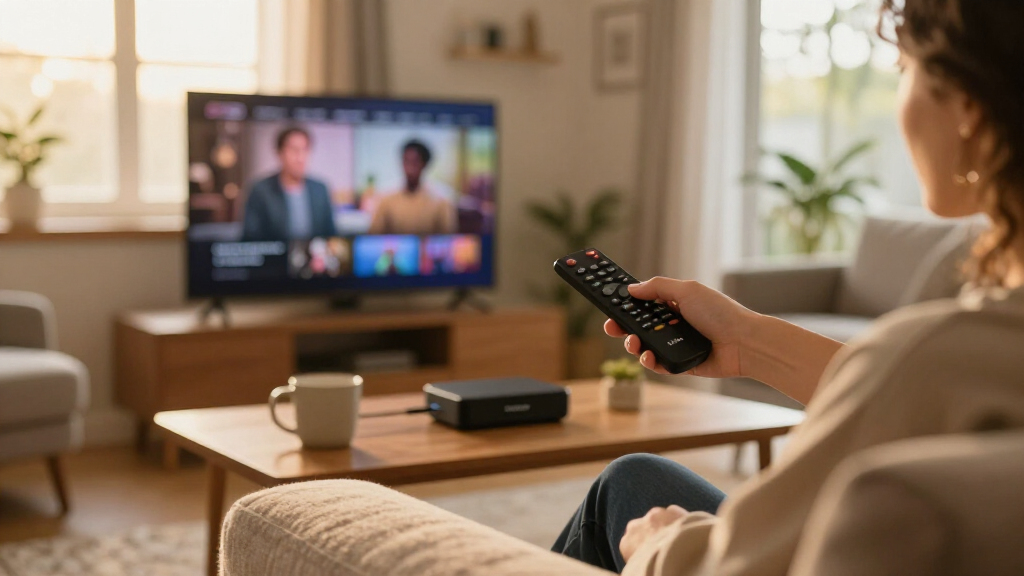
I ranked these nine devices by asking the questions a buyer would actually face: What resolution does it support, how responsive is the interface, how well does it handle busy Wi-Fi networks, and what does the remote actually do? Performance came first — a streaming device lives or dies by how quickly it loads apps and navigates menus, so models with newer processors and faster memory ranked above older chips at similar price points. Connectivity mattered next: Wi-Fi 6 and 6E support makes a measurable difference in apartments and multi-device homes, so I weighted that heavily. I also factored in the remote (standard Alexa Voice vs. the Pro version with backlighting and a remote-finder), hands-free capability, and whether bundle or refurbish variants genuinely changed the value equation.
The ranking logic is straightforward: the 4K Max leads because it balances every criterion without a weak spot, the Cube follows as the premium hands-free option, and the standard 4K models fill the value tier. HD sticks sit lower because they only make sense for 1080p TVs, and bundle/refurbished variants are ranked relative to their new equivalents rather than treated as separate products. No device appears here without a defined buyer — if a model only makes sense in a narrow scenario, that scenario is spelled out.
| Amazon Fire TV streaming device | Processor | Audio |
|---|---|---|
| Amazon Fire TV Stick 4K Plus | Quad-core 1.7GHz | Dolby Atmos, 7.1 surround, 2-channel stereo |
| Amazon Fire TV Stick HD | — | — |
| Amazon Fire TV Stick 4K Select | Quad-core 1.7 GHz | — |
| Amazon Fire TV Cube | Octa-core (4 x 2.2 GHz, 4 x 2.0 GHz) | Dolby Atmos, 7.1 surround, HDMI passthrough up to 5.1 |
| Amazon Fire TV Cube | Octa-core (2X Fire TV Stick 4K Max) | Dolby Atmos |
| Amazon Fire TV Stick 4K | — | Dolby Atmos |
| Amazon Fire TV Cube | Octa-core (4x 2.2GHz, 4x 2.0GHz) | Dolby Atmos, 7.1 surround, stereo, 5.1 pass-through |
| Amazon Fire TV Stick 4K Max | Quad-core 2.0GHz | — |
| Amazon Fire TV Stick HD | — | — |
Factors to Consider When Choosing Amazon Fire TV Streaming Devices
Before picking a specific model, it helps to understand what actually separates Fire TV devices from one another — and where buyers most often overspend or underspend.Match the Device to Your TV Before Anything Else
The single most common mistake is buying a 4K-capable stick for a 1080p TV — or worse, buying an HD stick for a 4K panel and locking yourself out of the sharper picture you already own. If your TV is 4K, any of the 4K sticks will feed it properly, but an HD stick will cap your picture at 1080p regardless of what the TV can display. Check whether your TV supports HDR formats like Dolby Vision or HDR10+ as well, since support varies across the Fire TV range. A 4K TV with a basic HD stick is the most wasteful pairing in this category, because the upgrade cost is small and the picture improvement is immediate. Conversely, spending on a 4K Max for an aging 720p or 1080p set buys processing speed you will notice but picture quality you will never see.
Wi-Fi Generation Matters More Than You Think
Fire TV devices range from older Wi-Fi standards to Wi-Fi 6E, and the difference shows up in exactly the situations that frustrate streamers most: buffering during peak evening hours, lag when someone is gaming on the same network, and stuttering on high-bitrate 4K content. Wi-Fi 6E devices can use the less-crowded 6GHz band, which is a genuine advantage in apartment buildings or homes with a dozen connected devices. If you live alone with a simple router, this matters far less, and a Wi-Fi 5-era stick will stream 4K fine. But if your household streams on multiple TVs simultaneously, treat Wi-Fi 6 or 6E as a requirement rather than a bonus. Buyers frequently upgrade processors they don’t need while ignoring the wireless chip that actually causes their buffering.
Decide Whether Hands-Free Alexa Is Worth the Premium
Only the Fire TV Cube offers true hands-free voice control — you can walk into the room and ask Alexa to play something without touching anything. Every stick requires pressing a remote button first, which sounds like a small difference until you’ve used both. The Cube also functions as a smart home hub, extending Alexa’s range and controlling IR devices like soundbars and cable boxes. That said, if you already own an Echo speaker near the TV, or you simply don’t talk to your devices, the hands-free premium is money spent on a feature you’ll ignore. Be honest about how you actually interact with your TV before paying for capability you won’t use.
The Remote Is Not a Throwaway Detail
Amazon ships different remotes across the lineup, and the gap between them shapes daily use more than most spec sheets suggest. The Alexa Voice Remote Pro adds backlighting, a remote-finder feature (the Cube makes the remote beep from the sofa cushions), and dedicated app buttons, while the standard remote covers the basics. Households with kids or dim home-theater lighting will get real value from backlighting; solo viewers in bright rooms may never miss it. If you buy a cheaper stick and regret the remote, Amazon sells the Pro remote separately — but factoring it into the initial purchase often costs less than upgrading later. Check which remote is bundled before assuming two sticks differ only in streaming specs.
When Bundles and Refurbished Units Make Sense
Two of the nine entries are protection-plan bundles and two are refurbished units, and each makes sense only for specific buyers. Protection plans primarily cover the remote — the part of a streaming stick that actually gets damaged or lost — so families with young kids benefit most, while careful solo users are usually paying for coverage they’ll never claim. Refurbished ‘Like-New’ units from Amazon come with the same warranty as new devices, making them a legitimate way to get Cube-level hardware at stick-level cost, though stock and colorways vary. The mistake to avoid is assuming refurbished means risky; the mistake on the other side is buying a refurb to save a trivial amount when the new unit is readily available. Evaluate these variants against their new equivalents, not against each other.
Plan for the Ecosystem, Not Just the Device
Every Fire TV device runs the same interface, which means the differences buyers feel day-to-day come down to speed, not features — every stick and Cube accesses the same apps, including Prime Video, Netflix, and Disney+. What varies is how quickly the interface loads, how well live TV integration works, and how deeply Alexa is woven in. If you’re already embedded in the Alexa ecosystem, the Fire TV line is a natural fit and the Cube’s hub features compound in value. If your household is split between Alexa and Google, note that Fire TV favors Amazon services in its interface layout, which some buyers find tiresome over time. Choose based on the ecosystem you’ll keep for years, not the app you’ll open tonight.
Frequently Asked Questions
Is the Fire TV Cube worth it over the Fire TV Stick 4K Max if I don’t care about hands-free voice?
Probably not. Both devices support the same 4K and HDR formats, both handle Wi-Fi 6E, and both run the same interface at similar speeds. What you’re paying extra for with the Cube is hands-free Alexa, a built-in smart home extender, HDMI input switching, and IR control of devices like soundbars and cable boxes. If your viewing routine always includes the remote anyway, those extras sit unused. The Cube earns its premium only when you want to control your entire entertainment setup by voice or use the TV room as a smart home hub — otherwise the 4K Max delivers an essentially identical streaming experience for less.
Will a Fire TV Stick 4K work on a 1080p TV, or am I wasting money on the extra resolution?
It will work perfectly — 4K sticks downscale to whatever your TV supports, and many buyers choose them for 1080p sets deliberately. The reason is future-proofing: if you replace the TV within a few years, the stick moves with you and instantly delivers 4K. The newer 4K sticks also carry faster processors and better Wi-Fi than the HD model, so the interface feels snappier even on a 1080p panel. That said, if the TV is old enough that you don’t plan to keep it long or the budget is tight, the Stick HD handles 1080p streaming competently. The wasted money scenario is the reverse — an HD stick on a 4K TV — not a 4K stick on an HD one.
Are Amazon’s refurbished ‘Like-New’ Fire TV devices a safe buy?
Yes, with a caveat about expectations. Amazon’s Like-New program puts devices through the same inspection process and backs them with the same warranty as new units, so the functional risk is low. Cosmetically, they may arrive in plain packaging rather than retail boxes, which matters if you’re gifting. The smarter question is whether the discount justifies it: on the Cube, refurbishing can close the gap to a new mid-tier stick, which is a genuinely good trade; on cheaper sticks, the savings are often too small to bother. If you find the exact model you want in Like-New condition at a meaningful discount, there’s little reason to hesitate.
Do I need the 2-year protection plan bundles, or should I buy the device alone?
For most buyers, the device alone is the better call. Fire TV sticks fail rarely — the hardware is simple, low-power, and generates almost no heat. The component that actually suffers damage is the remote: it gets dropped, sat on, and lost, and replacement remotes cost real money. So the bundles earn their keep mainly in households with children, pets, or multiple people handling the remote daily. If that describes your living room, the bundle pricing typically undercuts buying the stick and a replacement remote separately later. If you’re a careful solo user, skip the plan and put the difference toward a faster model.
How much does Wi-Fi 6E actually matter for streaming compared to regular Wi-Fi?
It depends entirely on your home network conditions. On a quiet household network with one or two devices online, an older Wi-Fi standard streams 4K without issue — the bandwidth requirements are modest. Wi-Fi 6E earns its keep in crowded environments: apartment buildings with overlapping networks, homes with 15+ connected devices, or situations where someone is gaming while others stream. The 6GHz band is far less congested, which translates to fewer buffering events during evening peak hours. If your current setup streams smoothly, don’t upgrade purely for the Wi-Fi spec — but if buffering is already a problem, a Wi-Fi 6E device like the 4K Max or Cube addresses a root cause the cheaper sticks can’t.
Conclusion
The right Fire TV device depends less on which is objectively best and more on what your TV, network, and habits look like. For the best overall pick, the Fire TV Stick 4K Max (2nd Gen) is the model I’d point most buyers toward — it matches the Cube on picture quality and Wi-Fi while costing meaningfully less. For the best premium setup, the Fire TV Cube (3rd Gen) is worth it if you want hands-free Alexa and a smart home hub in one box, and the Like-New refurbish makes that premium easier to justify. For best value, the standard Fire TV Stick 4K (newest model) delivers the core 4K experience without paying for performance headroom you may never push. For beginners or older 1080p TVs, the Fire TV Stick HD is the simplest, most affordable entry point. And for specific needs: grab the Stick 4K Select Bundle if remotes get abused in your house, and the Stick HD with protection plan if you want a set-and-forget gift for a less tech-savky household. Match the device to the TV you own today, and the choice usually makes itself.
Fall Picks
fall essentials
As an affiliate, we earn on qualifying purchases.